

Participant
February 18, 2022
Question

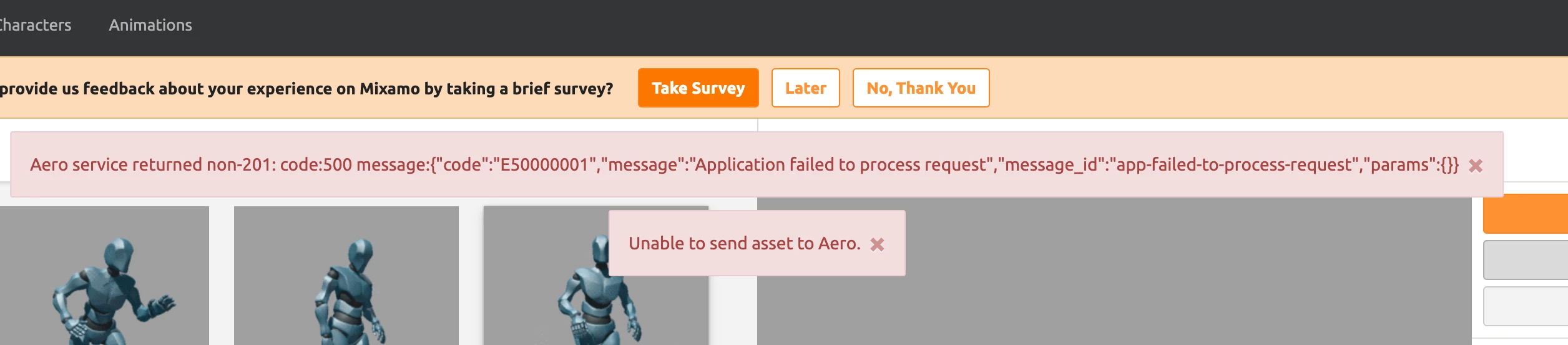
Unable to send to Aero Error:500 NEED Help ASAP Please.

  • February 18, 2022
  • 11 replies
  • 1190 views

Everytime i try to send to Aero I get an error 500 message. Screenshot attached.

11 replies

Participant
June 19, 2025

Ussnorway7605025
Legend
July 14, 2022

then the issue will be Adobe server again and you need to contact support because that bubble [Aero] doesn't have anyway to talk to customers from the outside world

Ussnorway7605025
Legend
July 14, 2022

so do you also have a Enterprise or school account like the op?

Participant
July 14, 2022

Nope, not enterprise or school...just a regular "personal" account.

Ussnorway7605025
Legend
July 13, 2022

what message pops up when you press the send to Aero ?

Participant
July 13, 2022

The same one as the OP 🙂

Participant
July 13, 2022

I'm having the same issue. Tried logging out, different web browsers, different laptops, same issue. Clocks are synced. Can someone help? 

Ussnorway7605025
Legend
March 8, 2022

school accounts are different and schools [for the most part] still use proxy servers which give fake error returns to standard network issues


the best way to test it to take the model from a student that has issues and try uploading the model from one of the workstation | accounts of a teacher or student that didn't get the issue before... this will help work out if the error is hardware or account


yes Mixamo is on the standard [free] account which means if a student logs into a school system using their personal Adobe Id instead of the standard student Id it will lock both their account and that workstation because Adobe creative cloud is not designed for schools

Community Manager
March 4, 2022

Hi filmfish,


Can you try to reproduce this issue again on your end. The Aero team investigated the bug and noted that they haven't seen this error show up again on their logs since Feb. 22nd. Let us know here if you are still experiencing the same.


Known Participant
March 4, 2022

I am a 3D Animation teacher and I'm using Mixamo and Aero for the first time. I and some of my students log into Mixamo and Aero just fine, and can share assets. Some of them get this same error message. We logged out and back in and that didn't help. Any other suggestions? We're under a deadline. Thanks!

Community Manager
March 4, 2022

Hi, when was the last time you received such error? Can I kindly request that you and the students clear browser history/cookies and perhaps try with different browsers (chrome, safari, firefox etc.). 

Once you try those options please let us know if you are still encountering issues and also can you share your some details such as the error message or user ID of those users who are experiencing the problem. 


Thanks

Community Manager
February 25, 2022

Hi filmfish, 


I reported your error message to Aero support team. Seems the problem is on their side and likely linked to your login ID, will need to wait to see if they have a resolution in the coming days, I'll report back here since they don't have a support forum of their own.

Ussnorway7605025
Legend
February 22, 2022

try one of the default XBot models

Ussnorway7605025
Legend
February 19, 2022

try a different browser or ask a mate to lend you his system for the test so use Firefox instead of chrome or even Edge if thats all you have


then try a different location like this mates home

filmfishAuthor
Participant
February 22, 2022

Still wont work.

tried all the suggestionds