


Answered
Critical Issue: Photoshop Tools Switching Back Automatically
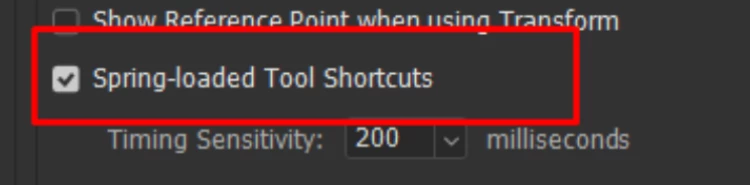
Hi Adobe Team, I’m facing a small but very frustrating glitch in Photoshop, and I wanted to bring it to your attention. Whenever I’m using the Move Tool, and I try to switch to the Brush Tool by pressing B on my keyboard, Photoshop jumps to the Brush Tool for a split second and then immediately switches back to the Move Tool on its own. This keeps happening repeatedly, and only after trying 3–4 times does the tool finally switch properly.
This issue is interrupting my workflow and becomes quite irritating, especially during long design sessions. I kindly request you to please look into this bug or guide me if there’s any fix or setting adjustment I should try from my side.

 AdChoices