
Participant
August 15, 2023
Answered

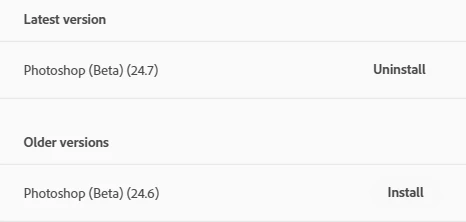
Photoshop (beta) is up to date (v24.7) but asking for update to use AI tools

  • August 15, 2023
  • 8 replies
  • 2330 views

I updated my version of Photoshop (beta) a few days ago and now when I try to use the AI features, I get this pop-up and nothing works.

I have checked that I am running the latest version (I am), I have uninstalled and reinstalled, and I have signed out and back in - nothing is working.
 

Is this a bug or is there something I can do?

This topic has been closed for replies.
Correct answer CShubert

Ok, if you are using an Enterprise or EdU account for your Adobe ID, it is possible your IT Admin is blocking the update.  See this thread and share with your admin to see if this is the case:

https://community.adobe.com/t5/enterprise-teams-discussions/photoshop-beta-not-available-in-creative-cloud-desktop-application/td-p/13834355


8 replies

Participant
August 28, 2023

Thank you Cory and apologies for the late response, I work within a large organisation and it took some time to get this sorted with our admin.

I can confirm it has worked, although a heads up to anyone else trying, it took a couple of days for the change to come into affect and for us to see the update.


Thank you very much for your help @CShubert!

Inspiring
August 17, 2023

I can confirm on Win 10, LRC v12.5 has fixed the issue with external editing in PS Beta v25. Thanks all.

Just out of curiosity, (this has happened for some time with production and beta versions) why do HEIC files open in Photoshop as Tiff when I have external settings set to PSD. Not a big issue and I can workaround using an export preset.

AxelMatt
Community Expert
Community Expert
August 17, 2023

Please install the latest Lightroom update to version 12.5 and check that the latest version of Photoshop Beta (25.0) are installed. Then it should work.

My System: Intel i7-8700K - 64GB RAM - NVidia Geforce RTX 3060 - Windows 11 Pro 25H2 -- LR-Classic 15 - Photoshop 27 - Nik Collection 8 - PureRAW 6 - Topaz Photo AI
Participant
August 17, 2023

Cory, I updated to 25.0.0 but I am having issues with uploading from Lightroom Classic.  So after time with Adobe Customer Service I was told to go back to 24.7.0 - it loaded fine and was working.  In the last couple days, it now tells me that it cannot do the generative fill (that it has been doing) and that I need to update.  When I do that, I am back not able to load images from Lightroom Classic - very frustrating - any thoughts?

Participant
August 16, 2023

Thank you Cory, I have reached out to our admin to try and get this resolved - I will update this thread with the outcome 🙂

CShubert
Community Manager
CShubertCommunity ManagerCorrect answer
Community Manager
August 16, 2023

Ok, if you are using an Enterprise or EdU account for your Adobe ID, it is possible your IT Admin is blocking the update.  See this thread and share with your admin to see if this is the case:

https://community.adobe.com/t5/enterprise-teams-discussions/photoshop-beta-not-available-in-creative-cloud-desktop-application/td-p/13834355


Participant
August 15, 2023

Thanks Cory, I still don't have an option to update to any other version, my creative cloud is only showing v24.7 as the latest version and says that I am up to date.

I have tried logging out and back in, uninstalling, reinstalling, and nothing changes in CC - I think this is the bug.


CShubert
Community Manager
Community Manager
August 15, 2023

Hi @Mathilda31674506p0wk you do not have the latest... the current version: Adobe Photoshop Version: 25.0.0 20230801.m.2265 3a00623 x64