

Participant
October 28, 2023
Answered

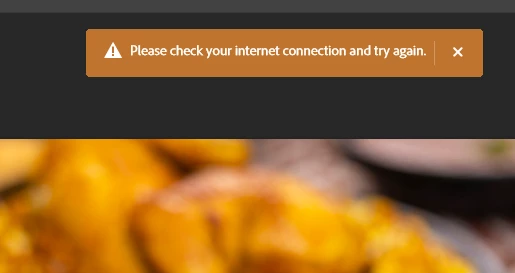
Please check your internet connection
  • October 28, 2023
  • 17 replies
  • 18853 views
Please check your internet connection and try again.


[Topic changed to macOS as per later post by OP]



Correct answer Kevin Stohlmeyer

@DarkDeviL you dont have to turn off Windows Defender Firewall - just add Photoshop to the allowed list. Turning off is a pretty drastic/risky maneuver.

17 replies

cafepolier
Participant
February 14, 2026

I restored a previous version dated February 10.  It works.  Does a lousy job, but it does something.  Uses the old content aware not Firefly I believe

cafepolier
Participant
February 14, 2026

all I can find iss=Adobe Native client and that is allowed

Participant
April 20, 2025

I've faced the same issues and just allowing the app through the Firewall settings didn't work. What fixed is though, was going to the advanced settings of Windows Defender Firewall and deleting specific rules to block Adobe products (outgoing and incoming). The rules to block something are marked red there.
Also both Adobe Cleaner Tool and Adobe Limited Access tools didn't touch these rules, so you'll have to go and edit them by hand.

Participating Frequently
January 27, 2025

hello. I have the same problem and I can't solve it.

  • I added PS and Creative to the allowed list.
  • I turned off the Firewall.
  • restore the firewall.
  • disabled it in the Outbound rule.
  • connected to different connections.

I tried all and nothing works. What else can I do? 😞

Participant
March 7, 2025

Photoshop uses Microsoft Edge WebView for the popup window that warns about updates or payment issues. Check the taskbar by expanding the Photoshop process to see which subprocesses are open, and add exceptions in the firewall to allow the connection.

cafepolier
Participant
February 14, 2026

where is that?   I dont know how to find it.  Is it in Photoshop or Edge
?

Participant
September 10, 2024

I have now paid for adobe photo shop and it did not resolve the problem so I am now going to cancel adobe photo shop 

Kevin Stohlmeyer
Community Expert
Community Expert
September 10, 2024

@KLWGJewellery The issue isnt with your software or your subscription. Check your firewall settings. They are blocking Firefly.

Kevin Stohlmeyer
Community Expert
Community Expert
February 13, 2024

@Jacob2830063472y4 isn't that the same as posted above?

Participant
February 11, 2024
Participant
June 18, 2024

it's working. Thank you so much!


Kevin Stohlmeyer
Community Expert
Kevin StohlmeyerCommunity ExpertCorrect answer
Community Expert
January 22, 2024

@DarkDeviL you dont have to turn off Windows Defender Firewall - just add Photoshop to the allowed list. Turning off is a pretty drastic/risky maneuver.

Participant
November 30, 2024

I have added photoshop to allowed list but it stil said I need to check my internet , what should I do 


Participant
November 30, 2024

and i have tried turn off the firewall as well,  but it still said that check your internet and try again 

Participant
January 21, 2024

I realized that I was getting this error because I couldn't connect to Adobe servers. And I solved the problem by turning off the Windows firewall. Those who have the same problem can fix it by following the method I followed.

Participant
January 19, 2024

I have the same problem. I turned off the firewall on my computer. The result did not change. Is there any new information about the solution?
