


2025 Photoshop Brush Pen Pressure/Tilt Brush Not Function (HP Rechargeable MPP 2.0 Tilt Pen)
Hey Adobe Community! Artist Here,
I recently Have been trying to get back into Curating some Digital Drawings, I don't Normally use like a typical Tablet, or Seperate peice of Hardware to Directly Draw on Photoshop. I Use A Standard Pen HP Rechargeable MPP 2.0 Tilt Pen, That came with the HP Spectre X360.
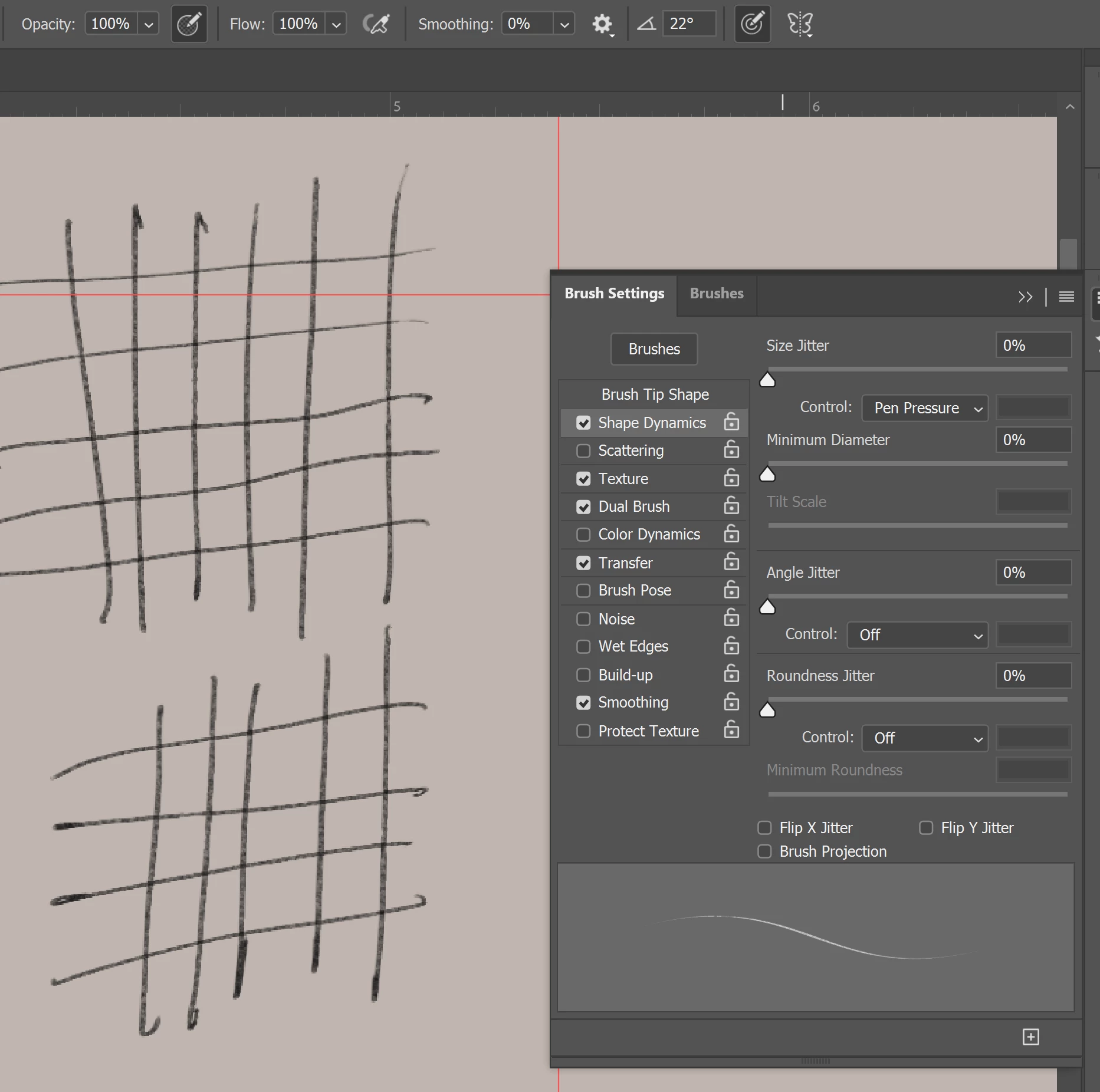
Looks Like For some reason when I draw, Much of the line weight looks the same rather than each line being dynamically different according to how The Pen is moved, There are SOME instances where it does appear at the very slightest, then it stops functioning, But for the 98% of the time there is no Varying Line wieght
. Even Regardless, if Both the Pen Pressure Boxes are ticked on Still lacks to show evidence of any Pressure/Tilt . Below is an Example:
Any Help or Insight would be Much Appreciated or Even Rewarded if we actually figure this out, Thanks
Lets Problem solve and Figure this out together


 AdChoices