
Participant
April 19, 2022
Question

3D Smart Object Mockup - How to create 3d product and turn it to Photoshop Mockup

  • April 19, 2022
  • 1 reply
  • 3662 views
I've found this cool fabric mockup product (demo available on their website) and have been trying to understand how it is created. 


I watched countless youtube videos but no one seems to mention 3D smart objects.


But I can't figure out how they make this product and turned it into a 3D smart object?
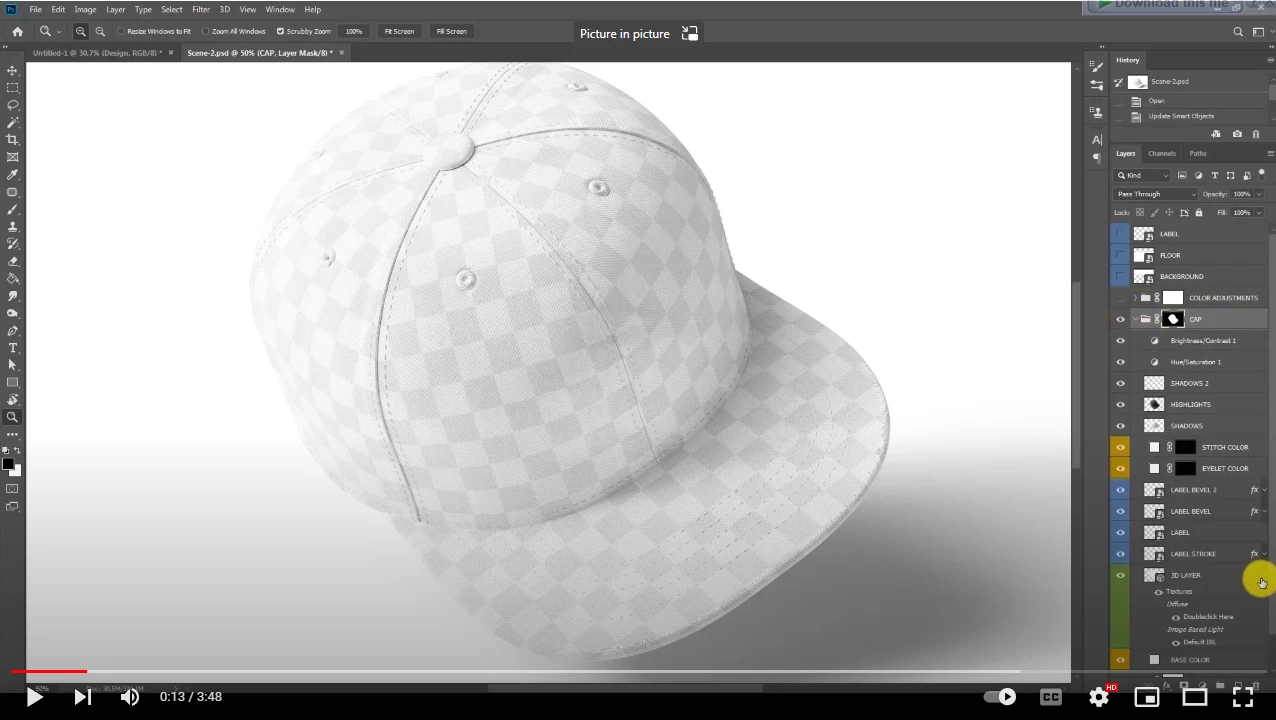
 

Does anyone know and can show me extractly how the product was created by the way and turn it to 3d mockup in photoshop!
Many thanks

Follow the link: Snapback Cap 3d Mock-up for Photoshop, video tutorial - YouTube

This topic has been closed for replies.

1 reply

jane-e
Community Expert
Community Expert
May 9, 2022

@duytg wrote:
 

But I can't figure out how they make this product and turned it into a 3D smart object?


To make a Smart Object, right-click the layer and choose Create Smart Object. If there is more than one layer, multiple-select them (Layers panel) using the Shift key first. See details here:

https://helpx.adobe.com/photoshop/using/create-smart-objects.html


Most likely this is an old video, as 3D is being removed from Photoshop.

https://helpx.adobe.com/photoshop/kb/3d-faq.html

"For technical reasons, Photoshop’s 3D feature set will not reliably work in modern operating systems, and as of Photoshop 22.5, we are beginning the process of removing those features"


Jane