

Participant
November 14, 2025
Question

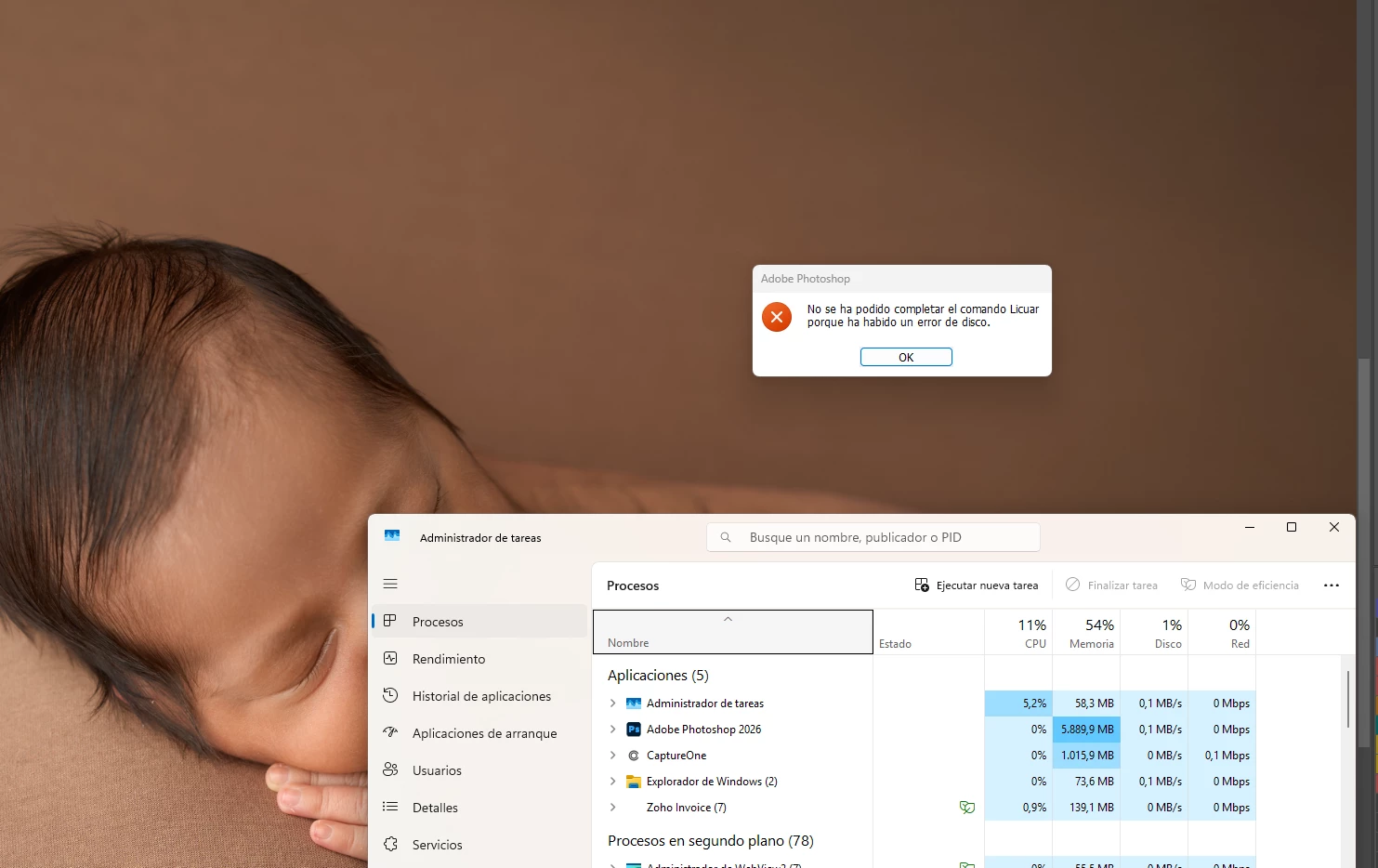
A Habido un error de disco

  • November 14, 2025
  • 2 replies
  • 100 views

Cuando incio fundiona normal, pero a los 10 o 15 min, me sale este error al usar camera raw y licuar

2 replies

luis_8973Author
Participant
November 14, 2025

Gracias por contestar. 

Versión de Adobe Photoshop: 27.0.0 20251015.r.25 d1c1320 x64

Solo trabajo con archivos .raw y con todos pasa

Anshul_Saini
Community Manager
Community Manager
November 18, 2025

Hi @luis_8973,


Thank you for sharing the additional details and screenshots. Please try the following step and let us know the results:

Go to Photoshop Preferences > Image Processing
Under Remove Tool Processing, change the setting to More Stable


Restart Photoshop and continue working for a while to check whether the error returns.


If the issue still persists after this change, please let me know and we’ll move to the next set of diagnostics.


Regards,
Anshul Saini

Srishti Bali
Community Manager
Community Manager
November 14, 2025

Hi @luis_8973


Thanks for reporting this! To help diagnose the issue, could you share a few details:

  • Photoshop version you’re using

  • How much free space is on your scratch disk

  • Does it happen with all files or only specific ones?


In the meantime, please try the steps shared here to fix disk/scratch-disk errors:
https://adobe.ly/47YsK4f


Let us know what you find!


Regards,

Srishti