


A Modern Workflow for Editing 360° Panoramas in Photoshop: How do you automate repetitive steps?
Many people were disappointed when Photoshop removed its 3D panorama features.
I've stitched and retouched over 10,000 panoramas, and honestly... I never used those features once.
Not because they weren't interesting, but because my workflow needed something entirely different: efficient batch processing.
Photoshop has always been an incredible image editor, while panorama-specific tasks such as projection conversion have traditionally been handled by specialized plugins.
For years, my workflow relied on Photoshop plugins. Each of them solved part of the problem, but none covered the entire workflow.
Some offered more flexibility but compromised on reprojection quality or introduced subtle brightness shifts after a round trip. Others produced excellent reprojections but were limited to standard cube faces or lacked panorama alignment tools.
As my projects became larger, three priorities gradually emerged.
First, I wanted the highest possible reprojection quality—with pixel-accurate round trips and consistent brightness.
Second, I wanted complete freedom when extracting perspective views—not just the six standard cube faces, but any viewing direction I needed for retouching.
Finally, I wanted to improve the workflow itself by eliminating repetitive manual tasks wherever they could be automated.
One area stood out in particular: interior and real estate panoramas.
These scenes often contain enough structural information—walls, corners, windows, and door frames—to estimate the correct horizon automatically.
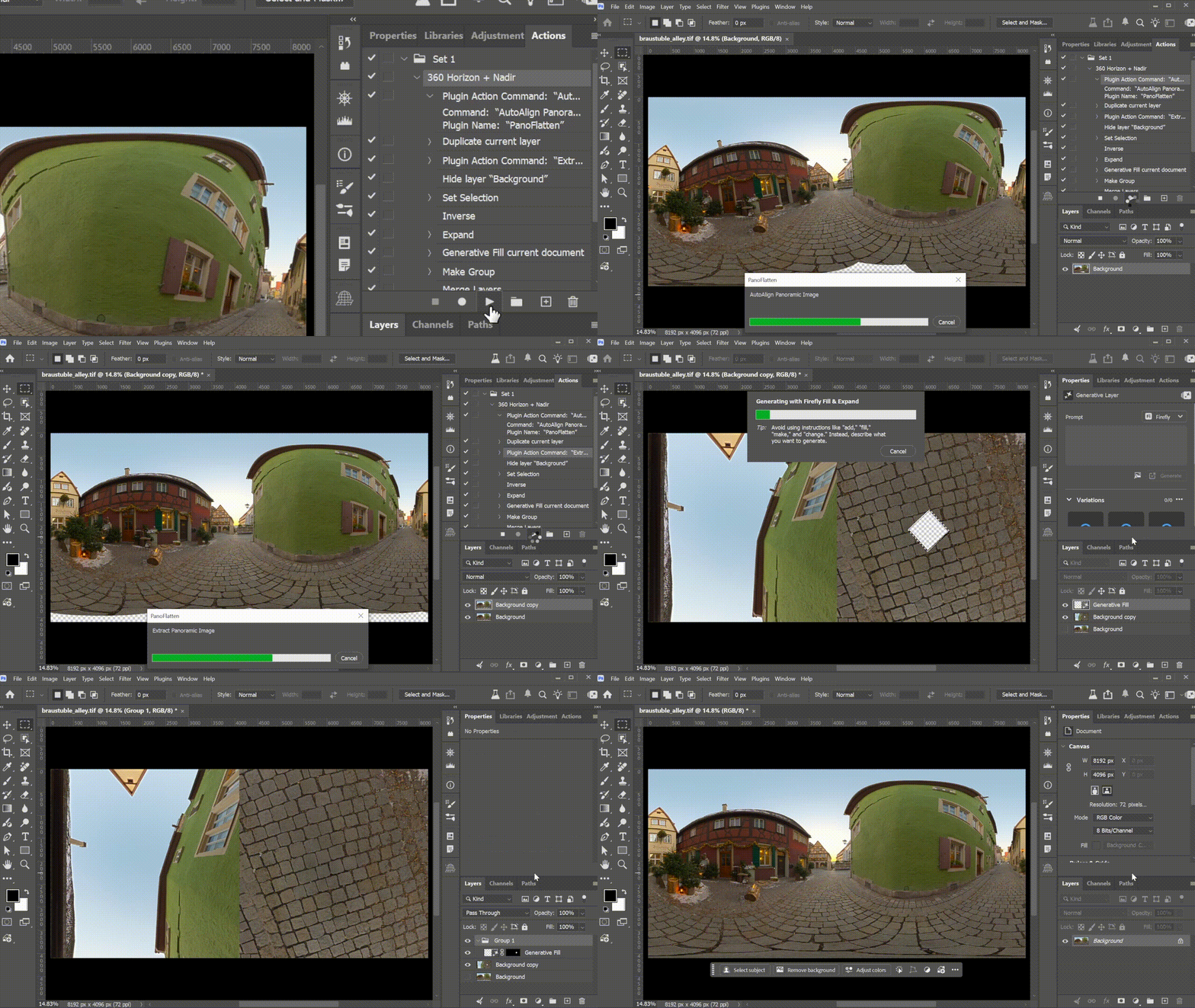
That observation led me to experiment with automatically leveling panoramas by detecting structural lines. Combined with Photoshop's batch processing, it removes yet another repetitive step from large panorama projects.
Over time, those ideas gradually came together and eventually became PanoFlatten.
A good workflow helps you edit a panorama.
A great workflow helps you stop repeating yourself.
I'm curious how others here approach large panorama projects.
Do you already have a batch workflow? Do you rely on Photoshop actions, plugins, or external software?
Which repetitive step do you wish could eliminate?
 AdChoices