

Comickidz20
Participant
June 23, 2026
Question

A problem with my display.

  • June 23, 2026
  • 1 reply
  • 0 views

So my Photoshop recently had an update, and for some reason, whenever I open up a document, it always seems to have this weird faded out tint to it. I’ll use one of my artworks as an example of this.
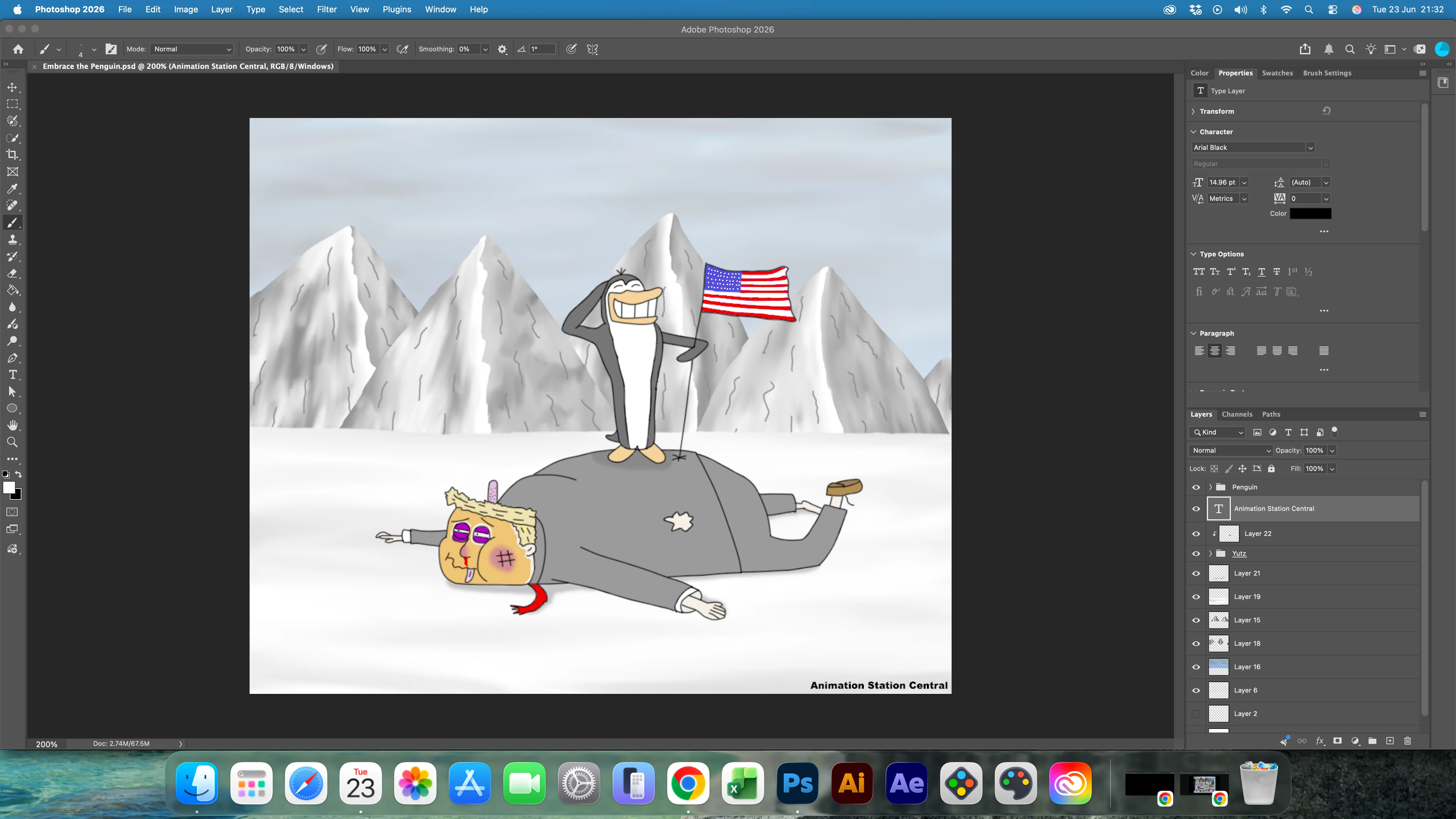

Here’s what Photoshop is showing


And this is the original image

I’ve updated my Mac and Camera Raw, but the image on Photoshop still seems faded. I would like to know what happened.

1 reply

Chris 486
Community Expert
Community Expert
June 23, 2026

Hello ​@Comickidz20 ,


What version of photoshop are you on now? If you roll back to a previous version does it still happen?

Could you provide your system info by going to Help>System info...

You may also want to try to update your graphics card drivers as something to try. If you have an nvidia card. use their studio drivers.