
Participant
July 3, 2021
Answered

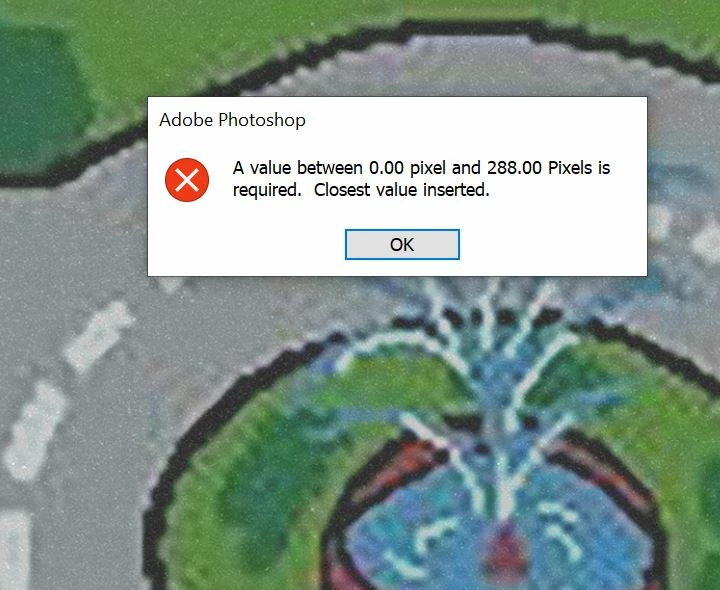
"A value between 0.00 pixel and 288.00 pixels is requires. Closest Value Inserted"

  • July 3, 2021
  • 3 replies
  • 3804 views

I am at my wits end, about 50% of the time I change from one tool to another this dialogue box pops up and completely breaks my workflow. I have updated photoshop to the most recent release. How on earth do I fix this

 

Correct answer Michael Bullo

Have you tried resetting the Photoshop Preferences? It's often a great fix when Photoshop starts acting weird. The Preferences can be found within the Photoshop menu on a Mac and the Edit menu on Windows. Within the General tab is the Reset Preferences On Quit button.

3 replies

Participant
December 27, 2022

I've just spent the last few days trying to deal with this issue. Switching to a new photoshop version helped. No setbacks yet. I swear it's so annoying when that happens


Kevin Stohlmeyer
Community Expert
Community Expert
December 27, 2022

Did you follow the suggestions above and reset your Photosho preferences?

Michael Bullo
Community Expert
Michael BulloCommunity ExpertCorrect answer
Community Expert
July 3, 2021

Have you tried resetting the Photoshop Preferences? It's often a great fix when Photoshop starts acting weird. The Preferences can be found within the Photoshop menu on a Mac and the Edit menu on Windows. Within the General tab is the Reset Preferences On Quit button.

Participant
July 5, 2021

That's a terrific suggestion, I will give that a try

Michael Bullo
Community Expert
Community Expert
July 5, 2021

Hope it works for you mate.

JJMack
Community Expert
Community Expert
July 3, 2021

You did not post Photoshop UI we have no Idea of what your document layer are like what is the current layer or what tool is active. You need to post pertinent information.

JJMack
Participant
July 5, 2021

I said very clearly in the description that this error occurs when I change to any tool