
TADCreative
Participant
May 19, 2026
Answered

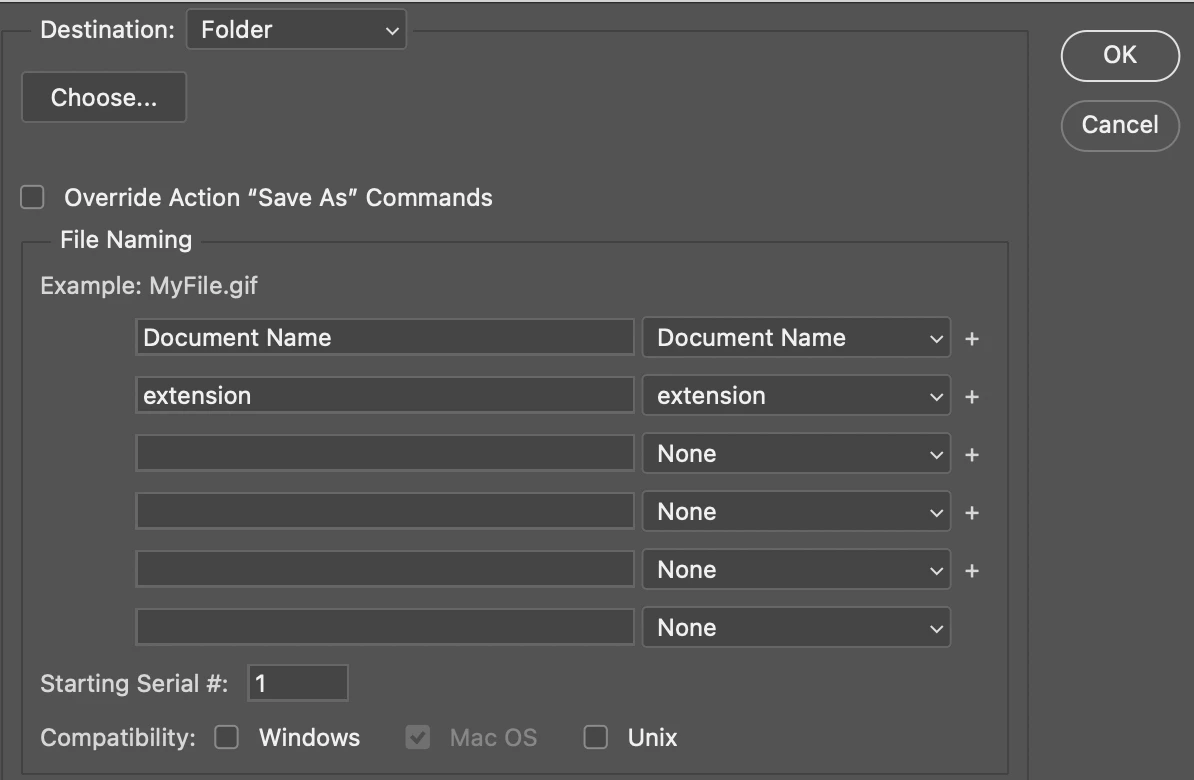
Add Functionality to Image Processor for File naming that is done under Batch Action.
  • May 19, 2026
  • 2 replies
  • 64 views


I want to add above to Image Processor. 
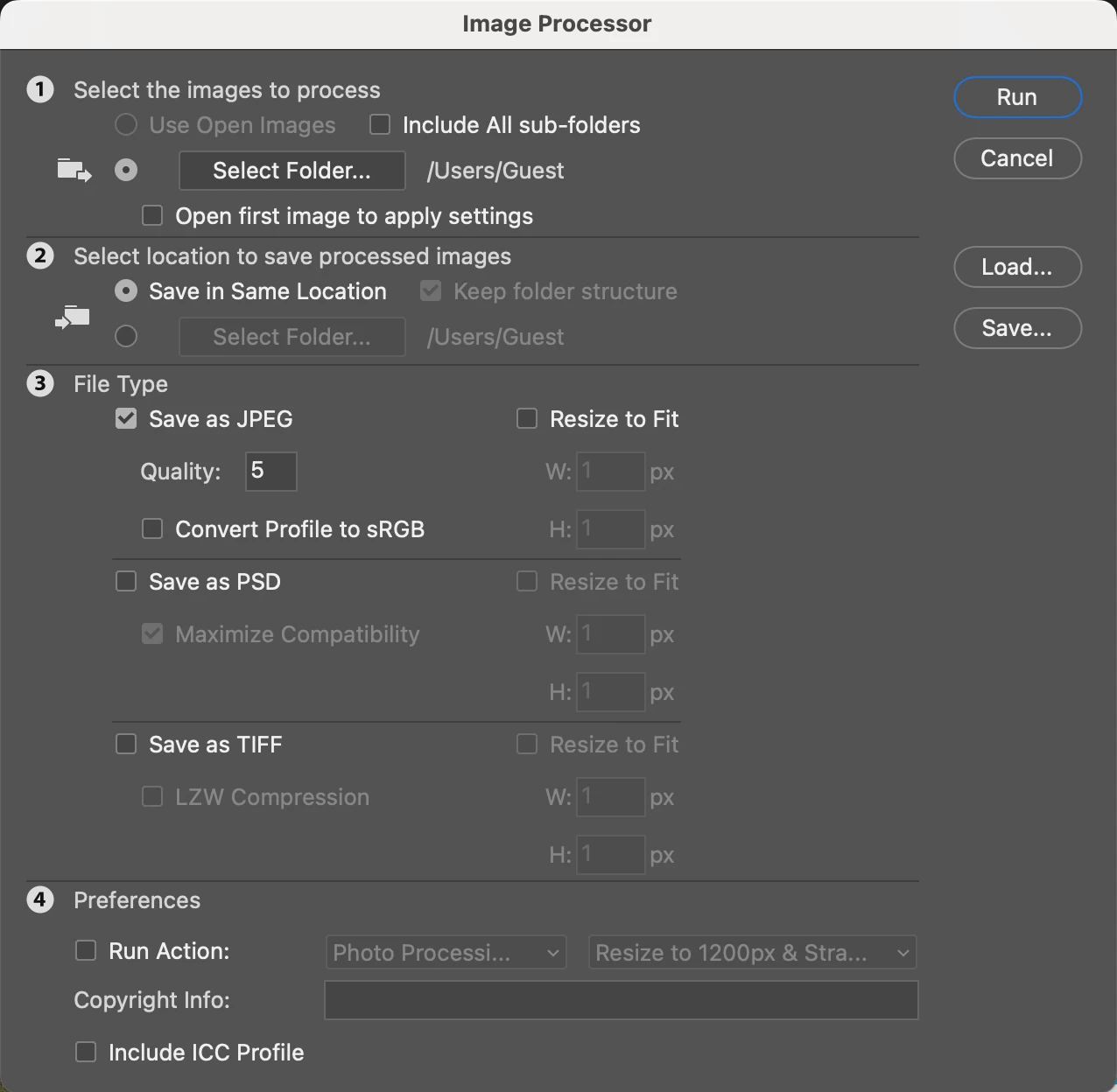


Can you help Stephen? :)

    Correct answer Stephen Marsh

    @TADCreative 


    OK, I believe that I have a workable scripted solution for you!
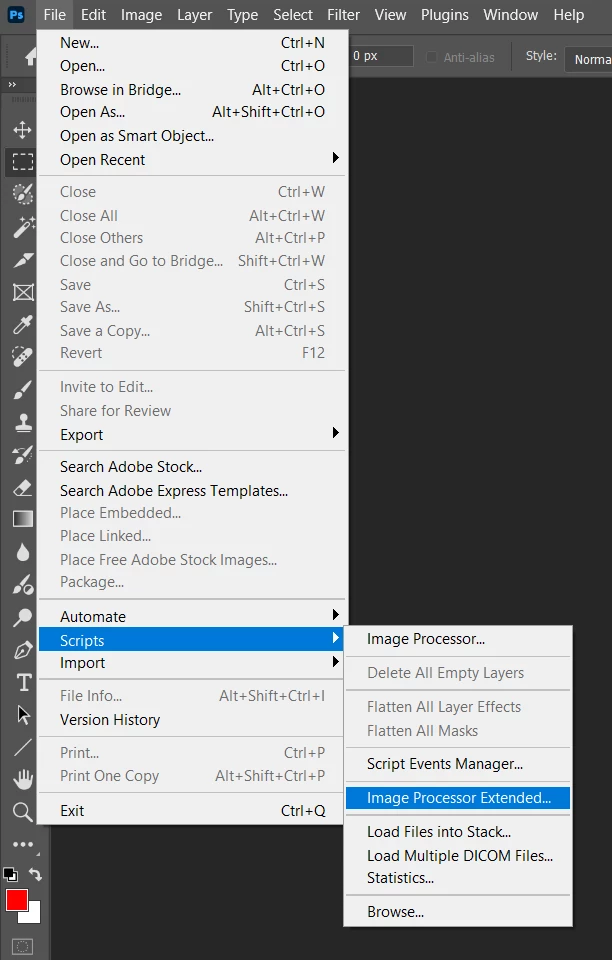


    If you press cancel, the standard Image Processor code will run, ignoring this "helper" window.


    I have only performed minimal testing, however, I haven't discovered any showstoppers!


    As this is a large script, I didn't want to try to paste the code directly, therefore, I have uploaded the code as a .txt file… After downloading, change it to .jsx rather than .txt (you might need to change your operating system to show hidden file extensions so as to avoid a possible double extension).


    https://prepression.blogspot.com/2017/11/downloading-and-installing-adobe-scripts.html


    2 replies

    Stephen Marsh
    Community Expert
    Stephen MarshCommunity ExpertCorrect answer
    Community Expert
    May 20, 2026

    @TADCreative 


    OK, I believe that I have a workable scripted solution for you!
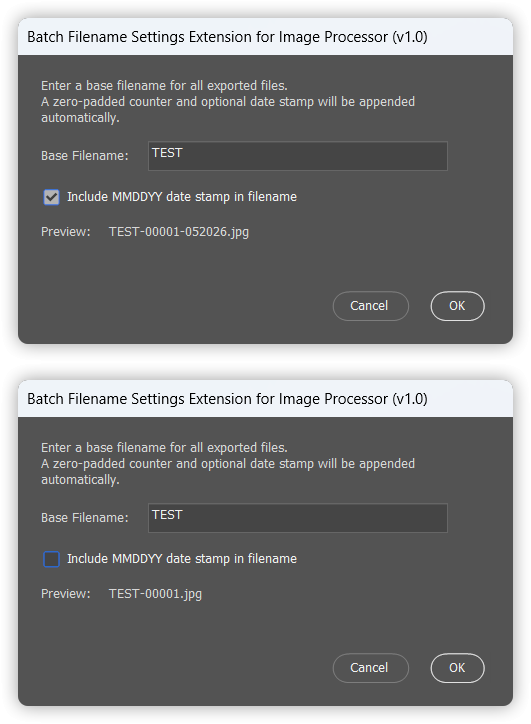


    If you press cancel, the standard Image Processor code will run, ignoring this "helper" window.


    I have only performed minimal testing, however, I haven't discovered any showstoppers!


    As this is a large script, I didn't want to try to paste the code directly, therefore, I have uploaded the code as a .txt file… After downloading, change it to .jsx rather than .txt (you might need to change your operating system to show hidden file extensions so as to avoid a possible double extension).


    https://prepression.blogspot.com/2017/11/downloading-and-installing-adobe-scripts.html


    TADCreative
    Participant
    May 20, 2026

    Amazing! Just absolutely Amazing. 

    Stephen Marsh
    Community Expert
    Community Expert
    May 21, 2026

    @TADCreative - glad you like it!

    Stephen Marsh
    Community Expert
    Community Expert
    May 19, 2026

    There’s a lot going on there, the interface is designed for flexibility.


    Image Processor (and other legacy Adobe scripts) is a very long and complex script.


    Adding a fixed filename pattern is doable, however, I wouldn’t want to add a “Swiss army knife” renaming interface to Image Processor (even as a separate window).


    What are before/after examples of filenames?

    TADCreative
    Participant
    May 19, 2026

    Example would be IMG_3732 before changing the name, adding a counter and then after filename-01, or filename-02. 
    In some cases would be adding a 6 digit date filename-01-051926. 

    Stephen Marsh
    Community Expert
    Community Expert
    May 19, 2026

    I’ll take a look, but can’t promise anything.


    In the meantime, I’d suggest a 2-step process, using the Batch Rename tool in Adobe Bridge.