Seretical
Participant
July 22, 2018
Answered

Added lens flare effect, can't get rid of it

  • July 22, 2018
  • 1 reply
  • 2552 views

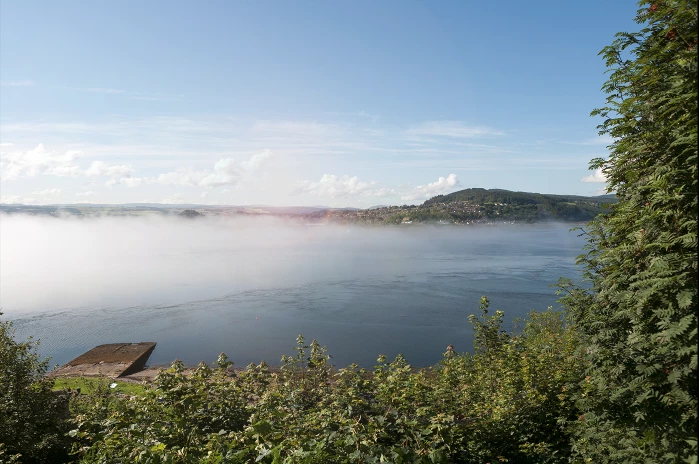
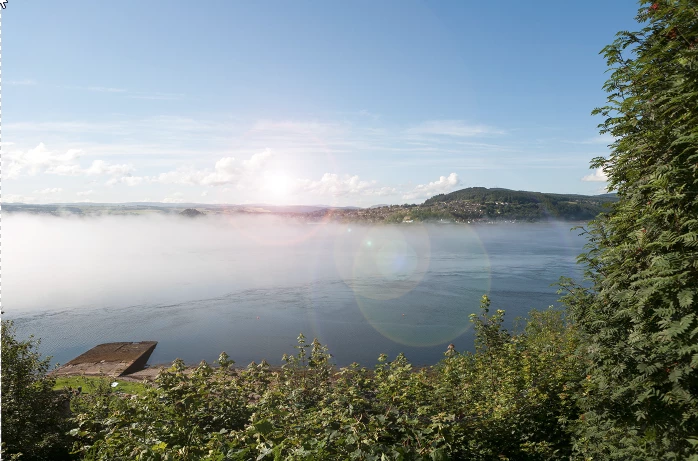
Hello, I added a lens flare effect to one of my photos (through Filter > Render > Lens Flare) and I want to change the place of it/remove it now but it doesn't show up in layers anywhere and I cannot use undo to remove it and do it again. Anyone know how to change it or get rid of it? Thanks.
    This topic has been closed for replies.
    Correct answer davescm

    Actually, because the flare was applied with a filter there is something you could do to minimise the cloning:

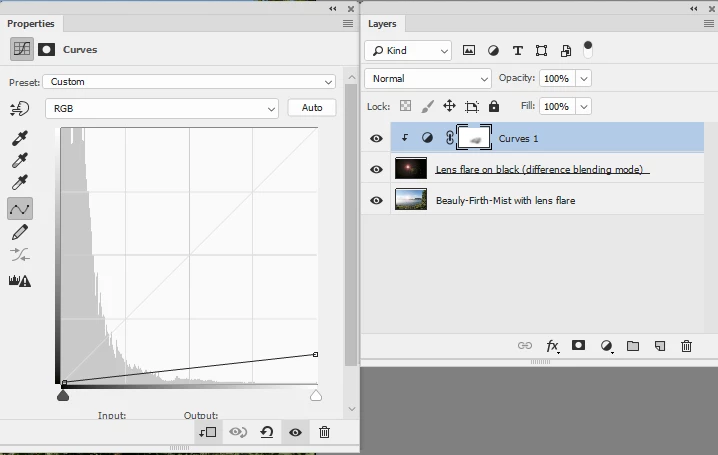
    a. Add a layer filled with black above the lens flare layer and set its blending mode to difference

    b. Apply the same lens flare filter to that black layer

    c. Add a curve and clip it to the black lens flare layer (Alt click on boder between the two in the  layers panel)

    d. Drag down the white end of the curve until the flare mostly disappears

    e. With a low opacity brush, set to black, lightly paint on teh curves mask to remove as much of the remaining flare as possible

    That gets you to this:

    Now you will need to clone.

    Dave

    1 reply

    davescm
    Community Expert
    Community Expert
    July 22, 2018

    Did you add it to :

    a. A smart object - in which case you can turn the filter view symbol on /off or drag the effect to the bin

    b. A seperate layer in which case you can turn the layer off - or just delete it

    c. The actual image layer - in which case you are stuck (unless you have not yet saved and therefore can still go back in history or just close without saving)

    The first two methods are recommended as they are non-destructive i.e. your original image is unchanged. The third method is destructive and therefore not recommended.

    It may be down to cloning it out which will be slow and difficult

    Dave

    davescm
    Community Expert
    davescmCommunity ExpertCorrect answer
    Community Expert
    July 22, 2018

    Actually, because the flare was applied with a filter there is something you could do to minimise the cloning:

    a. Add a layer filled with black above the lens flare layer and set its blending mode to difference

    b. Apply the same lens flare filter to that black layer

    c. Add a curve and clip it to the black lens flare layer (Alt click on boder between the two in the  layers panel)

    d. Drag down the white end of the curve until the flare mostly disappears

    e. With a low opacity brush, set to black, lightly paint on teh curves mask to remove as much of the remaining flare as possible

    That gets you to this:

    Now you will need to clone.

    Dave

    Seretical
    SereticalAuthor
    Participant
    July 23, 2018

    Hey, thanks heaps for your help.

    This did it for me, I'm still learning so it gets rough like this for me sometimes. I'll just remember to put it on a separate layer from now on I suppose, lol. I appreciate the detailed response!