
Participating Frequently
April 22, 2026
Question

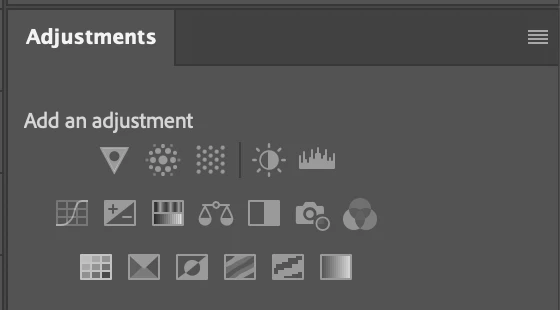
Adjustments Tab Greyed Out

  • April 22, 2026
  • 1 reply
  • 32 views

Hi,

I’ve been having an issue in Photoshop where the adjustments tab periodically becomes greyed out, making it impossible to add an adjustment layer by clicking on the the appropriate type. Restarting Photoshop resolves the issue temporarily.


I’ve tried a number of troubleshooting steps including trashing and rebuilding preferences and reinstalling the application but nothing has resolved it.


Photoshop 27.5.0. MacBook Pro M3, MacOS 26.4.1.


Any help to resolve this would be much appreciated.
 

    1 reply

    jane-e
    Community Expert
    Community Expert
    April 22, 2026

    @Thorongil 


    You didn’t mention what type of layer you are on when this happens, so that’s the first thing to look at. Can you show both your Layers and Adjustment panels for us?


    Jane

    ThorongilAuthor
    Participating Frequently
    April 22, 2026

    When it happens, it doesn’t matter what layer type is selected including those that normally accept adjustment layers. I can still add adjustment layers via drop-downs, but not via the palette.

    Sameer K
    Community Manager
    Community Manager
    April 23, 2026

    Hey, ​@Thorongil. Welcome to the Photoshop Community. I'll need more info to help you figure this out. 

    I’ve just tried this and couldn’t get the adjustment panel to grey out. Could you please share more details, with steps to recreate this & video recordings of what you see.


    Thanks! 
    Sameer K

    (Type '@' and type my name to mention me when you reply)