
itsmeyurimuller
Participating Frequently
May 28, 2020
Question

Adobe CS6 Suite not working.

  • May 28, 2020
  • 6 replies
  • 2512 views

Hello there supporters,


I've been using El Capitan since its releasing date and also working with Adobe CS6 Suite (Photoshop & Illustrator) with no problems at all.


Recently, I think, almost a month ago, I faced this weird issue when trying to open the apps.

When I open, this pops up on the screen:
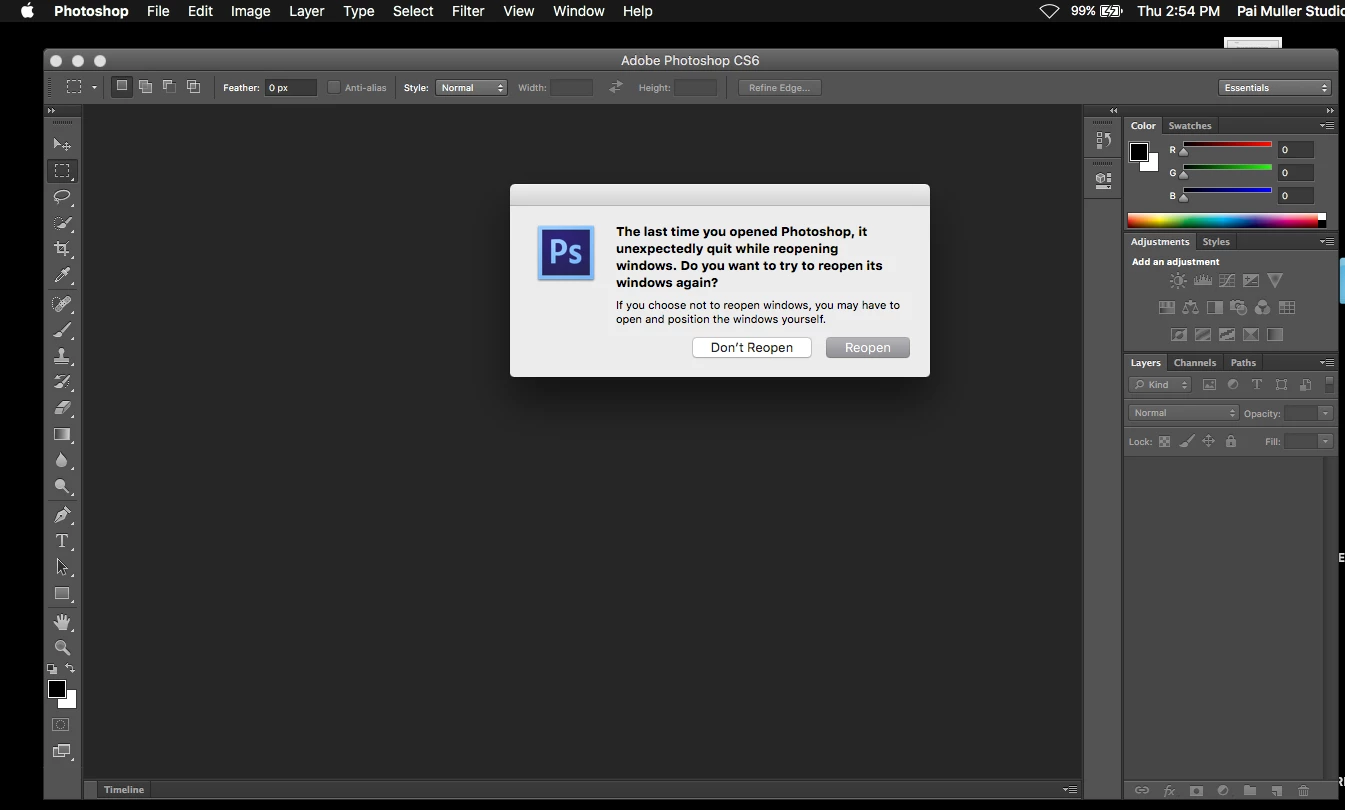
 

Both options leads to this:
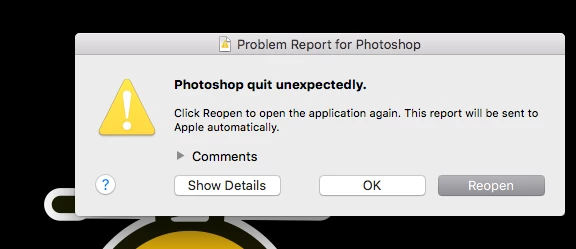
Clicking OK or REOPEN does not work as well. If I click Reopen, it starts again from the beggining, it's a loop of the same issues.


1 - I have uninstalled the suite multiple times and re-installed it. Same issues. (Have uninstalled from the uninstall icon and also manually).


2 - Contacted Adobe support:

a. First they say to uninstall and re-install.

b. Second they say the app is too old and eventually I would encounter some issue. No resolutions from this guy.

c. This person was really attentive and remotely accessed my machine and tried to resolve this but unsuccesfully. He tried changing permissions in options (read & write, etc). He also installed Photoshop CC 2018 to test, and it WORKED. Then uninstalled every adobe app from my machine, I re-installed the CS6 Suite again to test and, issue persists. Then he told me to post in the community because there are no more support on this.


I would understand the point of not working with El Capitan IF, I've never used before. But that's not the case, like I said I've been working this way since forever.


Any help?


I appreciate it!

This topic has been closed for replies.

6 replies

Jeff Arola
Community Expert
Community Expert
July 27, 2020

If your still having the same issue try starting photoshop cs6 with the third party plugins disabled by holding down the Shift key while starting photoshop cs6 and click Yes in the dialog that follows: Skip loading optional and third-party plug-ins?


itsmeyurimuller
Participating Frequently
August 20, 2020

Hey Jeff, already did that on the first tries, did not work. But thanks.


I recently got a new HD (Samsung) for my Mac, installed all my softwares again (using El Capitan) and everything was working perfectly, finally.


Oddly, TODAY, I was trying to set up my DSLR as webcam, and tried to use some apps (Camtwist, OBS, DSLR Assistant, and EpocCam). After installing Camtwist, everything went down again. I have no idea why. Now I got the same errors as before.


I uninstalled everything I did today but now, the problem is there again. God why?


Thank you all.

Jeff Arola
Community Expert
Community Expert
June 8, 2020

Go to

/Users/UserName/Library/Preferences


and trash the


Adobe Photoshop CS6 Settings folder

(this resets the photoshop cs6 preferences)


Adobe Photoshop CS6 Paths


and


com.adobe.Photoshop.plist

itsmeyurimuller
Participating Frequently
June 9, 2020

Hi there Jeff.


Did all these steps. Issue continues 😞

Jeff Arola
Community Expert
Community Expert
June 2, 2020

You can get to the Saved Application State folder by clicking on your desktop, then in the Go menu click Go to Folder and paste the following


~/Library/Saved Application State


then look for and trash the


com.adobe.Photoshop.savedState folder


itsmeyurimuller
Participating Frequently
June 4, 2020
Did it. Still have the issue.
Legend
June 2, 2020

When you click Show Details, what does it say?

itsmeyurimuller
Participating Frequently
June 9, 2020

I'm trying to post it but it's not working. Don't know If it's because there's lots of text. Trying again.

Jeff Arola
Community Expert
Community Expert
May 29, 2020

See if going to


/Users/UserName/Library/Saved Application State


and trashing


com.adobe.Photoshop.savedState


makes any difference.

itsmeyurimuller
Participating Frequently
June 2, 2020

Couldn't find this file. But as I mentioned, I have deleted everything of Adobe from my laptop, so the file might not be there anyway.


I still have the issue.


Thank you!

Legend
June 2, 2020

Chances are you don't know how to look in hidden files. 

Community Expert
May 29, 2020
itsmeyurimuller
Participating Frequently
June 2, 2020

Installed Java, issue continues. Reset preferences, still nothing.


Thanks.