
Participant
November 7, 2025
Answered

Adobe lincese error

  • November 7, 2025
  • 1 reply
  • 117 views

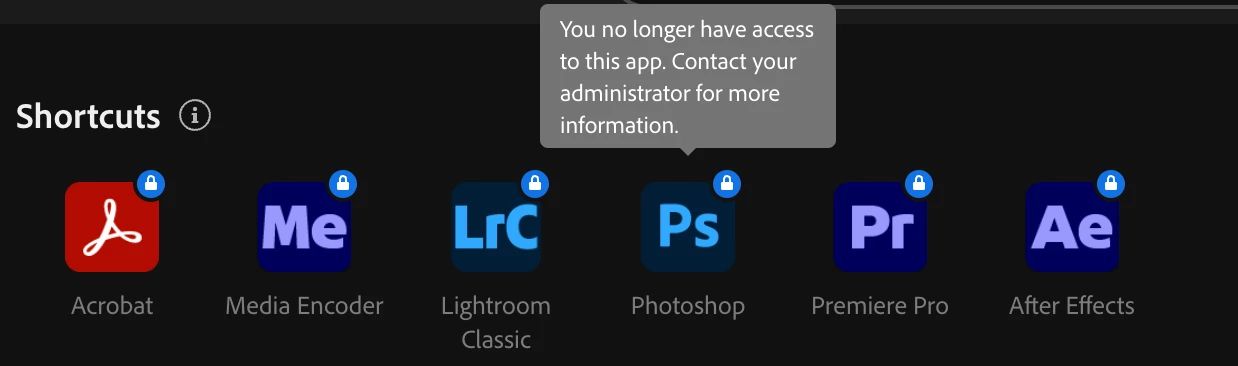
A few days ago I got this error message while I was using Photoshop: You no longer have access to this app. Contact your administrator for more information. 

I bought a yearly subscription not even 2 months ago and I already have issues.
Correct answer jane-e

@elijah_2520 

Do you have a mangaged account such as Teams, Enterprise, or Education? (You didn't say.)  If so, please contact your administrator as directed in your alert.

Jane

1 reply

creative explorer
Community Expert
Community Expert
November 7, 2025

@elijah_2520 I would clear my history, cookies and cache of my web browser, and even restart my Mac; then log-back into your Adobe account on adobe.com, using the exact Adobe ID (email) and password associated with your active subscription. and verify the subcription status. Navigate to Plans & Payments or Manage Plan. Look for any alerts, messages, or warnings about a failed payment, an expired plan, or an "on-hold" status. If there is a payment issue, update your credit card details or manually process the payment


m
jane-e
Community Expert
jane-eCommunity ExpertCorrect answer
Community Expert
November 7, 2025

@elijah_2520 

Do you have a mangaged account such as Teams, Enterprise, or Education? (You didn't say.)  If so, please contact your administrator as directed in your alert.

Jane

Participant
November 8, 2025

Thank you!
