


Participant
October 17, 2023
Answered

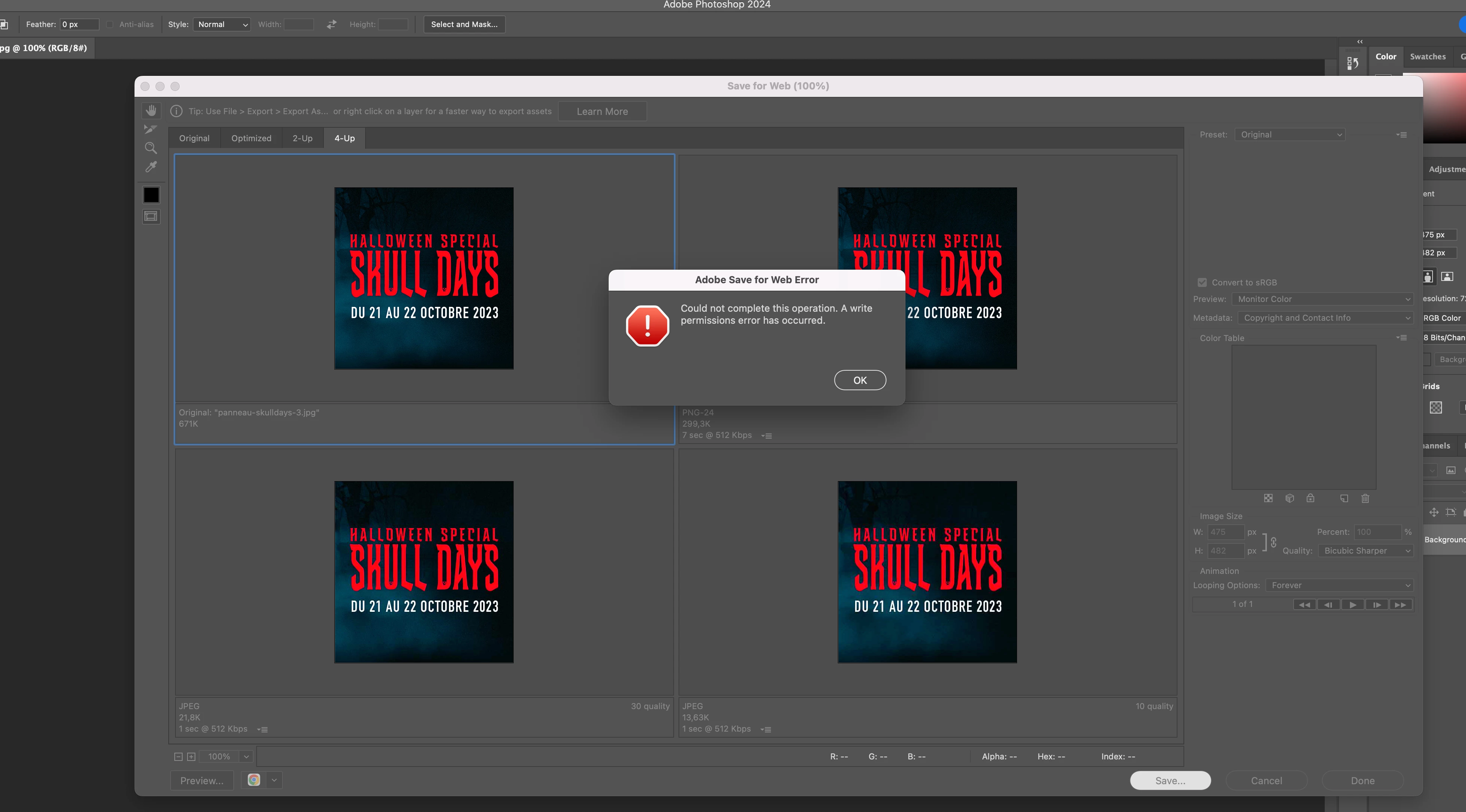
Adobe Save for Web error
  • October 17, 2023
  • 35 replies
  • 22400 views


I have been experiencing this error for a while now. When trying to save for web it stops working and gives the warning "Save for web error" "Could not complete this operation. A writer permissions error has occured."
Everytme I tried the different solutions found online and they worked just fine but not this time. Everything was fine yesterday but today it just does not want to write this file. 
I have tried the following:

1) reset preferences

2) update photoshop

3) Restart photoshop

4) Restart system

5) Give photoshop a complete write access to the disk

6) Checking that file and image sizes are the same

7) Trying different formats


I am on Photoshop 25.0, please help. 

Correct answer christinef71940645

I've got a work around, I run photoshop v25.9 and it's not fixed.


Click on the 'preview optimized image in web browser' (bottom left or your 'save for web') it'll open up a new browser window and it's created the gif. Then drag and drop on to your desktop to send or save where ever it needs to be.


35 replies

Ares Hovhannesyan
Community Expert
Community Expert
March 7, 2024

Did you try a new update version? 

greg_0062Author
Participant
May 2, 2024

Hello, I got some feedback from Adobe and unfortunately the only answer they had was to update the version to the latest but here is the catch: my computer is too old for the newest version so I got to roll back to an older version. So yeah, their answer was basically: change your computer... And of course I still have to pay for the updates I cannot use! 

w.v81505897
Participant
May 7, 2024

I have the same issue, and I have the newest version of all the software, so that is not the cause. Also with me this is a problem that keeps occurring. And now I even can't record the save as to an action.

Participant
February 26, 2024

I have the same issue, which means that when making ani gifs that should usually be a 30 second job I have now spent hours trying to get this to work. Nothing works from the points 1-7 above. Neither does a legacy version PS 2021. This was working a couple of weeks ago and seems to somehow stopped working with exactly the same file I used, exactly the same permissions etc.. ... this happens from time to time and its very frustrating to seemlingly happen spontaneously without cause. 

greg_0062Author
Participant
October 19, 2023

Thank you for the feedback but as described in my original post I have already tried all these methods with no success. 
Update I also have Photoshop 2023 installed and the Save for web works just fine with that version. It is only with Photoshop 2024 that there seems to be a problem. 

greg_0062Author
Participant
October 18, 2023

No this is with every file making the all Save for Web useless.

Ares Hovhannesyan
Community Expert
Community Expert
October 17, 2023

Does it happens only with this file?