
Participant
August 5, 2021
Question

Adobe Save for Web Warning/Big Sur/PSD 22.4.3

  • August 5, 2021
  • 2 replies
  • 971 views

I'm getting this message "Adobe Save for Web Warning" when saving image as jpg. Rest of messages reads: "Some names of the files being saved contain non-Latin characters. These names will be incompatible with some web browsers and servers."
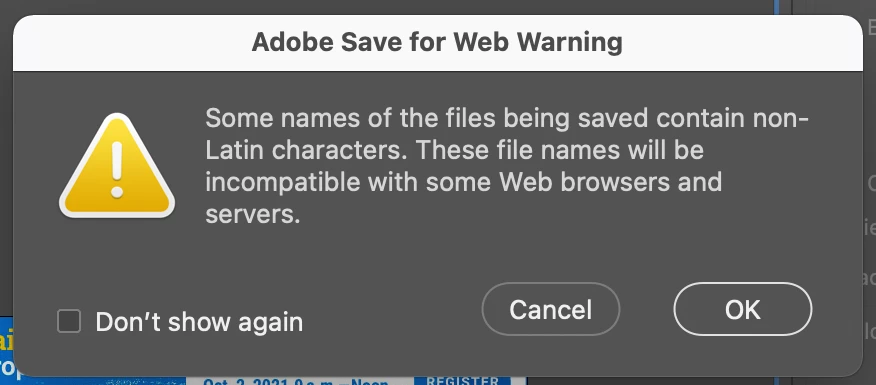
 Am getting this message when saving to .jpg. This happens also on a MacBook using Catalina 10.15.7. I have already tried retstarting PSD holding option+control+shift. And I went to system prefs, privacy and added Photoshop as an app.

2 replies

War Unicorn
Community Expert
Community Expert
August 5, 2021

Anything else in the file's storage path being used that are using non-Latin characters? (e.g., A folder being used that contains a non-Latin character.)


Try saving the JPEG elsewhere where you know only Latin characters are being used.


The second issue sounds like GPU driver issues (surprise!). Mac users have been having a time as of recent.

Thom5C73Author
Participant
August 5, 2021

Ha, saving to other location worked, thanks! I can't think for the life of me any uses of non-Latin characters in the path to file. But glad this one worked!

War Unicorn
Community Expert
Community Expert
August 5, 2021

The only thing I can think of is real-time publishing---where users would immediately publish their edits on a server for immediate consumption...and I'm not sure who would want to do that. But maybe they're out there. xD


Glad you got that sorted.  😄

Thom5C73Author
Participant
August 5, 2021

Additional note to above, this happens when using Save for Web (option+shift+command+S). It is still possible to export as .jpg. Also— when opening a .psd file in latest version of Photoshop, screen flickers and jumps around a lot, changes magnification views before settling down.