
Frage
Alert dialog box custom width
Is there a way of specifying the width of the alert box?? ie preferredSize.width = 300;
I often use them to display file names with full paths - and those tend to get line-wrapped - which I find difficult to read; prefering them one line apiece.
Without having to say... create a custom window?
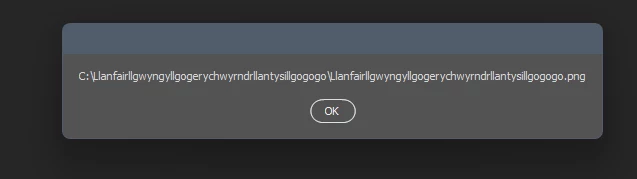
Fake file real place, BTW.
function scriptAlert(alertString1)
{
    var alertWindow = new Window("dialog", undefined, undefined, {resizeable: false});
    alertWindow.preferredSize.width = 300;
    var alertText = alertWindow.add("group");
    alertStringSize1 = alertText.add("statictext", undefined, alertString1, {name: "alertText", multiline: true});
    var okButton = alertWindow.add("button", undefined, undefined, {name: "okButton"});
    okButton.text = "OK";
    alertWindow.show();
}


 AdChoices