
elegant_writer8c98
Participant
Nov 11, 2026 1:44 AM UTC
Question

Alineacion en photoshop v28 2027
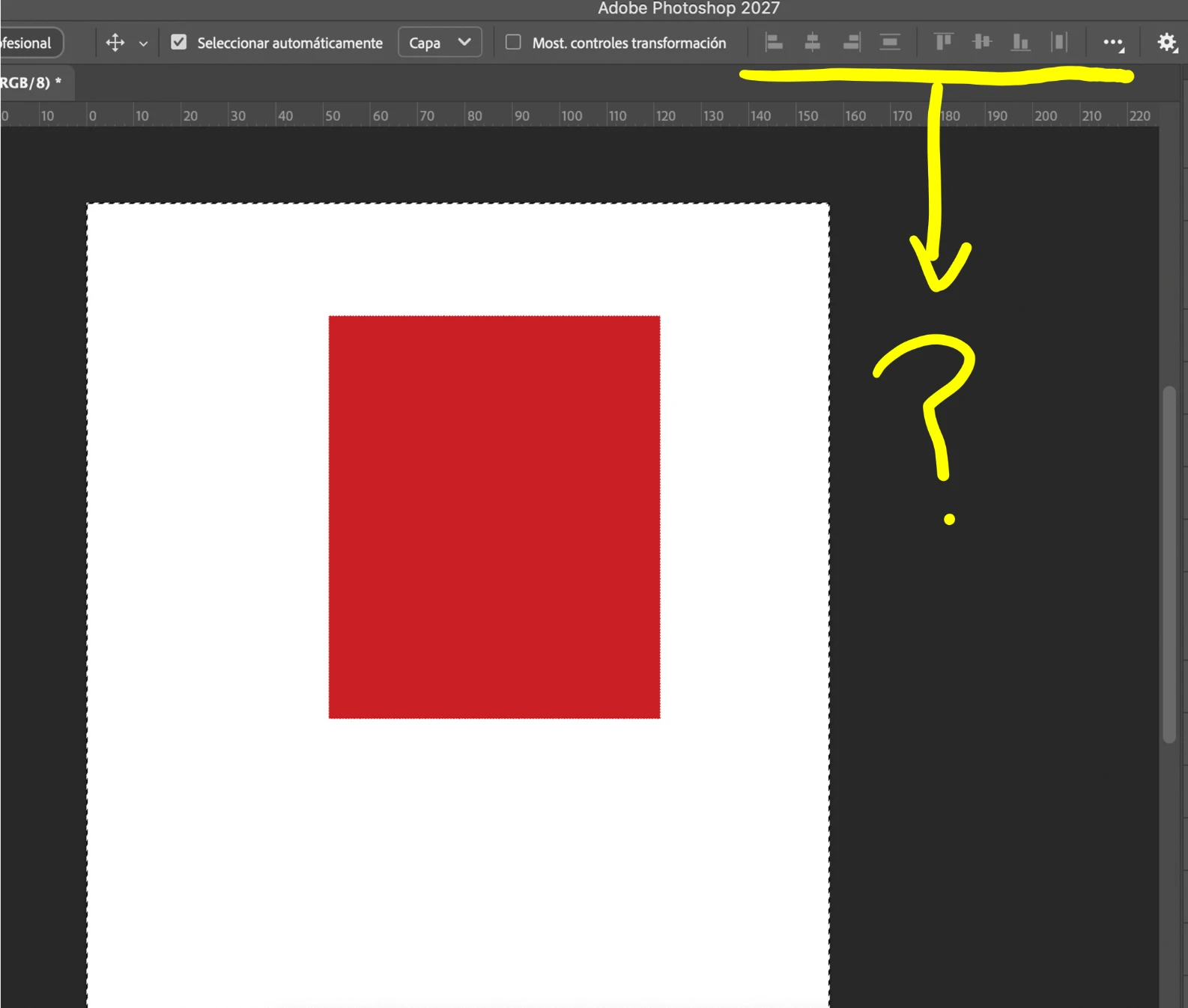
Cada vez que necesito alinear debo de precionar el icono de los 3 puntos, permanece apagado todo el tiempo, en otras versiones siempre estaba encendido y fluia mas el trabajo, ahora debo de ir a activarlo

    2 replies

    MarekMularczyk
    Community Expert
    Community Expert
    Nov 11, 2026 9:59 AM UTC

    Have you tried resetting Photoshop preferences (Ctrl+Alt+Shift) ?

    Translate
    Adobe Community ExpertAdobe Certified Professional
    Community Expert
    Nov 11, 2026 7:36 AM UTC

    Try a reset of the Photoshop preferences: Reset preferences in Photoshop | Photoshop

    Remember to back up your settings before doing the preference reset: Back up and restore Photoshop preferences | Photoshop


    Translate
    My System: Intel i7-8700K - 64GB RAM - NVidia Geforce RTX 3060 - Windows 11 Pro 26H2 -- LR-Classic 16 - Photoshop 28 - Nik Collection 9 - PureRAW 6 - Topaz Photo AI