
Participant
February 1, 2025
Question

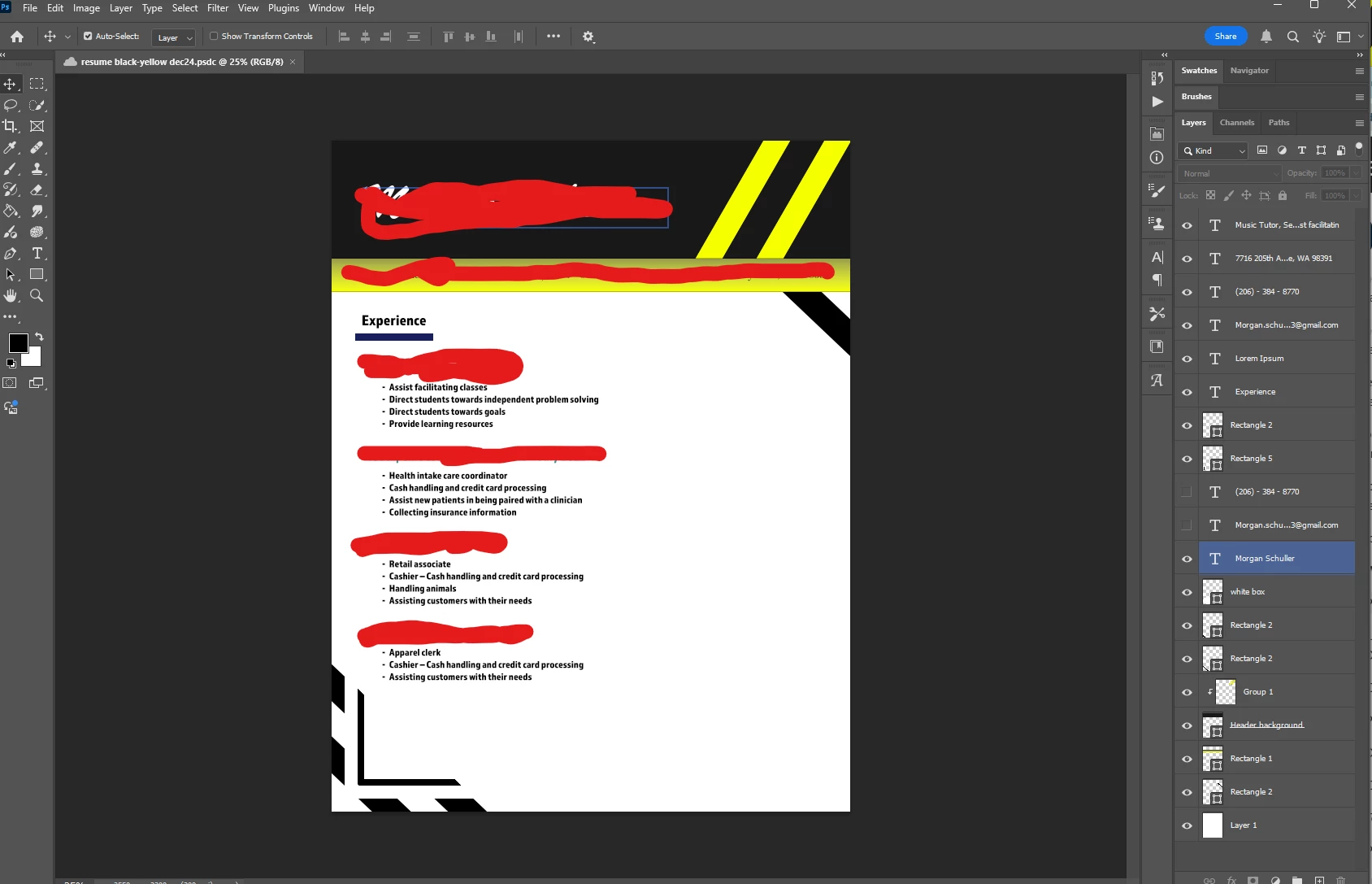
All artboards dissapeared except the main one

  • February 1, 2025
  • 1 reply
  • 171 views

I had two other artboards with this one that I had spent a lot of time on creating my resume through here. They just disappeared, and I have no idea how to get them back so I can update my resume. I know Photoshop updated and I don't know if that could be part of it. I need a way to fix this though, so I am not spending another 2 hours recreating the rest of my resume again.


1 reply

c.pfaffenbichler
Community Expert
Community Expert
February 2, 2025

There appear to be zero artboards in the document, that’s just the Canvas. 

Are you sure you are working on the file version you intended? 

Edit: https://helpx.adobe.com/creative-cloud/help/open-revert-cloud-document-version.html


Photoshop is not a great application for page layout in general, if you use Indesign or Illustrator at all I would recommend using those for such layouts. 

Morgan_S5Author
Participant
February 5, 2025

Yeah, they completely disappeared from the layers panel too.  I am not 100% sure this is the document, I went through all the other documents to double-check and saw nothing as well. I will take a look at finding the reverted files in my documents. Is there a way for me to transfer it to illustrator or indesign once I revert it? I also have the document saved as a PDF I don't know if that can be put back into the proper formatting for photoshop, I just followed a youtube video when saving as PDF.

c.pfaffenbichler
Community Expert
Community Expert
February 5, 2025

You could open the pdf in Illustrator. 

But … the texts will likely be split into multiple elements and shapes appear as embedded pixel images with clipping paths.