Participant
February 21, 2025
Question

Anchor End on text?

  • February 21, 2025
  • 4 replies
  • 173 views

Hi. Does anyone know how to 'anchor end', similar to Canva? I've been editing in Photoshop for a few years (but on a really old version), and recently got Adobe Creative Cloud, but I'm a bit lost.


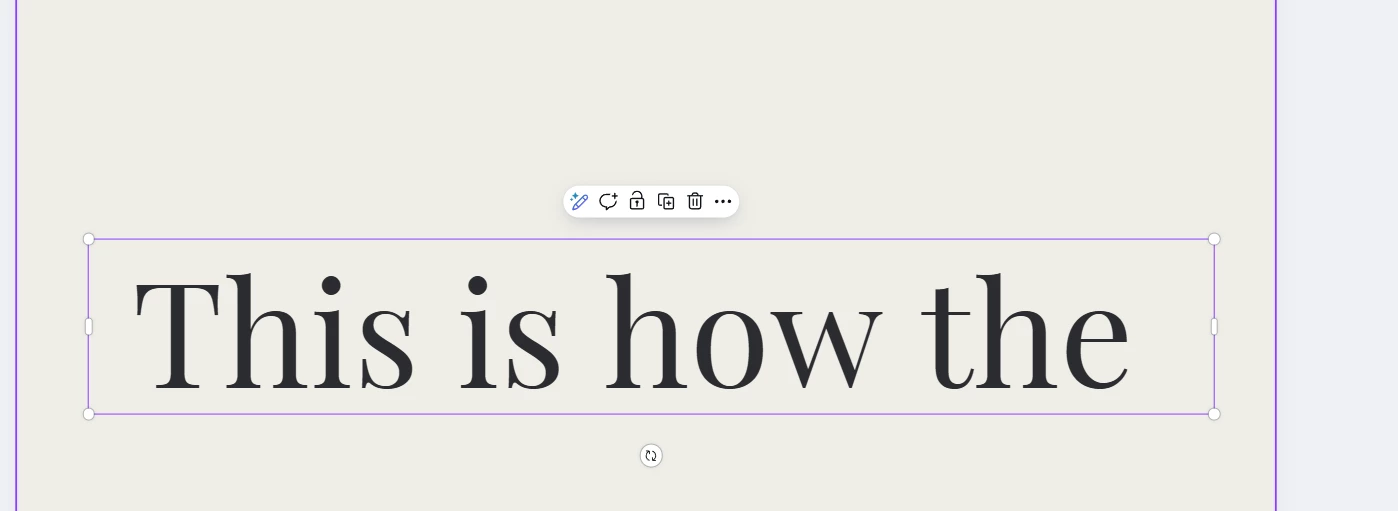
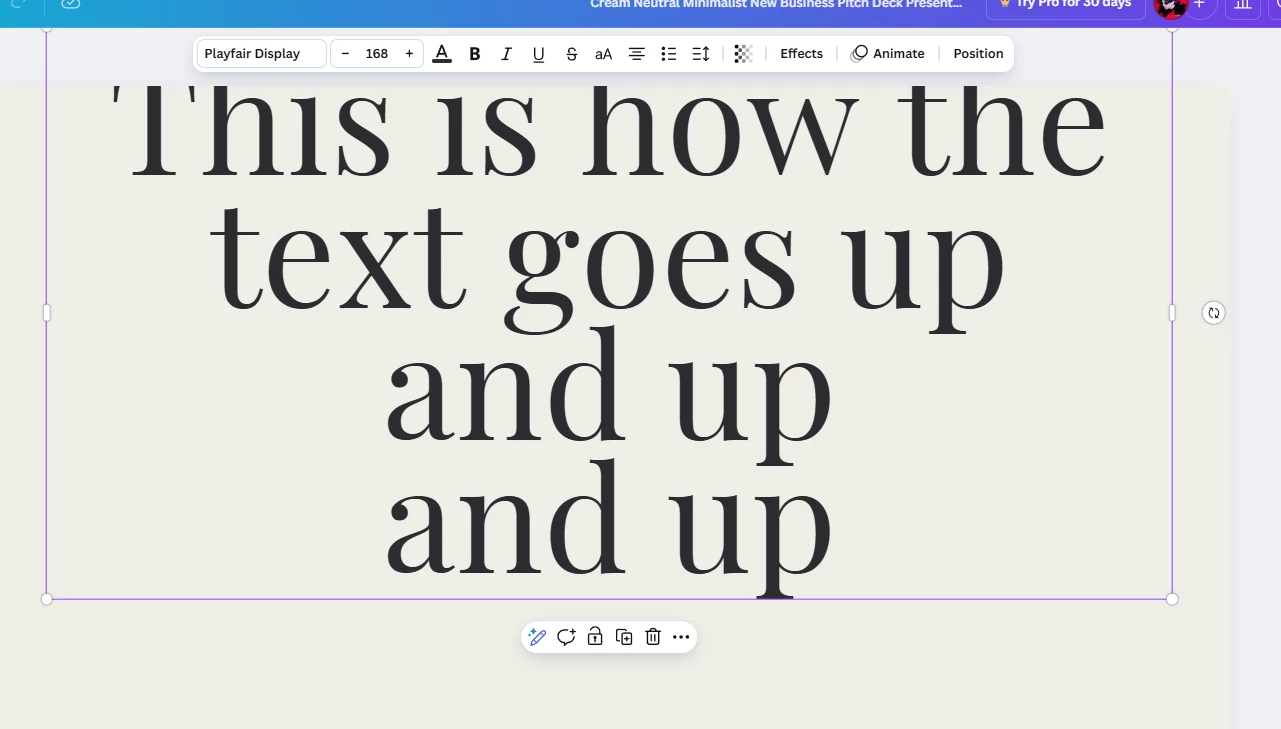
I've been also using Canva for a while, to help with social media work, but I cannot figure how to replicate their 'anchor end' text feature. Where he text box works in this way: Text from right to left, going up to down, like normal, but instead of adding new text below, it adds it in place of the first text, and moves the first text upwards. 
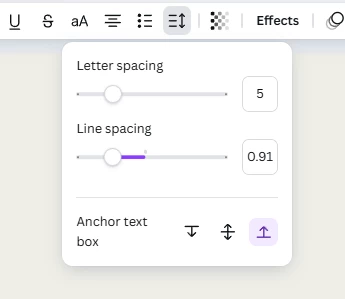


I would really appreciate if someone could help me with this, or any other alternative / plugin to solve this, it's really crucial to the design I'm trying to make for a reusable social-media template.


Thank you every so much for your time~!


4 replies

pixxxelschubser
Community Expert
Community Expert
February 21, 2025

Ok.
I just saw that you also asked the question on the Photoshop Discord server (and have already received replies).

I am now convinced that I completely misunderstood your question.


You probably mean the vertical alignment of a text in the text frame. This cannot be adjusted in Photoshop (but you could move the text frames to the correct position).

The programme in which these settings are possible - that would be InDesign, for example. This is the programme that probably offers the best and most varied settings for text formatting and text alignment. However, I don't know if InDesign is an option for you.


Here is a screenshot of InDesing with three different vertical alignments (unfortunately only with German UI)


Here is the corresponding help article

https://helpx.adobe.com/indesign/using/aligning-text.html

Conrad_C
Community Expert
Community Expert
February 21, 2025

I don’t think Photoshop can align text to the bottom of a text layer.


Adobe does have other applications that can do that. Bottom text alignment/anchoring has been a handy feature in Adobe InDesign for many years, probably because like Canva, the mission of InDesign is page layout. (Photoshop is focused on pixel-based image editing). Adobe Illustrator finally added bottom text alignment a few years ago, even though the feature was needed long before that. Adobe Premiere Pro offers this feature. But I am still waiting for Photoshop to add it.


So if you want that feature in an Adobe application, you’ll want to create the social media template in Illustrator or InDesign. Like Photoshop, Illustrator has artboards and good web optimization export features. Like Canva, Illustrator is more focused on vector-based design and layout.


pixxxelschubser
Community Expert
Community Expert
February 21, 2025

Do you know the difference between Point text -


and Area text?


see:
https://helpx.adobe.com/photoshop/using/add-edit-text.html

ZendarisuAuthor
Participant
February 21, 2025

PS: I wanted to say "from left to right", but I somehow messed it up :))