


Answered

Spas K.Correct answer
Community Expert
August 22, 2024
I've sent you a PM and I'm happy to wait for news
Okay, so I identified the issue. You created a slice (probably by accident), which further divides the image into more slices. When you export for web, only one of the slices is getting exported as a single GIF. If you export HTML, all the slices are included and assembled, so the image seems whole.
You can see the slices by using the Slice Select tool (it's with the Crop tool in the toolbar). So that's how it looks like, and the blue slice in the bottom is the one that's added. The top slice I've marked with a red rectangle is the one getting exported:
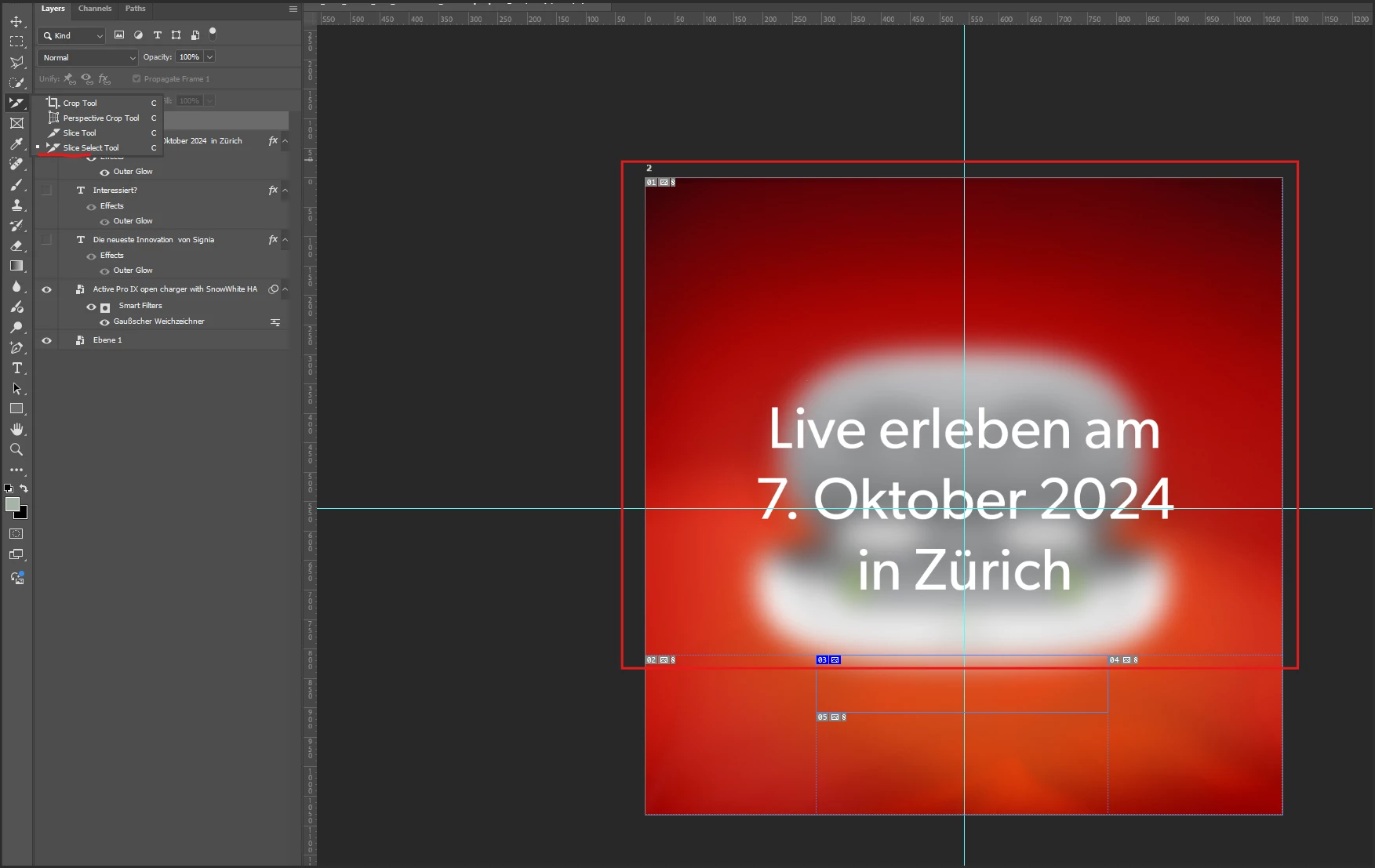
To make the image whole again, while using the Slice Select tool, right click on the slice at the bottom (03), and delete it.
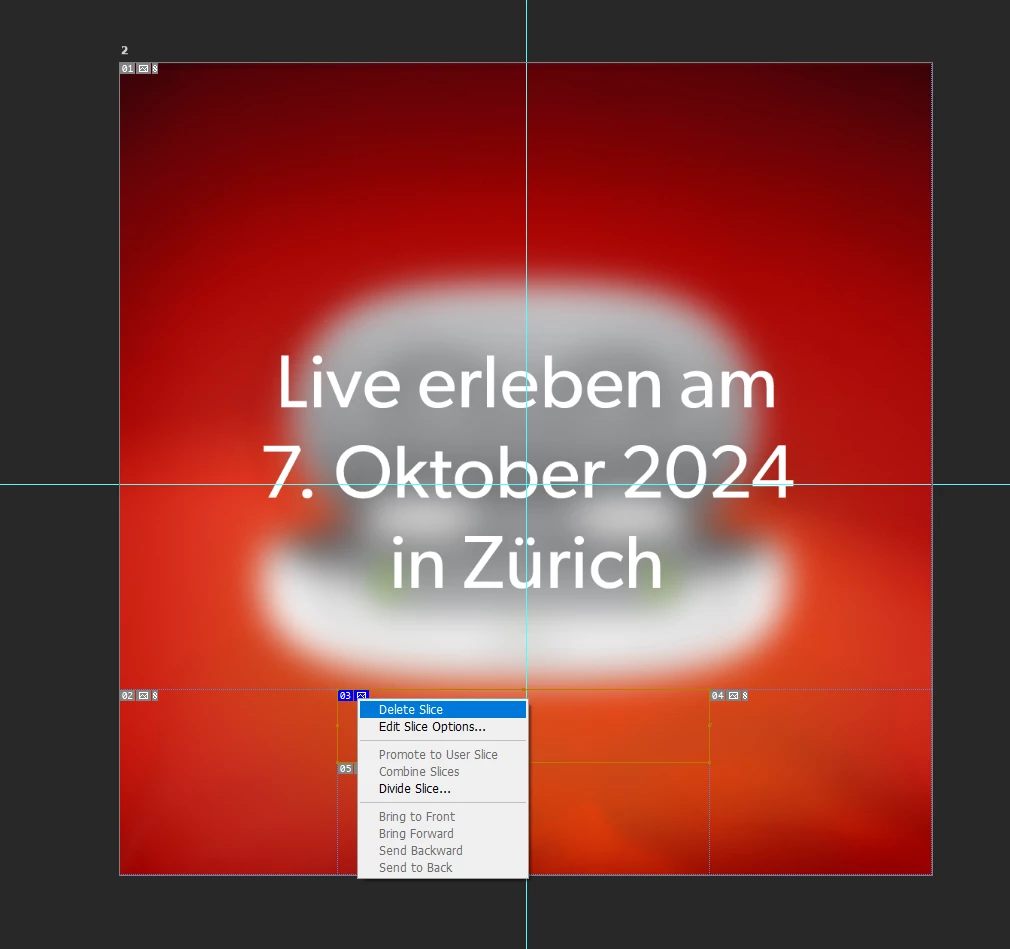
Now the image is whole again, and you can export the whole thing through Save for Web.
 AdChoices