

Legend
August 19, 2025
Answered

Annoying colors on RAW

  • August 19, 2025
  • 2 replies
  • 362 views

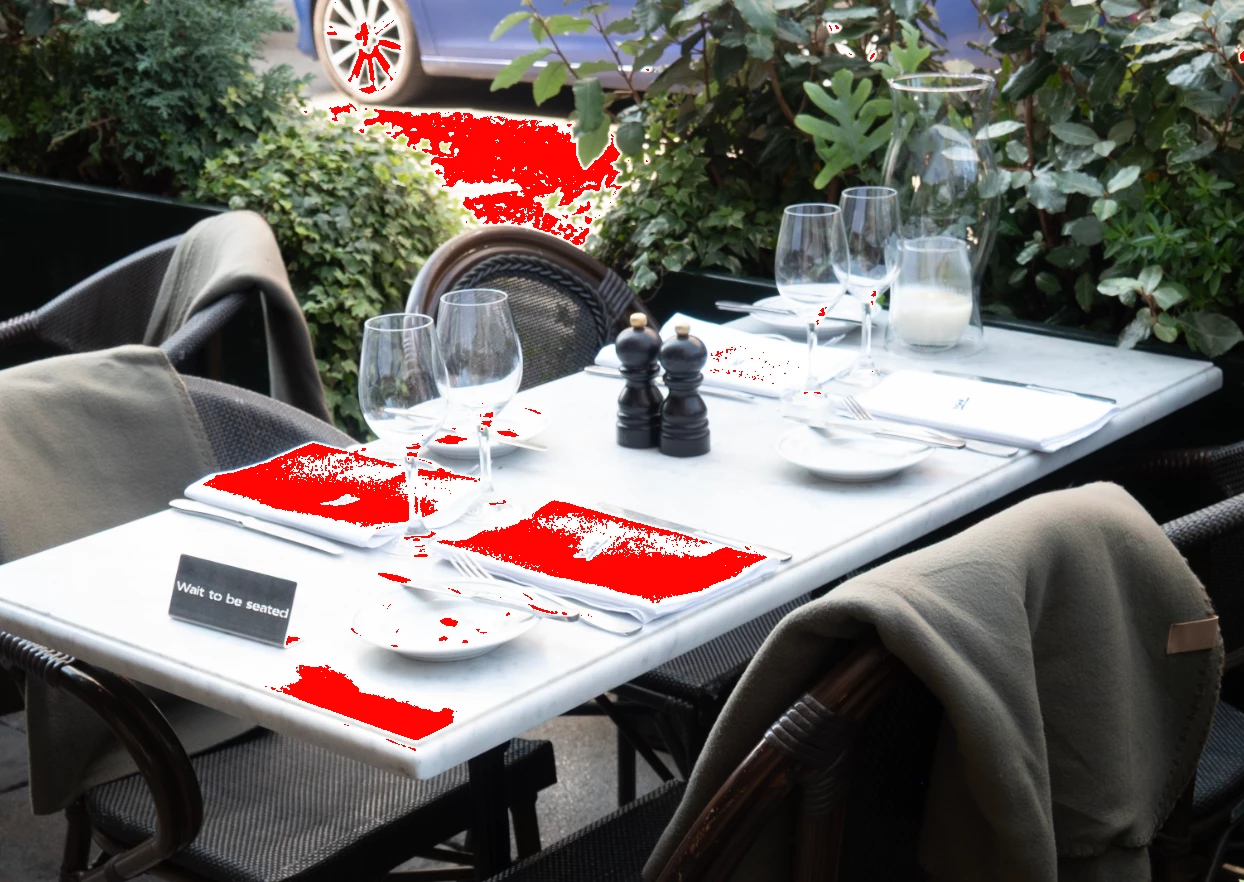
Is it possible to remove the colors when editing in RAW? There are so many colors that it is impossible to see the image...

Correct answer jane-e

@oleschwander 


One way to remove the warnings is to disable them as suggest by Sameer. The second way is to adjust the Shadows and Highlights so the colors are not clipped.


https://helpx.adobe.com/camera-raw/using/make-color-tonal-adjustments-camera.html#preview_highlight_and_shadow_clipping


Jane


2 replies

Stephen Marsh
Community Expert
Community Expert
August 19, 2025

Use the "o" and "u" keys to toggle the clipping warning, or right-click in the histogram:


EDIT: The post from @Sameer K wasn't visible when I replied, sorry for the duplicate info!

Sameer K
Community Manager
Community Manager
August 19, 2025

Hey, @oleschwander. Welcome to the Photoshop Community. I'll help you figure this out. 


Assuming you're working in Camera RAW; you might've accidentally enabled the Highlight Clipping Warning (O). You can click on the triangle buttons on the Histogram in the top right, or press O for Highlights (Red) & U for Shadows (Blue) clipping warnings. 


Let me know if this helps. 
Sameer K
(Type '@' and type my name to mention me when you reply)

jane-e
Community Expert
jane-eCommunity ExpertCorrect answer
Community Expert
August 19, 2025

@oleschwander 


One way to remove the warnings is to disable them as suggest by Sameer. The second way is to adjust the Shadows and Highlights so the colors are not clipped.


https://helpx.adobe.com/camera-raw/using/make-color-tonal-adjustments-camera.html#preview_highlight_and_shadow_clipping


Jane


Stephen Marsh
Community Expert
Community Expert
August 19, 2025

Agreed @jane-e - It's usually best to err on the side of caution, unless one is going for contrast over detail.
