
Participant
July 17, 2021
Answered

Anything I type comes out as glyphs

A lot of the designs I make include text, and I have an abundance of fonts I have purchased that contain glyphs on certain characters for swirls and flourishes. At some point in the past month, photoshop will no longer let me use the regular characters in those fonts, anything I type comes out as a glyph. I can use fonts that don't contain glyphs and everything comes out normal, but as soon as I change the font the characters change. Even if I open the glyph panel and click on a regular character, it changes it to a glyph. I have updated, uninstalled and reinstalled, changed the type setting to turn glyphs off entirely...nothing is working, and it has made photoshop completely useless to me. Has anyone else experienced this, any suggestions?

jane-e
jane-eCorrect answer
Community Expert
July 17, 2021

Hi @Shelle Witom 


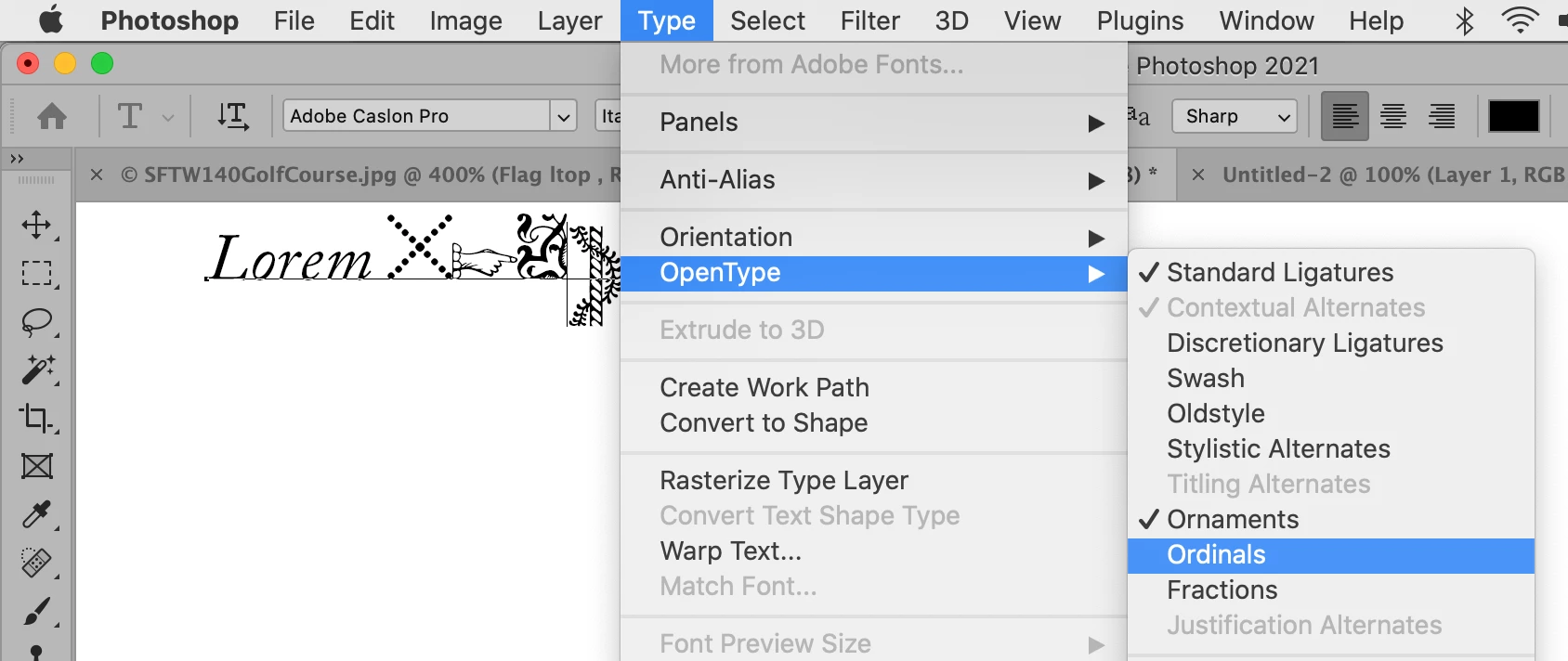
With your text selected, go to Type menu > OpenType and uncheck anything that doesn't belong. Keep Standard Ligatures. Show a screen shot if you are not sure. (Use the Insert image button: mountain and sun.)


~ Jane

10 replies

Jeff Arola
Community Expert
Community Expert
September 15, 2025

trevor0825,


Which version of Photoshop and operating system are you using?


What font is that?

Translate
Participant
January 9, 2025

Did you find any solution to this? I'm having this same issue in 2024 & getting very frustrated.

Translate
Participant
March 6, 2025

Same here!

Translate
davescm
Community Expert
Community Expert
March 6, 2025

Have you followed the advice given by Jane above? If that did not resolve it, then the preference reset advised by Jeff?

Dave

Translate
jane-e
Community Expert
jane-eCommunity ExpertCorrect answer
Community Expert
July 17, 2021

Hi @Shelle Witom 


With your text selected, go to Type menu > OpenType and uncheck anything that doesn't belong. Keep Standard Ligatures. Show a screen shot if you are not sure. (Use the Insert image button: mountain and sun.)


~ Jane

Translate
Jeff Arola
Community Expert
Community Expert
July 17, 2021

Have you reset the photoshop preferences by going to Edit>Preferences>General, clicking on Reset Preferences On Ouit, then restsrting photoshop?


Translate