


Participating Frequently
July 22, 2024
Answered

App cannot be verified and give an error, first 12015 and then 102

  • July 22, 2024
  • 14 replies
  • 6576 views

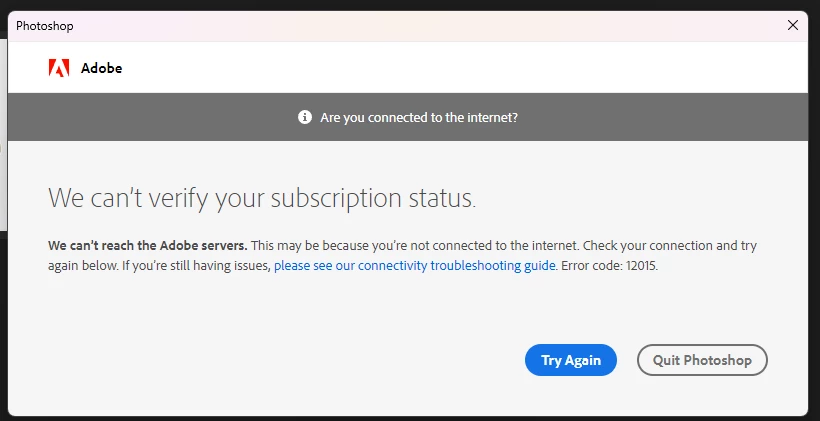
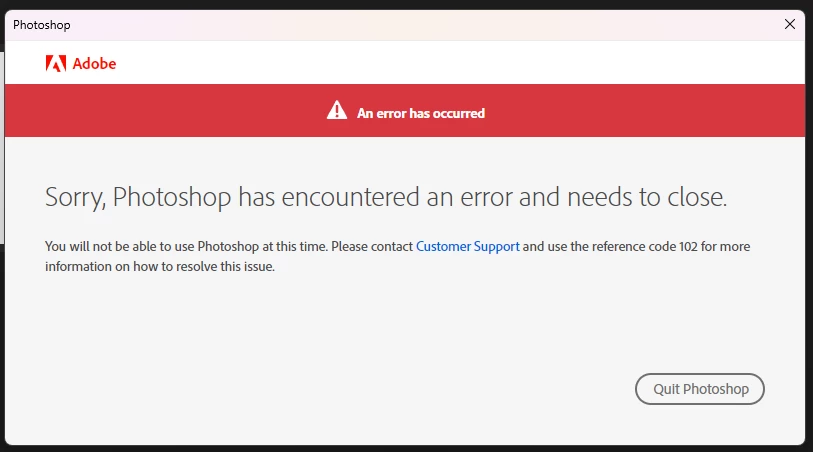
Photoshop and other applications from my plan cannot find an internet connection. They cannot be verified and give an error, first 12015 and then 102. After that, the application closes. The Internet is available, the subscription is paid. I have a windows 11 64x
 

Correct answer OlindoThiago

antes de tudo, feche todos os processos da adobe e creative cloud logo depois - Execute o bloco de notas como ADM e abra o arquivo (horts)  no local  C:\Windows\System32\drivers\etc 

apague tudo que está relacionado a adobe e salve

14 replies

Participating Frequently
July 23, 2024

Sorry, error 206

Participating Frequently
July 23, 2024

Windows Defender is always disabled. I also don't have access to the adobe servers. I can't reinstall the creative cloud. Error 205

Participating Frequently
July 23, 2024
I don't use antivirus or firewalls. 

quote

Photoshop and other applications from my plan cannot find an internet connection. They cannot be verified and give an error, first 12015 and then 102. After that, the application closes. The Internet is available, the subscription is paid. I have a windows 11 64x


By @Янн32783576eo4h


Kevin Stohlmeyer
Community Expert
Community Expert
July 22, 2024

@Янн32783576eo4h Check your Windows Defender/Firewall settings to make sure Adobe is listed and allowed.