But there is a way to go back. You can select a layer that has transparency (as this layer would after the mask is applied) and bring back the mask by going in the menu to Layer -> Layer Mask -> From Transparency.
But there is a way to go back. You can select a layer that has transparency (as this layer would after the mask is applied) and bring back the mask by going in the menu to Layer -> Layer Mask -> From Transparency.
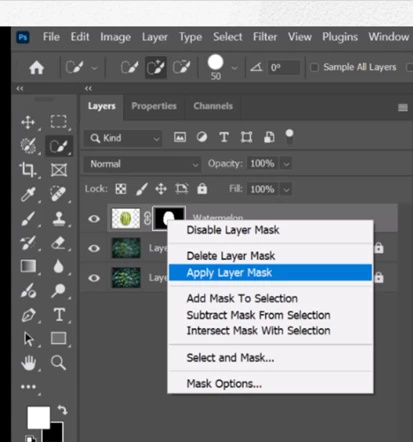
The mask is baked into the pixel data and the masked areas become permanently transparent. This isn't a command I use often, precisely because it's a one way street and you can't go back once the file is saved and closed.




 AdChoices