


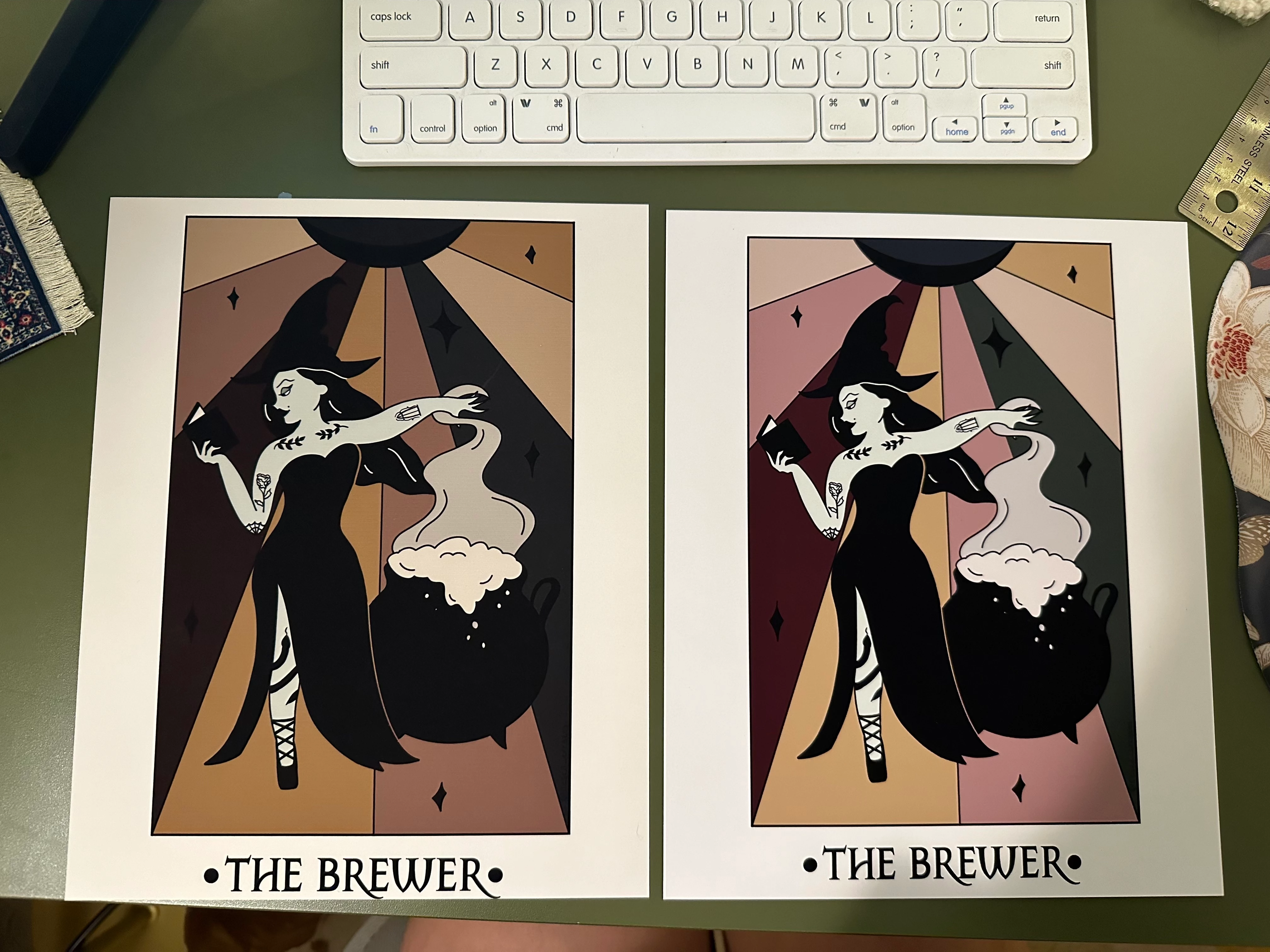
Art prints are printing cropped and dark despite setting changes in photoshop
I am trying to print my digital art onto 8 x 10 paper. I have done this before and have had no issues but when I'm trying now the image is printing out cropped and the colors are all significantly darker. My printer can do edge to edge printing so that isn't a problem here. I've changed paper settings, color management settings, borderless vs border... and I keep getting the same results. I've reinstalled the printer and software too. I just don't understand how I'm using the same files/paper/printer/settings as I usually do but am not getting the same result. Any insight would be SO helpful!
The photo below is an example. Print on the right is what it is supposed to look like, print on the left is what I'm getting right now (darker colors and cropped on the bottom).
 AdChoices