
Participant
June 29, 2023
Question

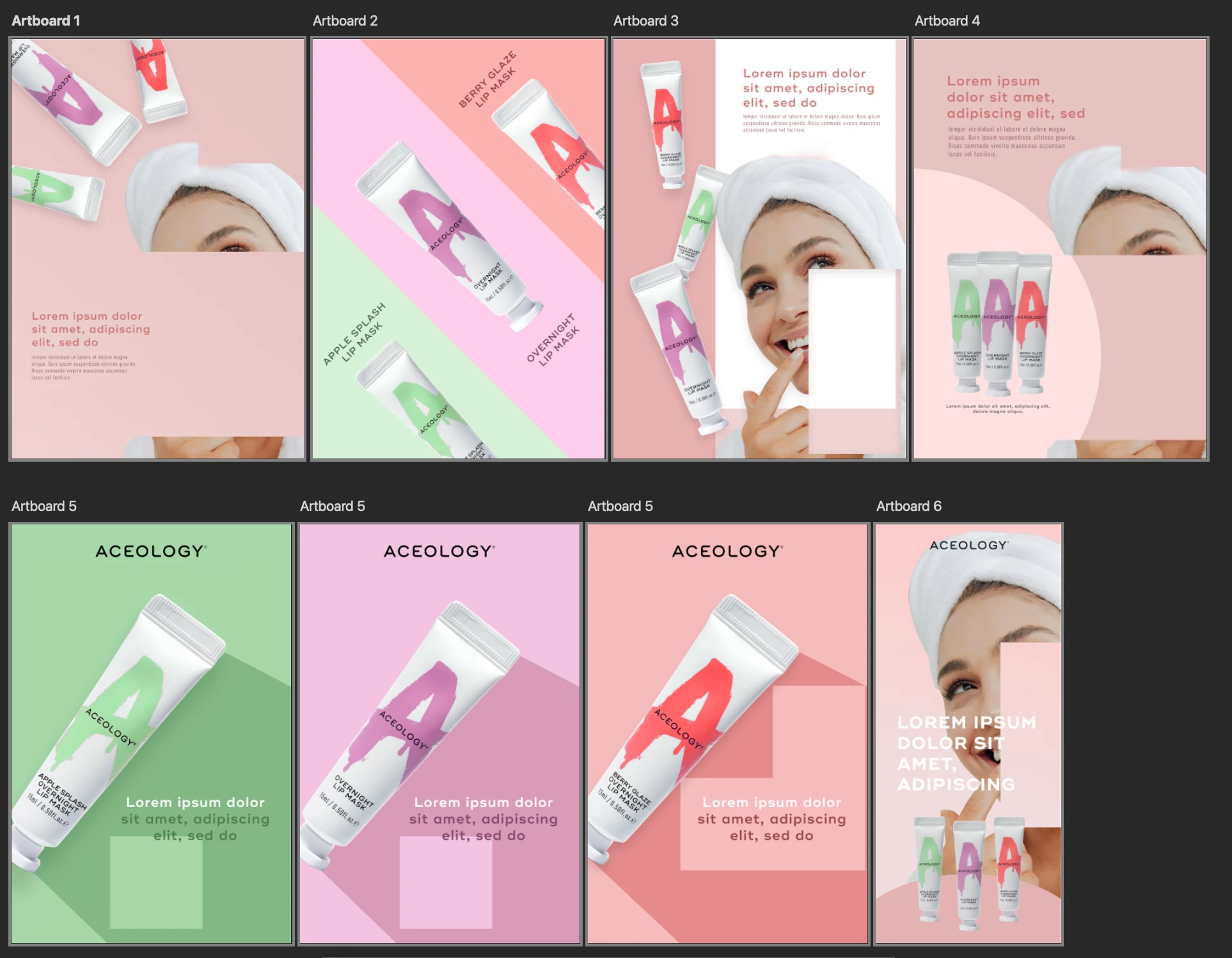
Artworks being glitched due to Photoshop Error

  • June 29, 2023
  • 12 replies
  • 918 views

Hi all! I encountered this issue and have tried all ways I can think of but none of it resolves the problem. My artwork are damaged and glitched when I open my project file today. Anybody can help???


I have tried: restarting Photoshop, restarting the computer, export artboards and they all look the same. This is very frustrating and I couldn't find anybody who experienced a similar issue. Any experts can tell what're the possible causes? My artwork is not even complicated...Shouldn't use Photoshop to create multiple artboards....
 

12 replies

Known Participant
July 6, 2023

This happens to me a lot! But only while editing or dragging elements around. Random white boxes appear on the place of the layers. I have to disable and enable the layer back to remove the white boxes. This happens only when using artworks in photoshop, with regular phostoshop documents, it doesn't happen. And the amound of artworks doesn't matter, even with only one artwork with few layers, the white boxes appear randomly.

CShubert
Community Manager
Community Manager
June 30, 2023

Hi @Beauty Brand294977568tpf  a couple things to try:


Go to Preferences > Technology Previews... and check "Disable Native Canvas" - then restart Photoshop. Does the problem still occur? 


Let's make sure we're in a default state and there are no stale settings somewhere: 

Restore your preferences using this manual method:  

https://helpx.adobe.com/photoshop/using/preferences.html#Manually 

Does it work correctly? 

If that doesn't solve it, you can quit Photoshop and put the Settings folder back. 


It may help if we could see your Photoshop System Info. Launch Photoshop, and select Help >System Info...and copy/paste the text in a reply.