Participant
April 7, 2023
Answered

Augmenter taille barre de menu photoshop

  • April 7, 2023
  • 4 replies
  • 7452 views

Bonjour,

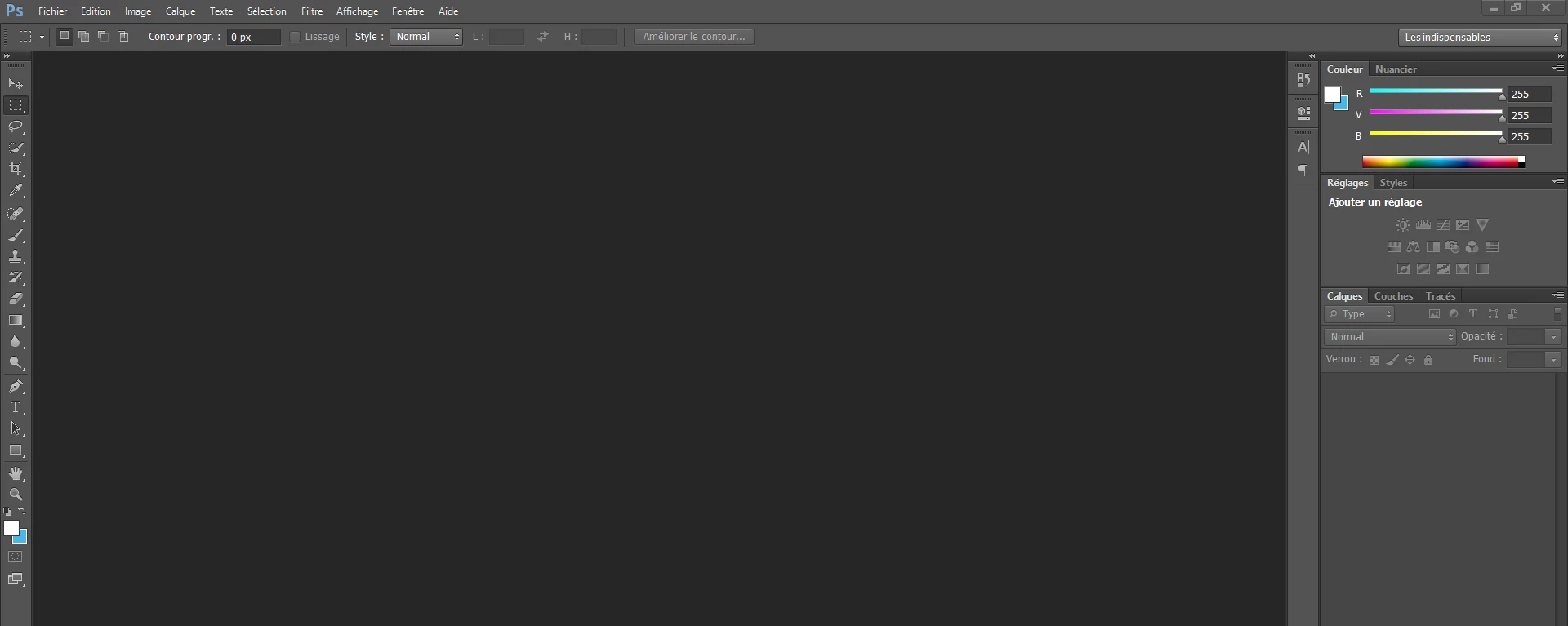
Depuis mon changement de PC j'ai un souci d'affichage de Photoshop. Les polices des menus a gauche en haut et à droite sont minuscules rendant son utilisation quasi impossible sans utiliser l'outil loupe. Je n'ai pas trouver où modifier cela dans les propriétés et quand je change la résolution d'affichage du PC, ca n'a aucune incidence sur Photoshop. Merci de votre aide



Correct answer Ged_Traynor

je ne comprends pas comment il faut faire pour créer un nouveau fil 😞 


@HEYBEE 

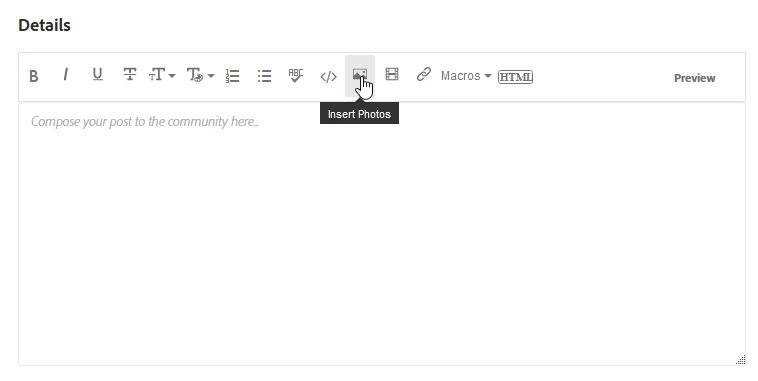
If you want to insert a screenshot, just click on the Insert Photos icon

4 replies

Participant
October 3, 2023

Bonjour,

Je viens de rencontrer le même souci en téléchargeant photoshopelements pour la 1ère fois sur mon PC. J'ai suivi le mode d'emploi indiqué avec succès. Merci beaucoup !

cdt

Participant
October 31, 2025

Bonjour, 

. J'utilise la version CS6 de Photoshop. Je n'ai pas le même menu que vous, mais l'interface est configurée en mode Grand pour la police.


Participating Frequently
July 20, 2023

bonjour, j'ai le même problème avec photoshop CC . Malheureusement la solution proposée ne fait rien ! Y'a t'il une autre solution ? ...Et enfin, pourquoi le panneau de configuration de photoshop n'est pas identique à celui d'illustrator qui permet de gérer l'affichage facilement et instantanément ! 

Ged_Traynor
Community Expert
Community Expert
July 20, 2023

@HEYBEE the original post was related to Photoshop CS6, can you start a new thread and post screenshot of the Photoshop interface to highlight the issue, also what screen resolution is your monitor set to.

Participating Frequently
July 20, 2023

je ne comprends pas comment il faut faire pour créer un nouveau fil 😞 

Ged_Traynor
Community Expert
Community Expert
April 7, 2023

@elise_33 right click on the Photoshop.exe or the Photoshop shortcut and select these settings, set the "High DPI scaling override" to System

elise_33Author
Participant
April 7, 2023

Hello,

Thank you so much!! Problem solved

Ged_Traynor
Community Expert
Community Expert
April 7, 2023

@elise_33 you're welcome

Ranjisha Sengupta
Legend
April 7, 2023

Hi @elise_33 


Thanks for reaching out. 

We do understand your issue. 

Which version of Photoshop are you using? If CC, check Preferences > Interface and make sure the UI is set to 200%


Try this and let us know if it helps.


Ranjisha


elise_33Author
Participant
April 7, 2023

Hello Ranjisha,

Thanks for your answer. I'm using the version CS6 of Photoshop. I don't have the same menu as you but the UI is set to Big (Grand) for the police