
Question
Auto Tone keyboard shortcut doesn't work as expected
Hi folks.
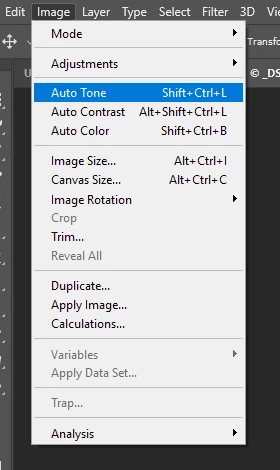
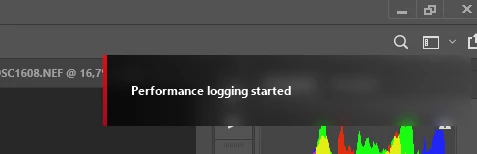
I don't use Photoshop on a daily basis, but I just recently learned that the Auto Tone keyboard shortcut (Shift+Ctrl+L) now starts and saves performance logging instead of doing what it's supposed to do.I don't see how this is useful? The attached screen shots shows that the shortcut SHOULD be assigned to the auto tone command, but I'm not able to find out how to change the behaviour I'm experiencing. I'm working on Windows 10, English, with a Norwegian keyboard, if that could have any thing to do with it. It's worked before (old keyboard at least).
Any help is greatkly appreciated.
Best regards
Stig M. Thu


 AdChoices