


Automated Batch Destination not working properly
I'm prefacing this with I'm VERY limited in PhotoShop. I only minimally edit my product pictures, and anything more complicated than resizing, brightening or cloning out ugly spots in the background is pretty much beyond me. If you can help, talk to me like I'm too old to just "know" computer stuff. I am. LOL. Thank you.
I've taken screenshots to explain because I'm not actually sure how to describe it. I work on multiple files at a time. I have several actions combined in a set that I can either use from the panel or under "file/automate/batch". These are commands I've been using for years. Actually, used them this morning. Was fine. Then, I did something weird on my screen- moved & shrank PS window by accident. Had to drag it around to get it back properly situated. I opened up my next series of photos and discovered that for whatever reason, one of the automate/batch commands was not sending my files to the appropriate folder. I do not know what I could have done. As I said, I did 9 photos just before the screen thing happened. So now, as you can see in the series of screen shots, if I change destination in one action in the set, it changes the entire set. This has never been this way previously. Oh, & I updated PS this morning, but before I started working.
Not quite the order I was trying for.
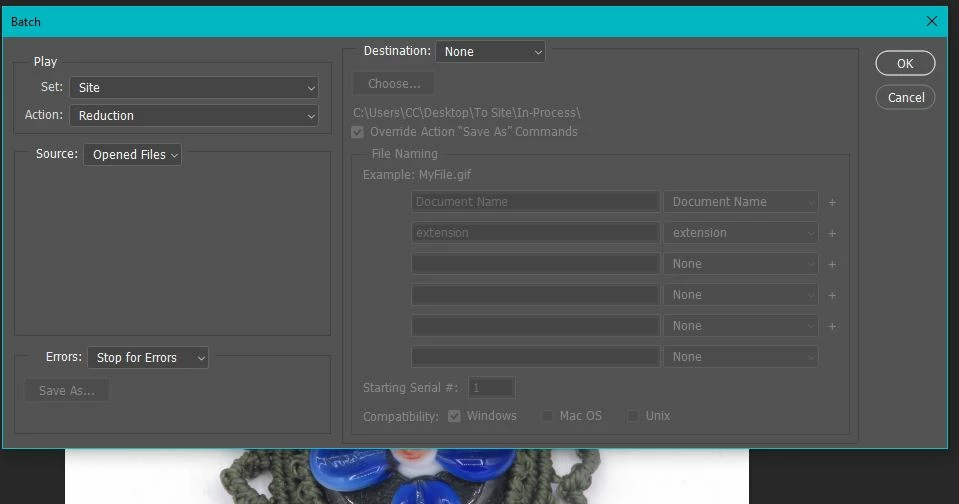
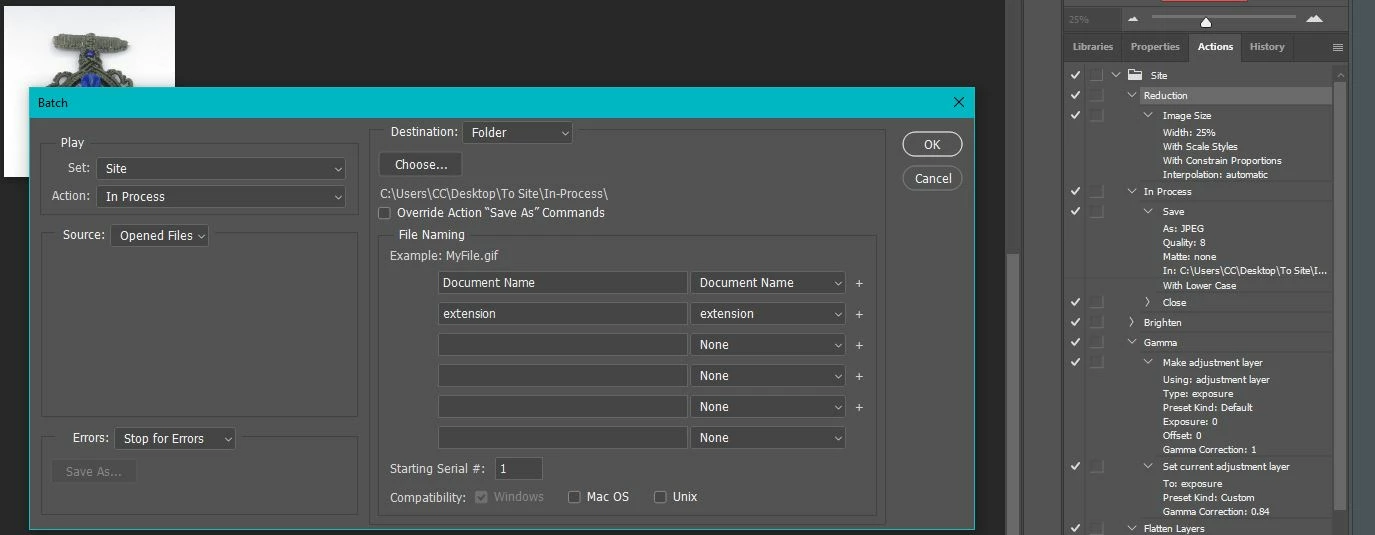
1st Pic- Command for Reduction with destination properly set. It should come up this way.
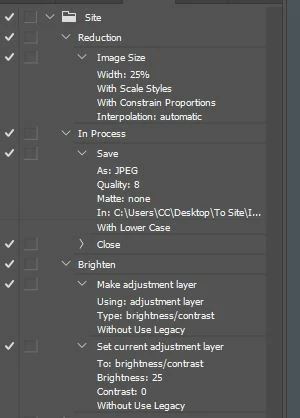
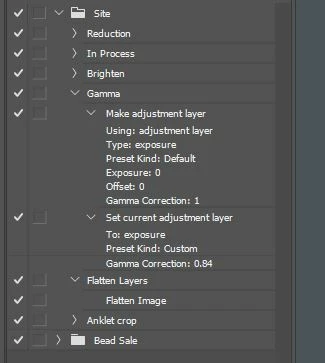
2nd & 3rd pics are of my sidebar where I created the actions (3 or 4 years ago?) and what I use for a random single photo.
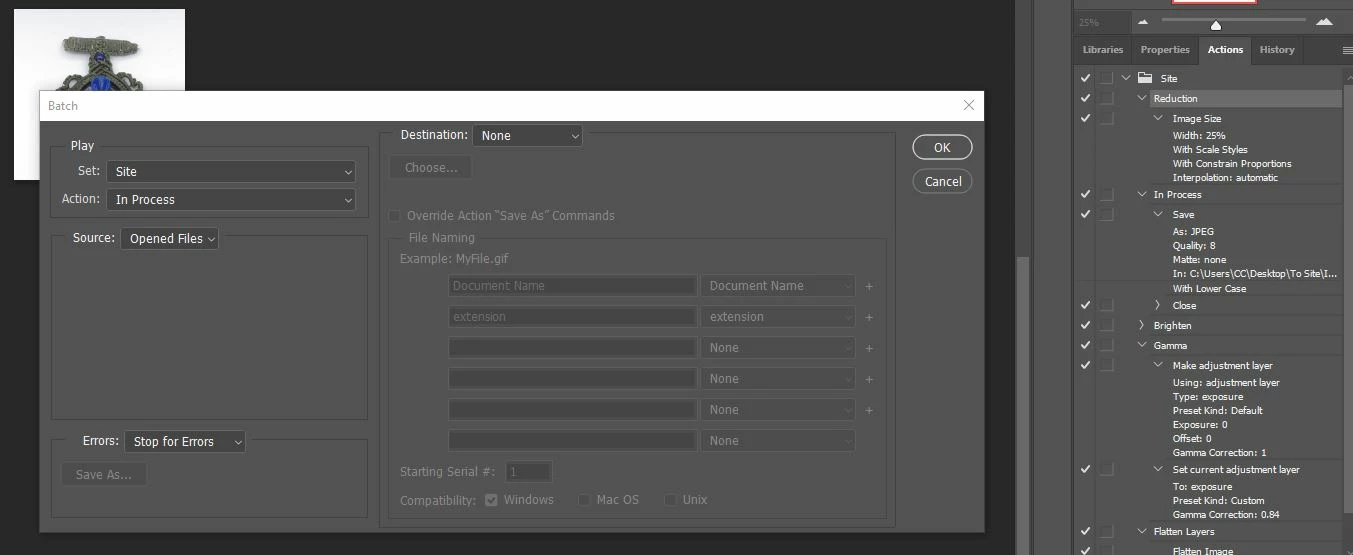
4th pic is for InProcess command. Destination is set to None. It SHOULD be set to the file which is set in the action in the side bar.
5th is the correct destination I set manually.
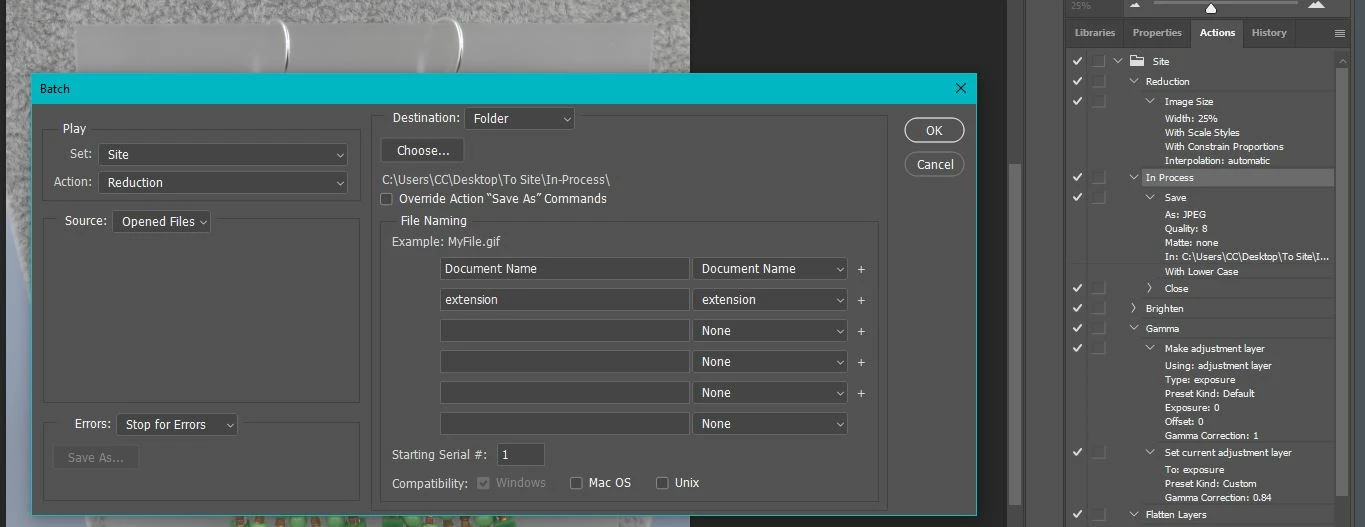
6th picture is NEW image with the Reduction command now showing a destination of the file that is specified in the In Process Command. It should be None. When I change it, it will then change all others in the set.
(I didn't expand a couple of them because they are all set to None, and they all change too.)
When I reset the destination manually, it resets the ENTIRE Set. This has never happened before. Please
help? I have no idea how to correct this.
 AdChoices