MahaB82A_
December 7, 2023
Question

Background Distorted

  • December 7, 2023
  • 3 replies
  • 335 views

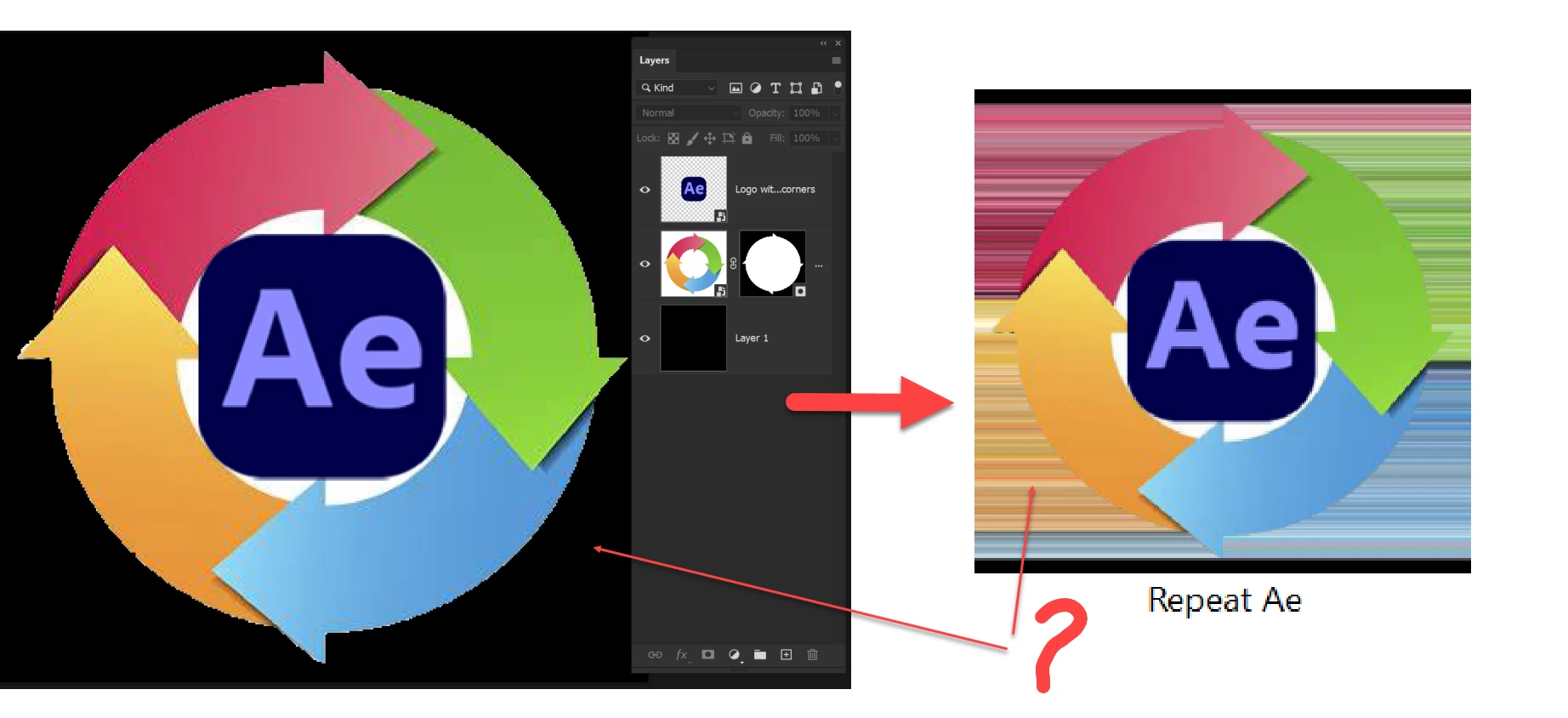
An icon was created in Ps & placed on Windows explorer folder. But I got a distroted image. I use a 3rd party app to place the icon on the folder.  I do not know whether it is a problem with 3rd party app. How to fix it?


This topic has been closed for replies.

3 replies

Myra Ferguson
Community Expert
Community Expert
December 7, 2023

Try saving the icon without transparency before adding it to your folder with Folder Marker. You could either

  • Select the top 2 layers, go to File > Export > Export As... and in the Export As dialog under File Settings on the right, set Format to PNG and deselect Transparency or
  • Select all of your layers (including the black background in Layer 1) and go to File > Export > Export As... and in the Export As dialog under File Settings on the right, set Format to PNG.
Myra Ferguson
Community Expert
Community Expert
December 7, 2023

Did you export a version of the icon with a transparent background? It looks like the 3rd party app may be trying to fill in the transparency with wrapped pixels. Maybe that's a feature of that app?

MahaB82A_
MahaB82A_Author
December 7, 2023

Background was black not transperent.


Myra Ferguson
Community Expert
Community Expert
December 7, 2023

To make sure, you could flatten it, but you may want to save a copy of this file first with the layers preserved in case you'd like to edit it later. To flatten it, go the Layers panel menu (the hamburger menu in the upper right) and select Flatten Image

Kevin Stohlmeyer
Community Expert
Community Expert
December 7, 2023

What file format was this saved out as? PNG? This seems like the third party app can't read transparency properly.

MahaB82A_
MahaB82A_Author
December 7, 2023

This 3rd party app is "Folder Marker". It can take file format either in PNG or PSD. I used in PSD file format.  

Kevin Stohlmeyer
Community Expert
Community Expert
December 7, 2023

Try using PNG - more universally accepted.
