

Answered
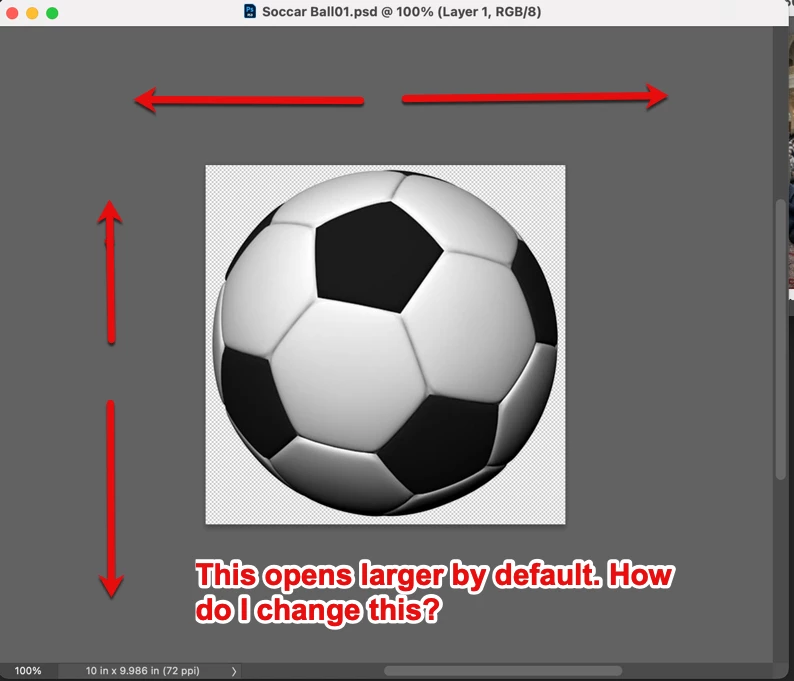
background of image, not canvas, is larger than image
My Images have a larger background than the image. Its not the canvas, that I know how to change, but each image that I open, has a much larger background (see screenshot)
This problem is new after asking AI about something else, it told me to reset things, and restart Photoshop and I’ve been plagued by various problems. This is the last one, the others I’ve solved.
I need the images that I open or “NEW” to revert to same dimensions as the image, instead of this very large background. Not sure what it is called.


 AdChoices