Participant
March 22, 2024
Question

Batch with actions not working

  • March 22, 2024
  • 4 replies
  • 598 views

I'm on a mac Sonoma 14.3.1, using Photoshop 25.6.0

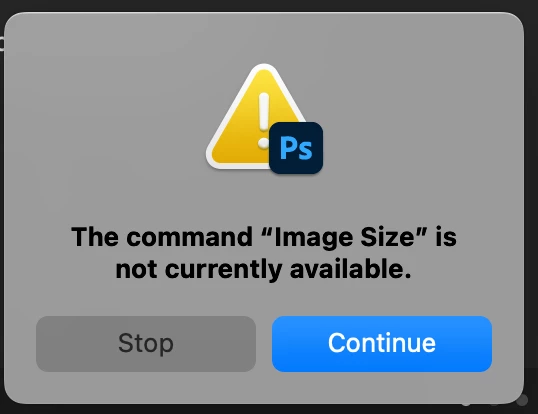
When using a batch with a created action I get a pop-up "The command Image size is currently not available"

I created this action a long time ago and always worked fine. If I try the action on a single image it works.

I tried another action for my batch, but get the same pop-up "The comment Flatten is currently not available" So it gets stuck on the first step of the action, whatever the step is.
   

This topic has been closed for replies.

4 replies

Stephen Marsh
Community Expert
Community Expert
April 11, 2024

@Naomi356 - so how did you go?

Stephen Marsh
Community Expert
Community Expert
April 8, 2024

@Naomi356 


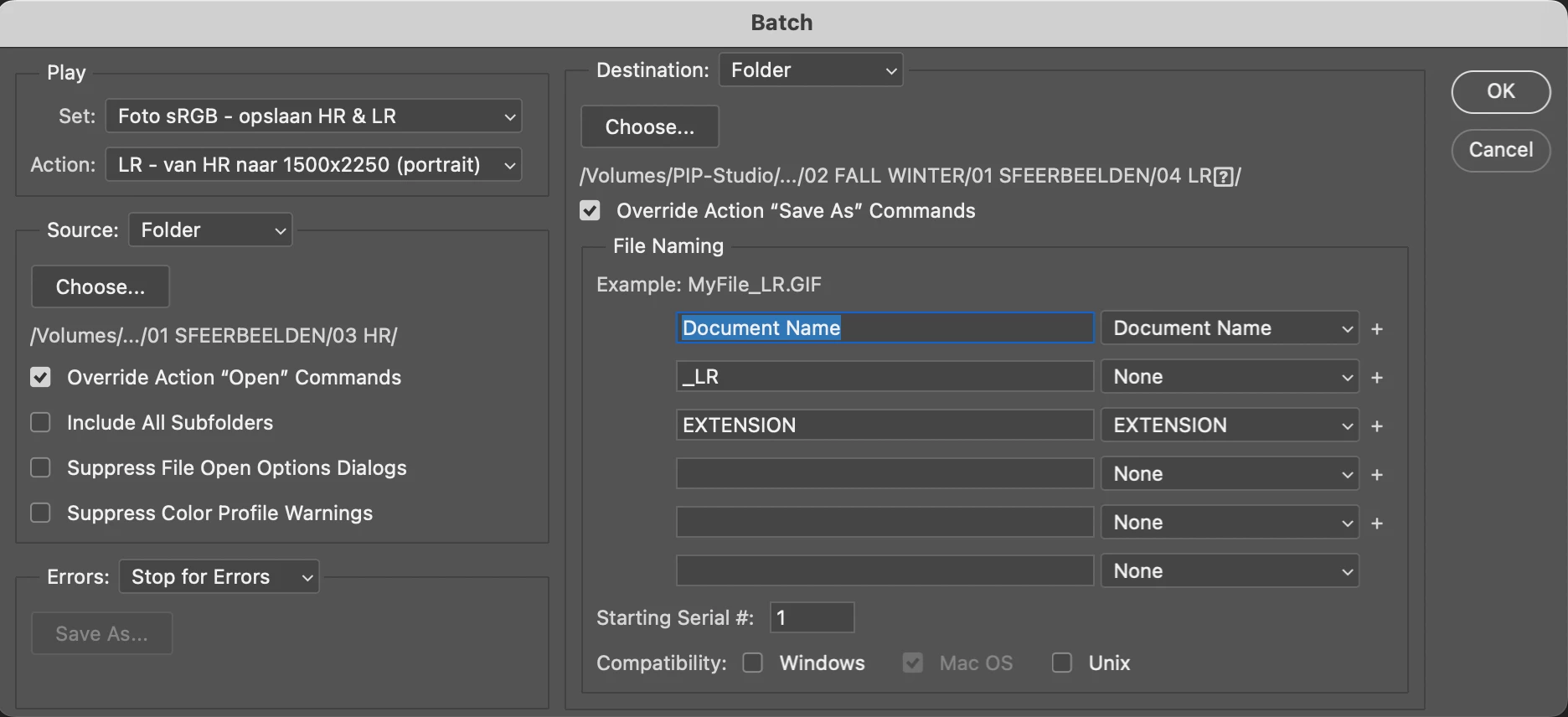
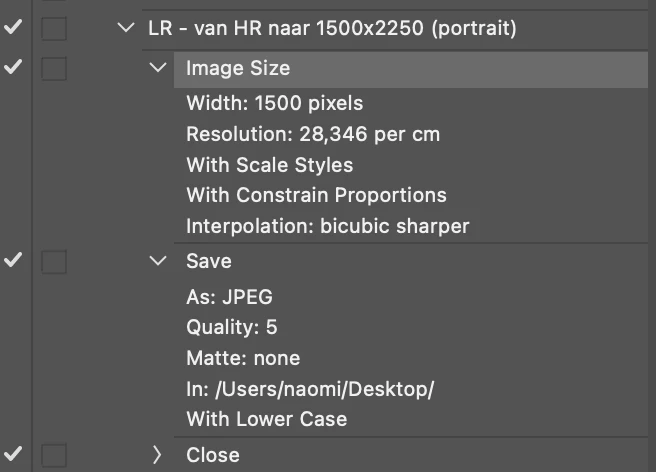
Your Batch setting has an override open checked, but there is no open step in the action to override.


https://helpx.adobe.com/photoshop/using/processing-batch-files.html#process_a_batch_of_files


quote

Override Action "Open" Commands

Ensures that the files you selected in the Batch command are processed, without opening the file you may have specified in the action's Open command. If the action contains an Open command that opens a saved file and you don't select this option, the Batch command opens and processes only the file you used to record the Open command (This occurs because the Batch command opens the file specified by the action after each of the files in the Batch source folder is opened. Because the most recently opened file is the one named in the action, the Batch command performs the action on that file, and none of the files in the Batch source folder are processed.)

To use this option, the action must contain an Open command. Otherwise, the Batch command won't open the files you've selected for batch-processing. Selecting this option doesn't disregard everything in an Open command—only the choice of files to open.

Deselect this option if the action was recorded to operate on an open file, or if the action contains Open commands for specific files that are required by the action.


Legend
April 8, 2024


That looks problematic. Does this save to your desktop?

Sameer K
Community Manager
Community Manager
April 8, 2024

Hey, @Naomi356. Welcome to the Photoshop Community. I'll move this to discussions for now. I'll need more info to help you figure this out. 


The source & the destination locations are probably on an external drive. Please try to move the folders internally. As a test, remake the action if possible & check if the issue exists.


Let me know how it goes. Thanks! 
Sameer K