
Participant
January 6, 2025
Question

best process from scan image to detailed vectorisation

  • January 6, 2025
  • 1 reply
  • 258 views

Hello

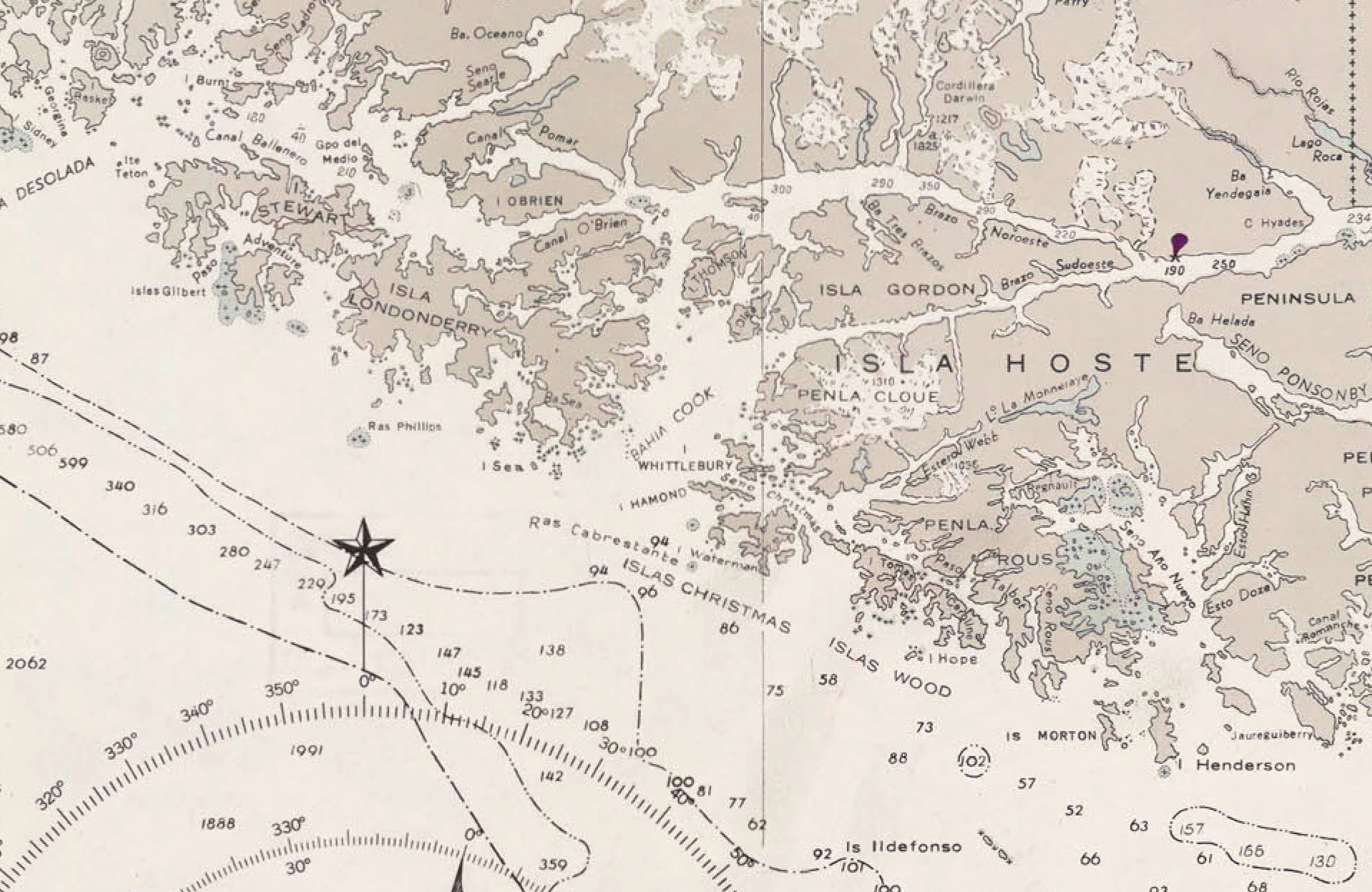
I'm doing laser cut of maps, so I have a scan of an old maritime map and I need to vectorise it in Illustrator. The image is yellowish and there ae a lot of writings (names, depth, headings...) that I need to keep and engrave at the end. Unfortunatly I cannot succed in having a decent result, the vectorisation is hawful, just big splashes, as I need to keep the coast line true and be able to read the engravings.

Also in the full map the "white part" color is not consistent, so I spent hours cleaning it, is there a way to do it quickly?

So if someone could propose a process to do it... Thanks a lot.
1 reply

D Fosse
Community Expert
Community Expert
January 6, 2025

To fix uneven lighting, which must be done first, put a steep curves layer on top. This makes it much simpler to do fine corrections under it. Then just delete that when done.


I can't imagine any world where this is not a lot of manual work. Start with Select > Color Range, and then clean up manually with brushes. The problem here is all the text and notation that interferes with the coastline.


I'd probably aim for a clean two color layer before attempting any vectorization in Ai.

Participant
January 6, 2025

Thank you for your answer D Fosse, in fcat I was doing that, but first I turned it to black and white, then apply the curve where I moved the two triangles input/output very close to each other. But the pb with that, as we can see on the modifed picture is that the differences of color in the "white areas" are increased and with that the magic wand is almost useless...

I found that the selection in photoshop, saved as a path is much more precise than the vectorisation in illustrator. Do you know why?