
Bitmap halftone making rough dots instead of smooth
When I try to create a halftone, instead of making nice round dots they are coming out very rough. Can someone help me figure out how to fix this? I've looked through the community help posts and none of the solutions posted are working for me.
Here's what I have been doing:
Start with a flattened image that is 24x24 inch, resolution 300 ppi.
Image - Mode - Greyscale.
Adjust the levels.
Image - Mode - Bitmap.
Bitmap - output resolution 300 ppi, method halftone screen.
Halftone screen - frequency 45 lpi, angle 22.5 degrees, shape round.
I did this recently on another project and the halftone worked just fine, came out smooth and perfect, and I was working with the same size files and identical settings. Here are pics...
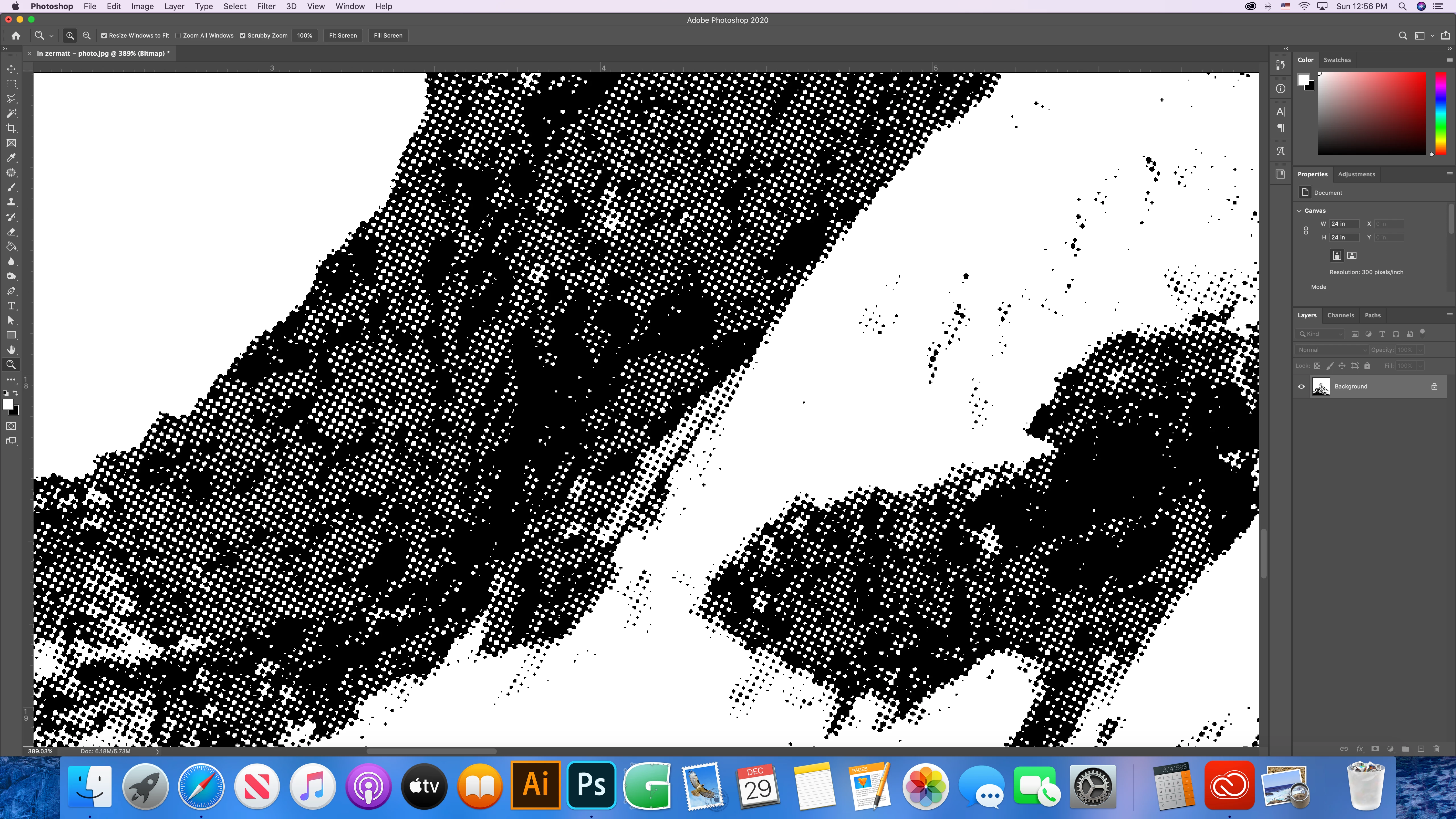
This is how my hlaftones are coming out now, no matter the settings I choose. You can really tell when zoomed in. I have tried different shapes, different lpi, different output resolutions... all come out with this kind of rough halftone. I have tried different photos and files and all are doing this same thing.
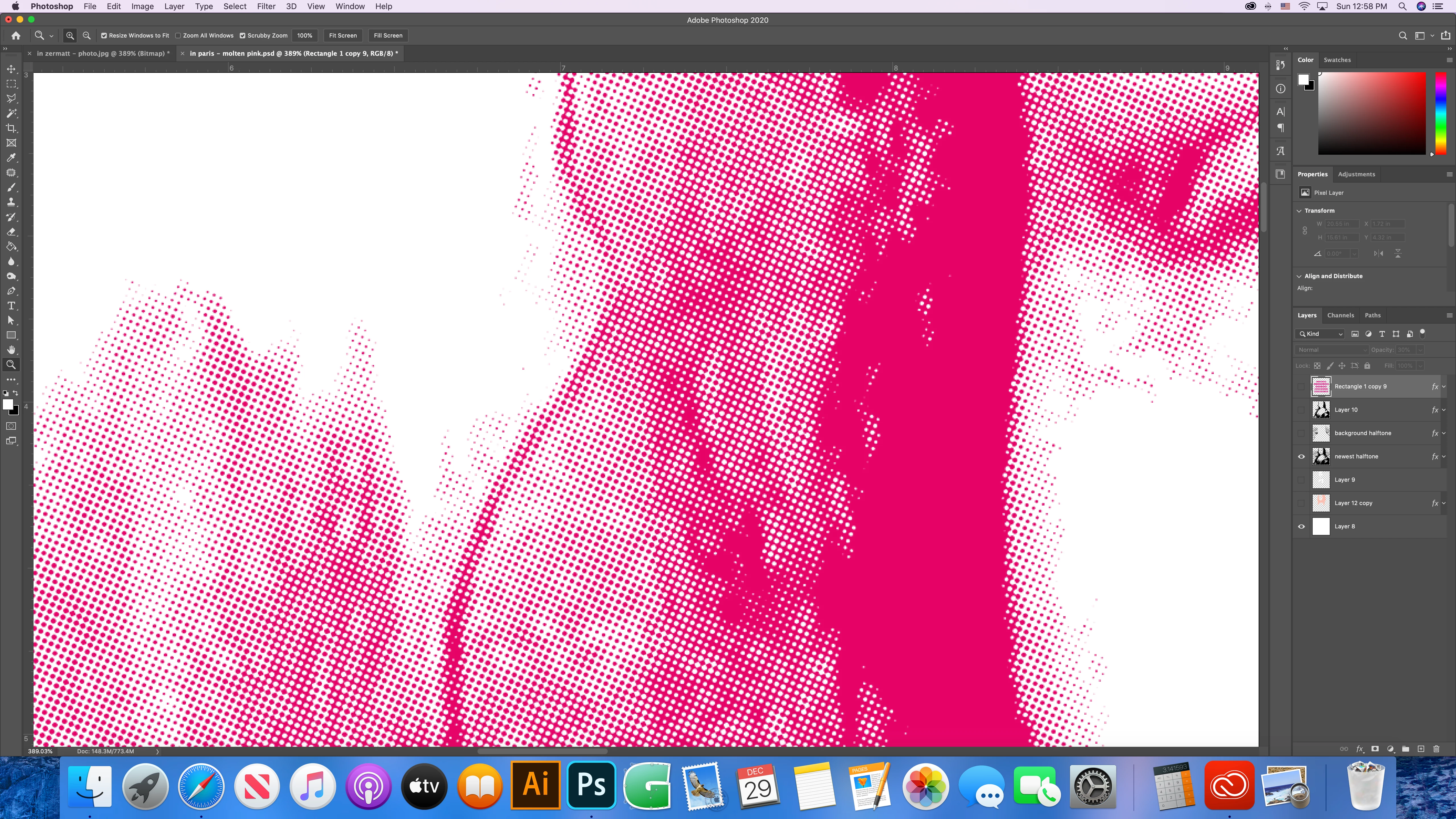
Here is the successful halftone I did recently and how I want my currect project to come out.
 AdChoices