


Participating Frequently
Dec 5, 2019 8:47 AM UTC
Question

Bizarre Photoshop CC Phantom Text Problem [2019]

Strange text problem happening in Photoshop CC.  Some old text keeps popping up in different image files when I go to edit them.  For example, I went to recolor the shirt this woman wore, and this phantom text comes up in several places in my image.  It's my text from a file I don't have open anymore.  I only have it on that file in one place, but when it shows up like this it is repeated several times on several lines. I can't get rid of it.  It won't erase or allow me to select it on any layer.


It seems to happen when I go to select a specific area in an image.  It happens with any selection tool like the quick selection tool, the magic wand and the magnetic lasso. 


Is it a bug?  Is it something I'm doing?  What is happening and how do I stop it?
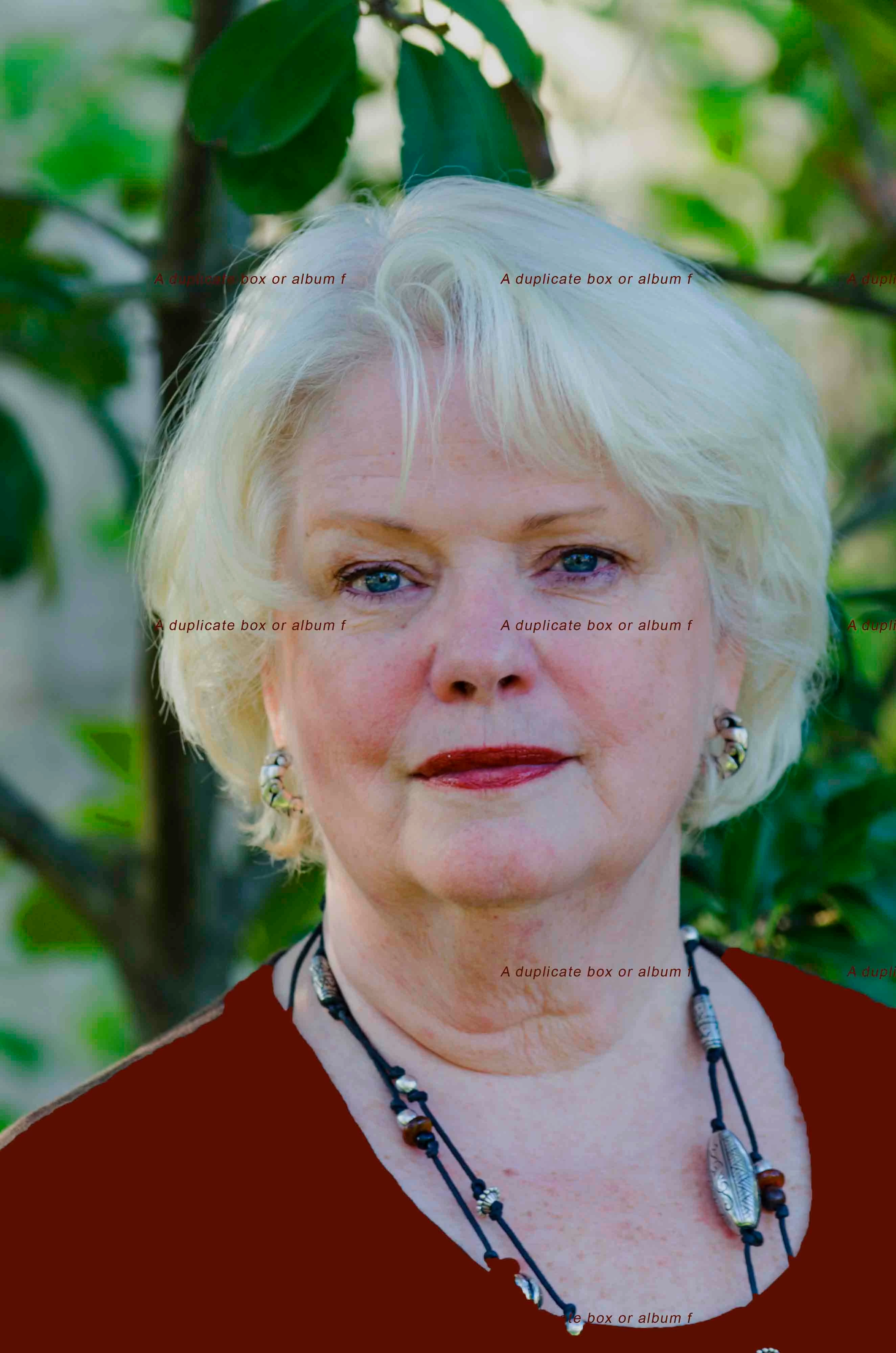


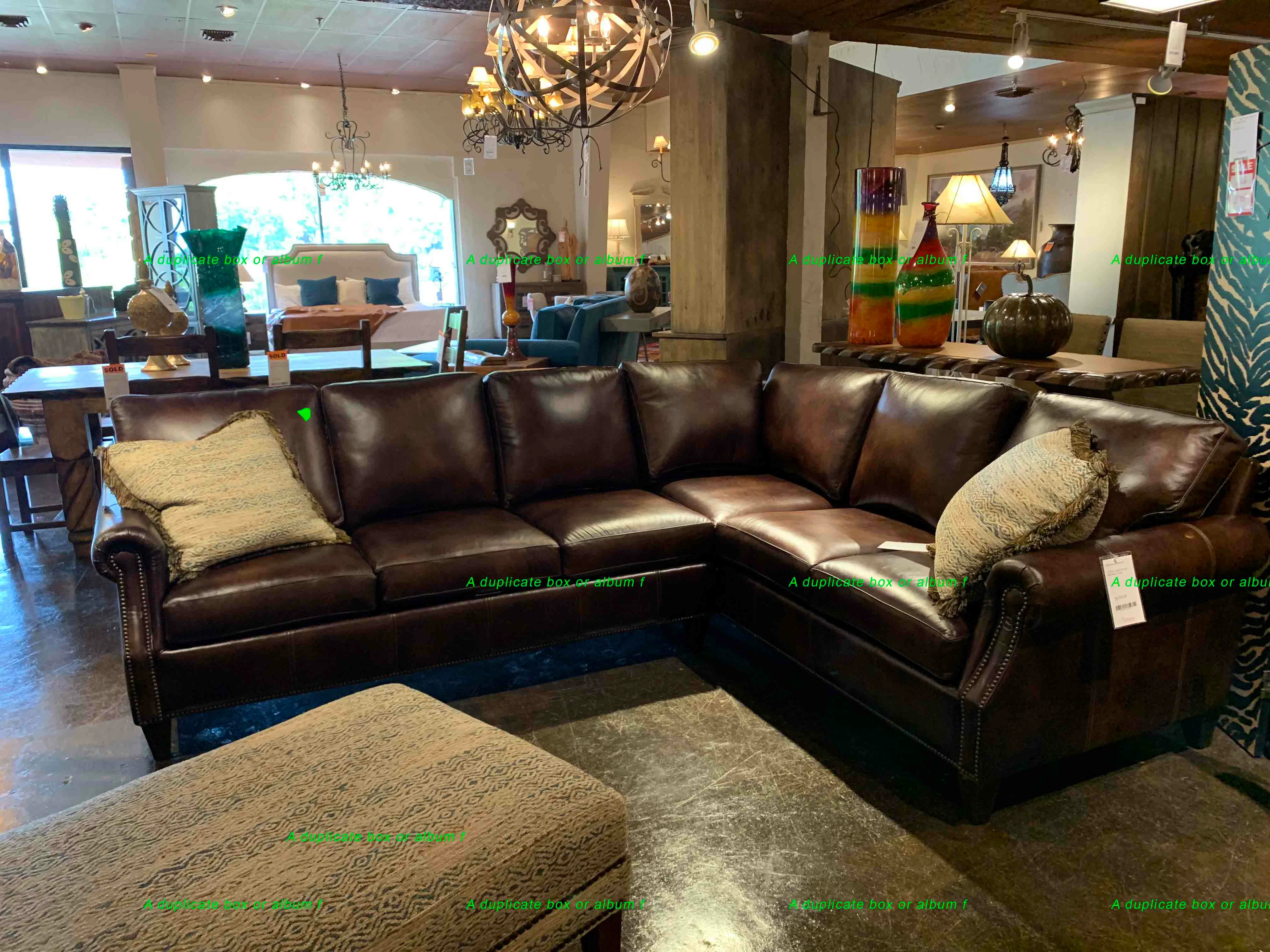
It happened in this furniture store image, too.  Please help - I can't get anything done this way.

I'm on Windows 10.
 

This topic is closed to new replies. Start a new post to keep the conversation going.

15 replies

jane-e
Community Expert
Community Expert
Feb 19, 2026 11:31 AM UTC

Duplicate post. See here:

Jane

Translate
Legend
Feb 19, 2026 3:02 AM UTC

kathyc, not sure I understand the part about phantom text coming back. I’m thinking you have multiple text layers. Can you post a screenshot of the Layers panel?

What version of Photoshop are you running? [Photoshop CC (v14.0) was launched on June 18, 2013]


Translate
Larry
kathyc79841896
Participant
Feb 18, 2026 3:03 PM UTC


Translate
kathyc79841896
Participant
Feb 18, 2026 3:00 PM UTC

I am having this issue today!  I can’t seem to get rid of it.  I’ve closed Photoshop & this keeps popping up.  Help?


Translate
Participant
Oct 19, 2023 6:42 PM UTC

I'm having the exact same problem with this ghost text.  Please sort it out guys it is clearly a bug.  All the things you suggest to get rid of it isn't working!!

Translate
Participant
Apr 18, 2025 8:02 PM UTC

For me, the problem was coming from something to do with Smart Objects and Generative Fill. Once I collapsed those functions, it stopped happening.

Translate
Trevor.Dennis
Community Expert
Community Expert
Apr 19, 2025 4:11 AM UTC

Generative Fill and Ai was not a thing when this thgread was started six years ago.

Translate
JJMack
Community Expert
Community Expert
Dec 5, 2019 4:16 PM UTC

It would help if you showed a screen capture of the images Photoshop document's layer stack.  Is something creating text layers.  are you using any actions or script when your process your images. Have you set up and Script manager event handlers in your photoshop environment?


Supply pertinent information for more timely and effective answers. The more information you supply about your issue, the better equipped other community members will be to answer. Consider including the following in your question:

  • Adobe product and version number
  • Operating system and version number
  • The full text of any error message(s)
  • What you were doing when the problem occurred
  • Screenshots of the problem
  • Computer hardware, such as CPU; GPU; the amount of RAM; etc.
Translate
JJMack
vleo512Author
Participating Frequently
Dec 6, 2019 5:16 AM UTC

Resubmitting my problem with the recommended information. I need to know why this is happening and how to stop it.


I am getting a line of text from another document that is not open showing up on a mask in images I am working on.  The text is repeated several times on several rows.  


There are no text layers in these files.  I am not using any actions or scripts.  I have not set up any script manager event handlers.


I've colored the text in the first example below bright green so you can see it.  It is in black on the second image and you can see it in the subject's hair and skin. 


  • Adobe product and version number
    • Adobe Photoshop 21.0.1
  • Operating system and version number
    • Windows 10 
  • The full text of any error message(s)
    • No error messages 
  • What you were doing when the problem occurred
    • Making a selection to change the color
  • Screenshots of the problem with the document's layer stack.
    • I was trying to darken the color of the leather couch in this image.
  •   
  • I was trying to change the color of the subject's shirt in this one.
  •  
  • Computer hardware, such as CPU; GPU; the amount of RAM; etc.
    • Processor Intel Core i7-4770S CPU @3.10GHz
    • 16 BG Ram
Translate
Participant
Oct 24, 2021 7:57 PM UTC

This is also happening to me. HELP!

Translate
PECourtejoie
Community Expert
Community Expert
Dec 5, 2019 9:10 AM UTC

Hello, very strange!

Does it create text layers, is it pixel data? Visible at all magnifications? on an exported JPEG?

Did you try to delete your preferences? go to the preferences (CTRL+K - CMD+K on a Mac), general, click on the button that reads "reset preferences on quit".


Which version of Photosohp are you running? could you have an action that is triggered by the scripts events manager?

Translate