
Black Dialogue Box for Export Save For Web Legacy
Hello,
Bug: Black Dialogue Window for Save For Web (Legacy)
OS: Mac OSX BigSur 11.1
Photoshop Version: v20.01 (also had similar issue in v19)
I updated to version 20.01 in hopes to resolve this issue I have had in previous versions. This reason motivated me to updated photoshop shop to see if this UI bug was fixed. When opening the export dialogue from Export > Save For Web (Legacy) window, it shows up black. I can see the options but the preview and text are not present.
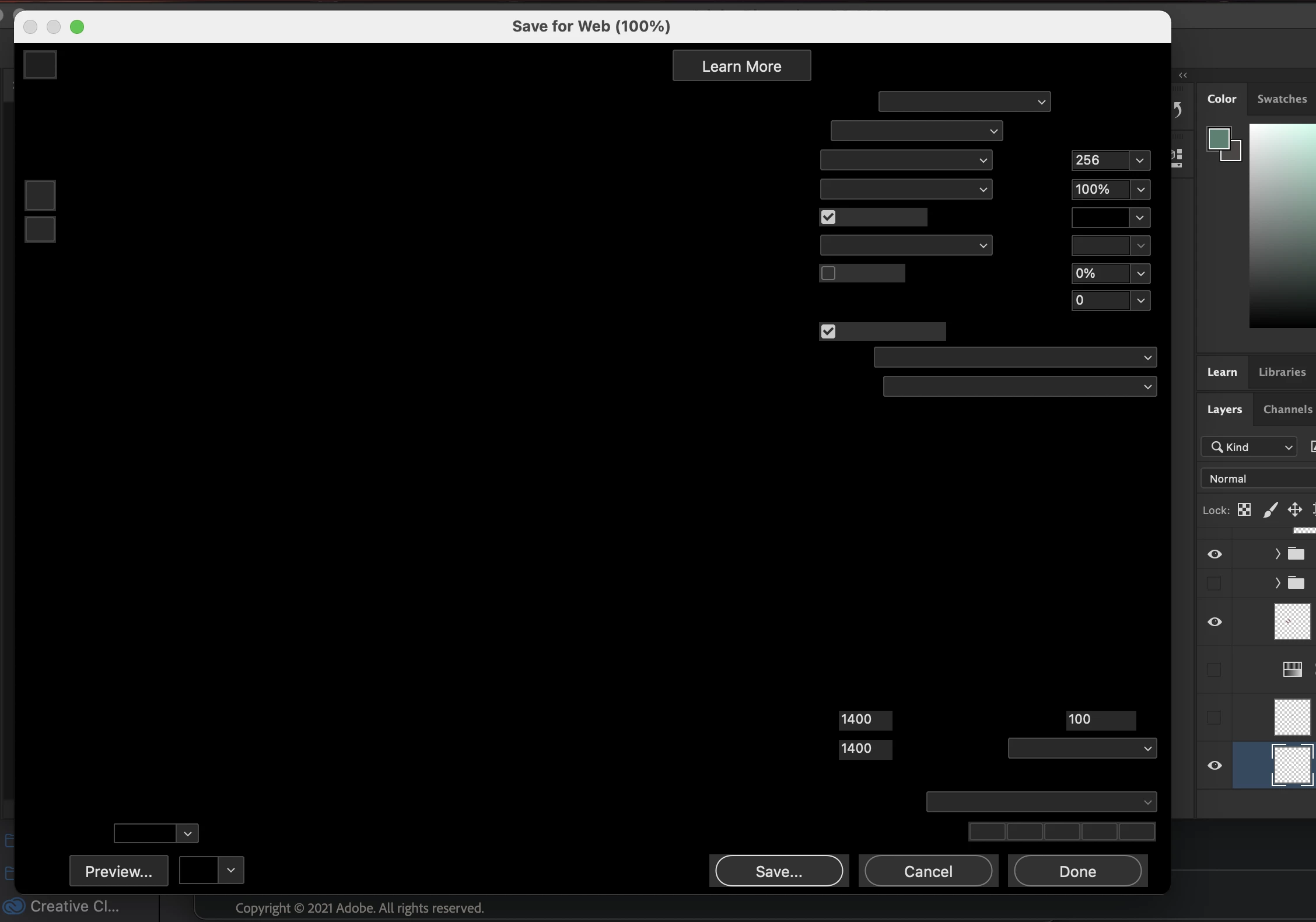
I referred to this post which had a similar issue but for the Save As Dialog https://community.adobe.com/t5/photoshop/export-as-dialogue-box-completely-black/m-p/10026464. I have tried all recommendations including:
- Reset preferences (alt/option to reveal reset option)
- Resize window, cancel, then repon (some users report this works but not in my case)
- Change graphics processor performance with Preferneces > Performance > Advanced Settings set to Basic or Normal (neither option worked)
- Reinstall photoshop
Does anyone have any other recommendations?


 AdChoices