
Participant
July 16, 2025
Question

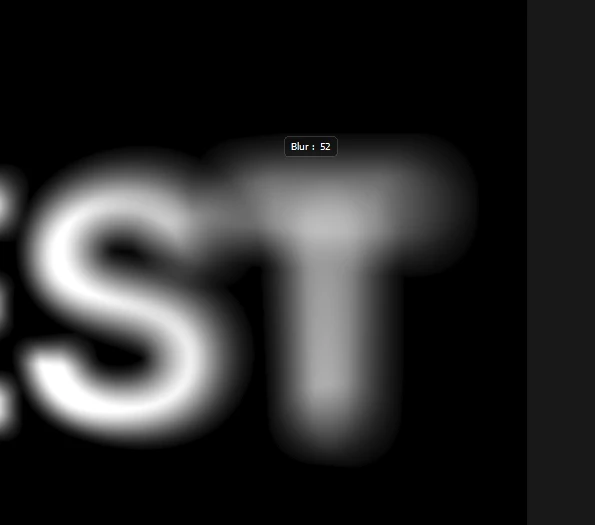
Blur controller is not visible in field blur.
  • July 16, 2025
  • 1 reply
  • 91 views


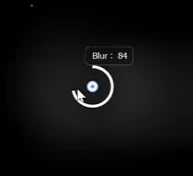
When I select where to apply blur in Field Blur, a circular controller should appear and I should be able to adjust the blur value by dragging. However, I don't see the controller. I can adjust the blur value. What's the problem? Graphics acceleration is checked.

The image below is what happens when the controller is displayed normally.
 

1 reply

Noel Orridge
Community Manager
Community Manager
July 16, 2025

Hi @10969, Thank you for reaching out! I'm sorry to hear about the trouble you're facing.


Please tell us more about the issue, like the version of Photoshop and the OS you're using. When did you start noticing this issue? Was it after an update to the OS, the application, or installing any new software or plugin? 


While we wait, you can try these fixes and see if they work.


1) Make sure "Edit Pins" is checked: While in the Field Blur (or any Blur Gallery) interface, go to View > Show in the main Photoshop menu and make sure Edit Pins is checked.


2) Try turning off graphics acceleration as a test. If things work, leave it as is, update your graphics card drivers to the latest public version available, and then turn it back on. Studio drivers are preferred over game-ready ones.


3) Reset your preferences: Before resetting them to their default state, back them up first. This help article provides steps and more information on Preferences in Photoshop.


Let us know how it goes! 

Cheers!

Please use @ before mentioning my username so that I can be notified as soon as possible, and you can get the help you deserve.

Noel