
Participating Frequently
Nov 16, 2018 12:14 PM UTC
Question

Blurry PDF when importing into Photoshop

I've encountered a huge problem with trying to import PDF files into photoshop.

What I have done is to export PDF files from either AUTOCAD or illustrator. When i exported the files the lines are all very crisp and clear (example below)
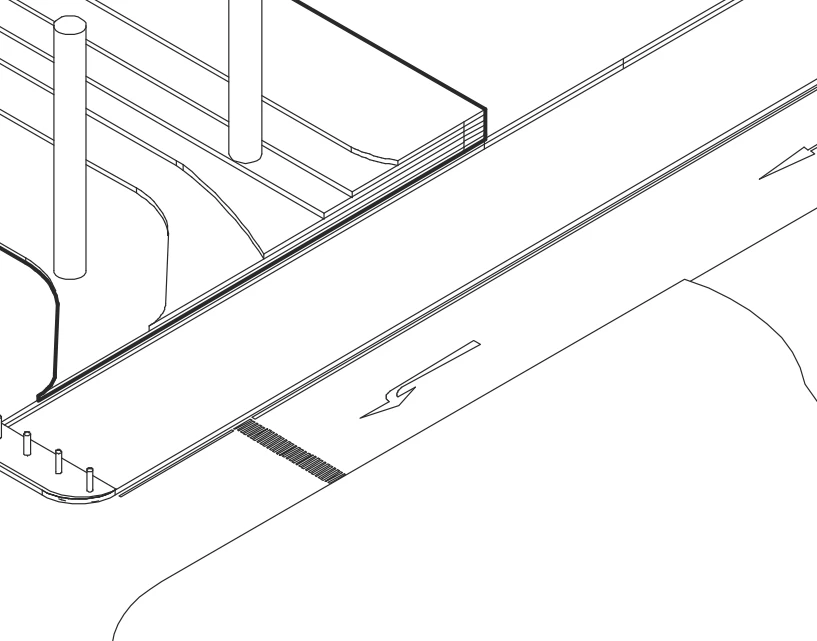
when i place the file into photoshop, it instantly turns grainy... it is very obvious when i print it out on paper(example below)
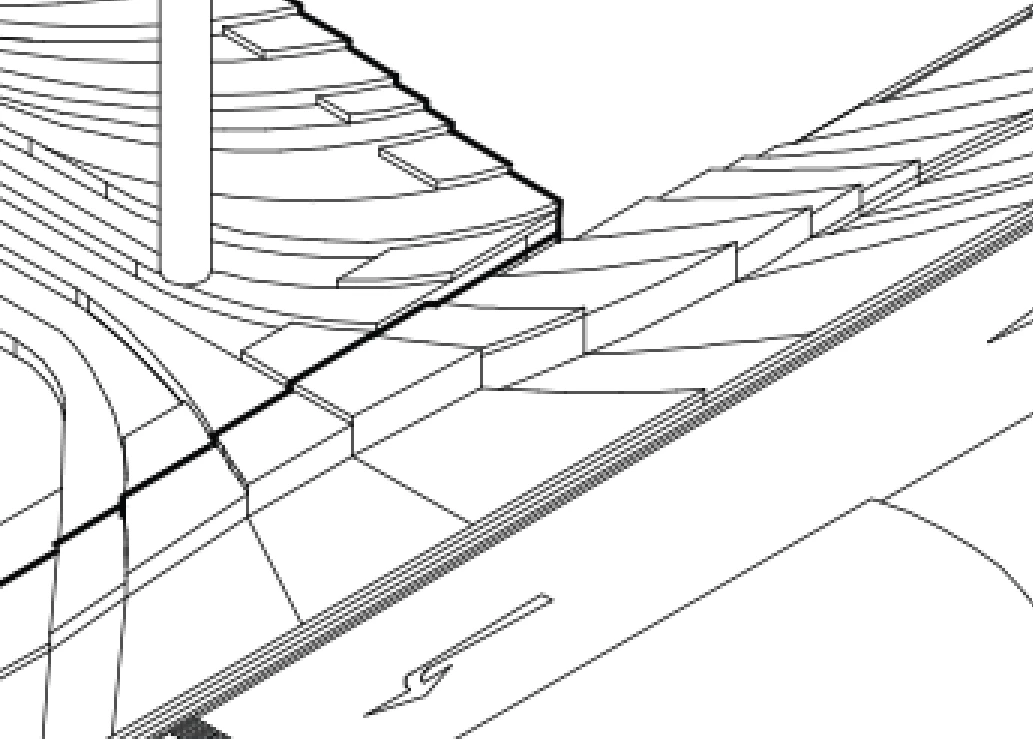
i have already tried so many methods

such as making sure its 300 ppi, changing pixel sizes, checking anti aliases.
Have even tried with the CS 5 version, 2017 and 2019 versions

Please do help:(((((((

    This topic is closed to new replies. Start a new post to keep the conversation going.

    32 replies

    Legend
    Nov 16, 2018 1:36 PM UTC

    Please take a step back. You seem to expect Photoshop to do something that is just impossible. Please tell us what you want to do, or accept that Photoshop will do this. All the signs are that you are trying to use Photoshop to do something that Photoshop is not suitable for. As we have asked: WHY ARE YOU DOING THIS STRANGE THING?

    Translate
    Participating Frequently
    Nov 16, 2018 1:39 PM UTC

    the issue is i that i would like to add pictures or colors e.g. paint bucket etc into the drawing which is way faster than illustrator

    Translate
    Legend
    Nov 16, 2018 1:31 PM UTC

    Yes, you rasterised it. That's what Photoshop does, it can't import a vector PDF as vectors.

    Translate
    Legend
    Nov 16, 2018 1:28 PM UTC

    You have zoomed in too much for screen viewing. It will be poor quality above 100% as all images will (except simple rectangulasr boxes).

    Printing is a different story. Printing vector art accurately requires high resolution, perhaps 600 ppi, perhaps the device resolution in demanding cases (e.g. 2400 ppi, a file size for you in the dozens of GB). This is why it is not done with Photoshop. Illustrator and Acrobat are the right tools for working with vector art.

    Translate
    Participating Frequently
    Nov 16, 2018 1:33 PM UTC

    the zooming was done with aim to show how grainy it is..and also I have encountered such issues before without checking it properly which led to printing grainy drawings as an architecture student.

    I have also been using 300 dpi as my template for quite awhile now..but i am not sure as to why i am encountering such problems now

    Translate
    Kenneth Kawamoto
    Community Expert
    Community Expert
    Nov 16, 2018 1:40 PM UTC

    The other way is to create a Smart Object by File > Place Embedded... (or Place Linked...). This way, you would retain the vector data.

    > i would like to add pictures or colors e.g. paint bucket

    Ah... that's a wrong approach I am afraid...

    Translate
    Legend
    Nov 16, 2018 1:12 PM UTC

    Yes, if you multiply the resolution by 2 you multiply the file size by 4. What are you trying to achieve - the big picture? What you are trying to do may have an entirely different approach that is not going to need impossible file sizes, and might not be done in Photoshop.

    Translate
    Kenneth Kawamoto
    Community Expert
    Community Expert
    Nov 16, 2018 12:52 PM UTC

    I'd open the PDF in Photoshop as min. 600dpi - can you try that?

    Translate
    Participating Frequently
    Nov 16, 2018 1:08 PM UTC

    ok the quality definitely improved following your suggestion of 600 dpi and also 1000 dpi however the file size definitely shot up from 200 mb to 500mb to 1.3gb

    600 dpi

    1000dpi

    are there any other options to look out for?
    also is there a difference between setting the dpi when creating a file and opening the pdf directly with photoshop then setting the dpi from there?
    thank you for your advice though!

    Translate
    Kenneth Kawamoto
    Community Expert
    Community Expert
    Nov 16, 2018 1:17 PM UTC

    Inevitably, the higher the resolution, the larger the file size. But why do you want to rasterize a vector file (i.e. open vector PDF in Photoshop) in the first place? If you want to print with crisp line, why not just print the PDF...?

    Translate
    Legend
    Nov 16, 2018 12:47 PM UTC

    I think you have zoomed in over 100% after placing to get the second screen shot? If so, just don't. You are giving up being vector, and the resolution is fixed into pixels at the moment you import. I assume the first screen shot is zoomed in using Acrobat, which is fine.

    Translate
    Participating Frequently
    Nov 16, 2018 1:11 PM UTC

    I wouldnt say that i have zoomed in too much as you can see from the screenshot when i printed it out there is a stark contrast between both exported from the illustrator and the one from photoshop (dpi300)


    I am wondering if this happens frequently for importing pdf or other formats into photoshop?

    Translate