Apologies for the inconvenience. It looks like the application file at the mentioned location was deleted by mistake or got corrupted. I would suggest uninstalling the app and reinstalling it once again from Creative Cloud.
Translate
Thanks, Srishti Bali | Community & Engagement Strategist, Digital Imaging | Adobe
The Question wasn’t translated by the tool. This is the English translation:
“Hello, I can't open a photo of a bridge into Photoshop anymore.”
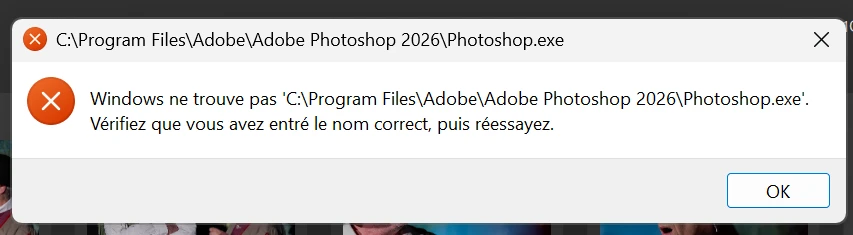
The error message itself wasn’t translated into English by the tool. This is the translation: “Windows can't find 'C:\Program Files\Adobe\Adobe Photoshop 2026\Photoshop.exe'.
Make sure you have entered the correct name, then try again.”
Have you looked for the executable in the Ps folder?

 AdChoices