I've merged your two threads on this subject together. I've never seen that issue happen, nor can I replicate it. What settings are you using in TIFF options?
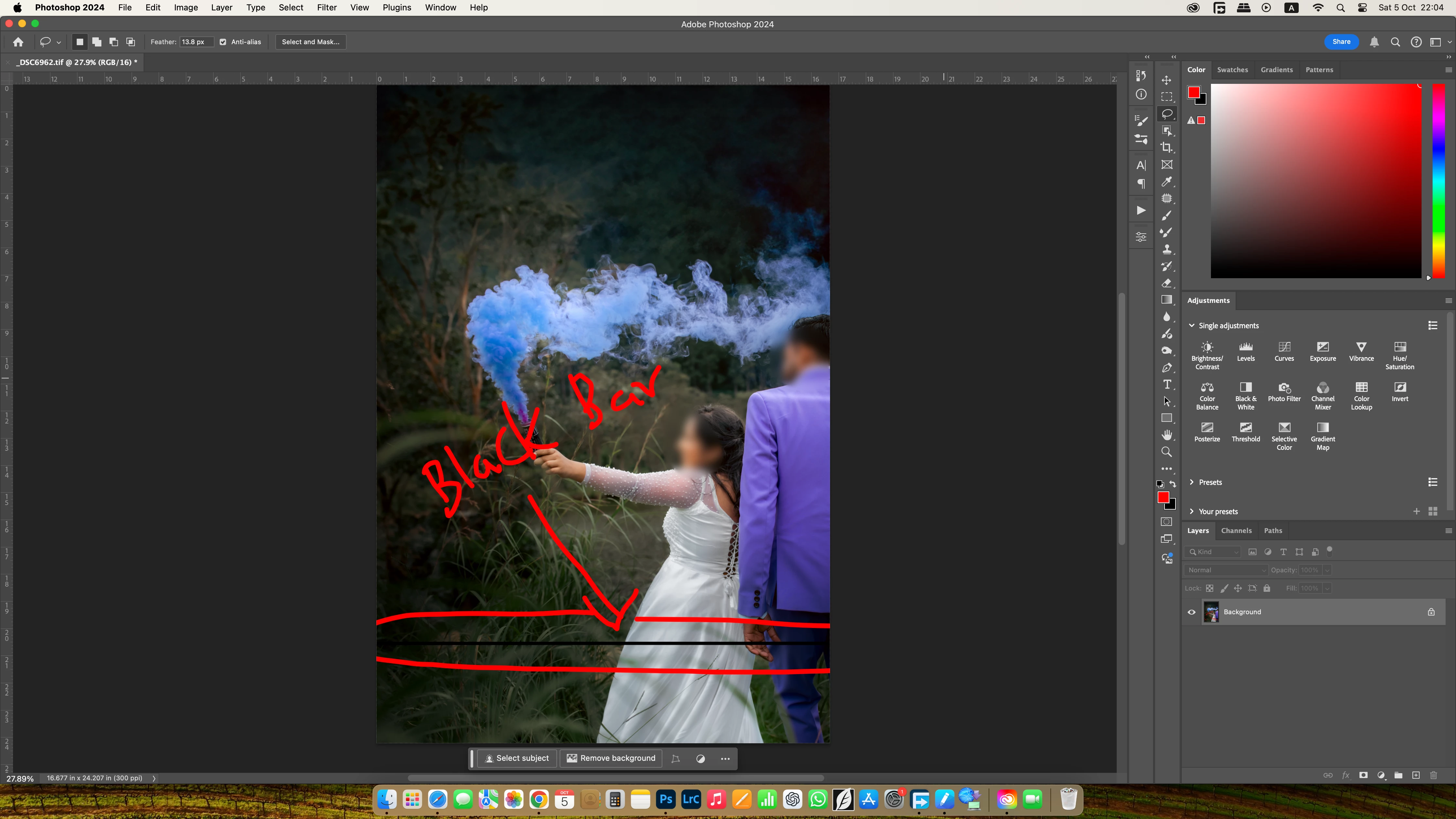
Why does a black line appear in the middle or bottom of the image after saving a Tif? This has become a big problem. Photoshop is getting boring. I have reported this several times before. But I could not find a solution. I am using an imac m3.
Hey, @Tharaka5E57. Welcome to the Photoshop Community. I'll move your response to discussions for now. I'll need more info to help you figure this out. Please share the system info from Photoshop Help > System info > Copy and paste into a text document > upload and attach here.
You're working on Photoshop 2024, please update to the latest version via the Creative Cloud desktop app.
Does this happen with the specific documents? Is this image stored on an external drive or in a folder associated with cloud backup services? Working through a network or external drive is unpredictable & is not recommended. Head here to learn more: https://adobe.ly/3A2G2zK
Please share if you find a repeatable pattern or series of steps along with a sample PSD/TIF file with me via direct message.
Thanks! Sameer K
(Type '@' and type my name to mention me when you reply)



 AdChoices