
Legend
December 17, 2024
Answered

Bounding Box Constantly In The Way - How To Remove?

  • December 17, 2024
  • 1 reply
  • 771 views

Hi There,


There seems to be a trend to create UI that covers the thing you're working on (like the task bar) with the latest being the bounding box that always appears (at least it does for me).


I've found answers but can't get back to the more useful, previous behaviour which was...

- Show bounding box only while transforming

- No bounding box when not transforming
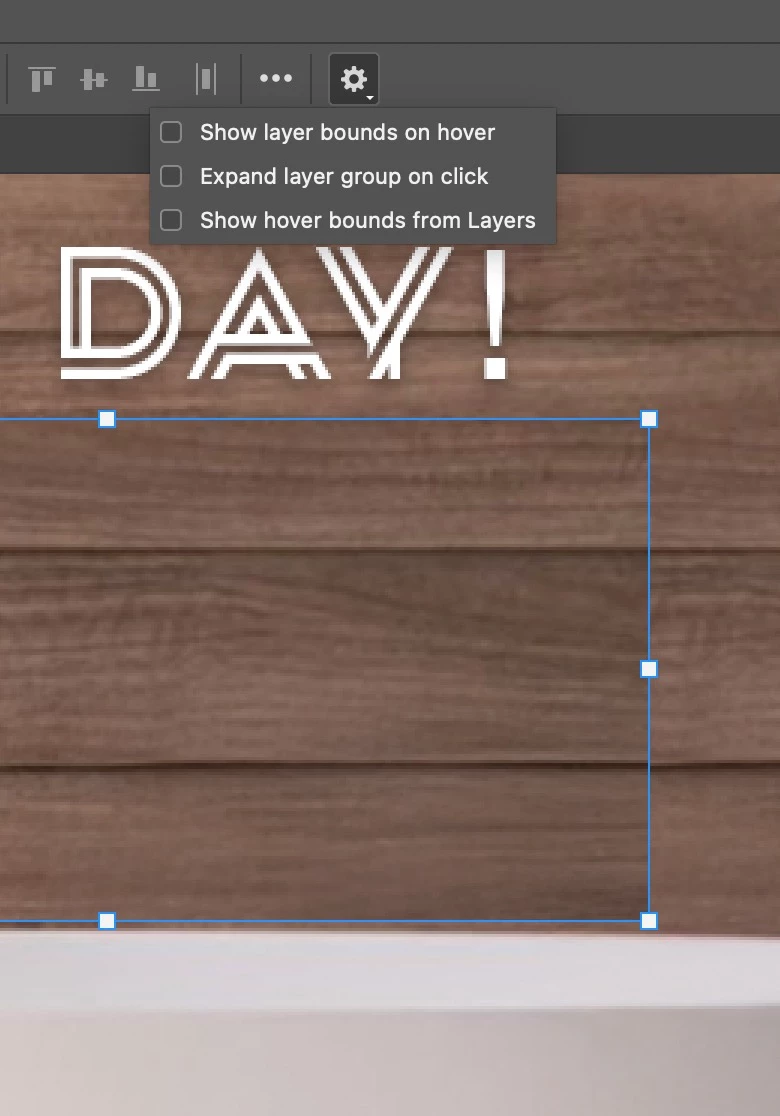


Sorry if missing something basic here but does anyone know how to stop this UI getting in the way of your work?


Cheers, Ben

This topic has been closed for replies.
Correct answer csscms

OK, it seems the specific option has now been moved from under the cog, untick it from here...

Counterintuitively, when you Transform, it still shows the transform control box even though 'Show Transform Controls' is now unchecked. Does logic exist anymore or am I missing something basic here?


1 reply

csscmsAuthorCorrect answer
Legend
December 17, 2024

OK, it seems the specific option has now been moved from under the cog, untick it from here...

Counterintuitively, when you Transform, it still shows the transform control box even though 'Show Transform Controls' is now unchecked. Does logic exist anymore or am I missing something basic here?


Legend
December 17, 2024

I think I understand what you're trying to say, but let me restate.

Two of the settings gear checkboxes involved in hover

☐ Show layer bounds on hover

☐ Show bounding box from layer

don't work as expected. You state that the former (before what? update?) behavior was

- Show bounding box only while transforming

- No bounding box when not transforming

If I uncheck those boxes, I do get that behavior when the layer is not selected.

I can't get the bounding box to always appear.

If it would help, we could record our screens then post the movie.

Larry