

louiss25401188
Participant
January 31, 2026
Answered

Brush Adds to Photo When Trying to Cover an Object.

  • January 31, 2026
  • 1 reply
  • 34 views

I am trying to remove a stop light from an image, but when I apply the brush it erases but leaves behind streaks of the arch as well as white strip. Any idea why the brush would leave a white strip or copy other parts of the arch? Previously, this image here was copied from the similar arch and laid on top with the move tool.

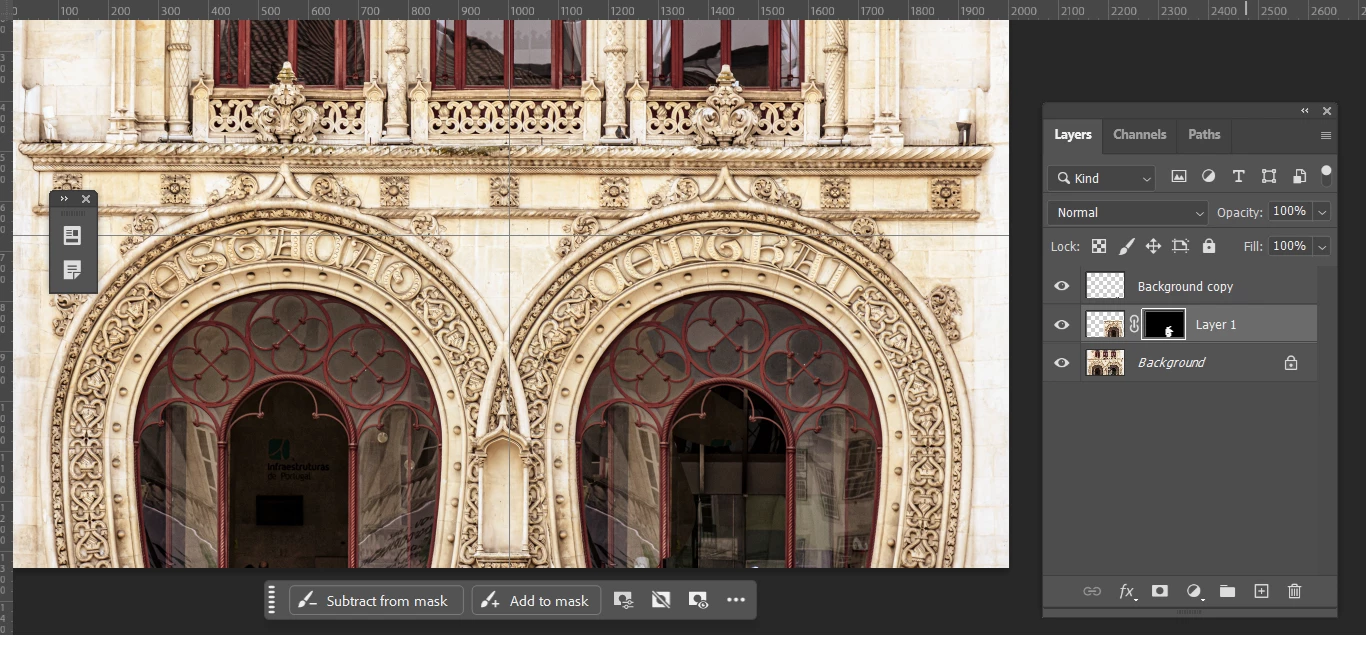
 

    Correct answer louiss25401188

    I am painting into a layer mask. I re-started the exercise, which involved using the marquee key to make a separate layer of the left side and drag it over to the right. Where the error may have happened is when using the Difference blend style and not aligning it properly. The layer with the copy was put into a closer position. Now, the brush covers the light without leaving a white streak.


    1 reply

    Trevor.Dennis
    Community Expert
    Community Expert
    January 31, 2026

    You need to show us a full resolution screen shot of your entire workspace, showing image and layers panel.  Right now it is impossible to see what is going on.  Are you painting into a layer mask, for instance?  


    Much information please, plus a useful screen shot

    louiss25401188
    louiss25401188AuthorCorrect answer
    Participant
    February 1, 2026

    I am painting into a layer mask. I re-started the exercise, which involved using the marquee key to make a separate layer of the left side and drag it over to the right. Where the error may have happened is when using the Difference blend style and not aligning it properly. The layer with the copy was put into a closer position. Now, the brush covers the light without leaving a white streak.


    Trevor.Dennis
    Community Expert
    Community Expert
    February 1, 2026

    Glad you got it sorted. It’s the sort of issue where a look at the Options bar, and brush and layer modes, will often  up reveal the problem.  I like to tell people that it’s no bad thing as it shows you are getting deeper into the app, and using advanced features.   Bert Monroy is my #1 Photoshop hero, and I have more than once seen him run into similar issues in one of his tutorials.