Participant
January 12, 2025
Question

brush bleeds over selection

  • January 12, 2025
  • 3 replies
  • 204 views

Hello

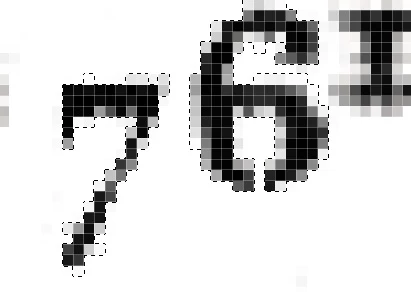
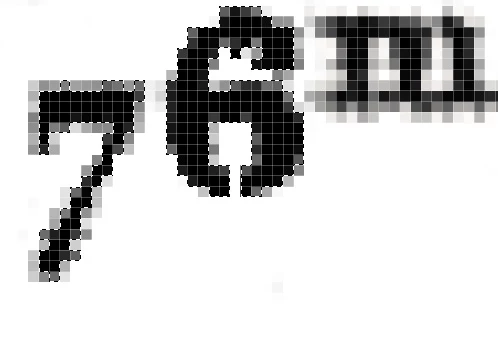
I try to select exactly some forms to be able to fill them with black. But when I brush over the selection I have some bleeding of 1 or 2 pixels outside, why?

3 replies

Trevor.Dennis
Community Expert
Community Expert
January 13, 2025

Because you have zoomed so far into the image.  You are so far in we can see the pixel grid! View at 100% and there'll be no bleed visible.


D Fosse
Community Expert
Community Expert
January 12, 2025

The piece of the puzzle you're missing is that selections aren't necessarily either/or. Selections can be any percentage between 0 and 100% selected.


The selection edge, the "marching ants", isn't a solid limit. It just marks pixels that are 50% selected or more. So it can still be selected outside the line, just less than 50%. However, when you add 40% to 40%, it builds up. Do it many times, and it approaches 100% selected.

c.pfaffenbichler
Community Expert
Community Expert
January 12, 2025

Probably because you created the Selection that way. 

Or maybe you misunderstand what a Selection does exactly; if a pixel is selected with X% then painting there will lay down accordingly, but repeated painting will accumulate. 


Can you go to QuickMask Mode, save and provide the file.