Alex_R84
Inspiring
October 23, 2025
Answered

Brush Dropdown: Can it appear from the Left Instead of Right?

  • October 23, 2025
  • 2 replies
  • 85 views

Hello,


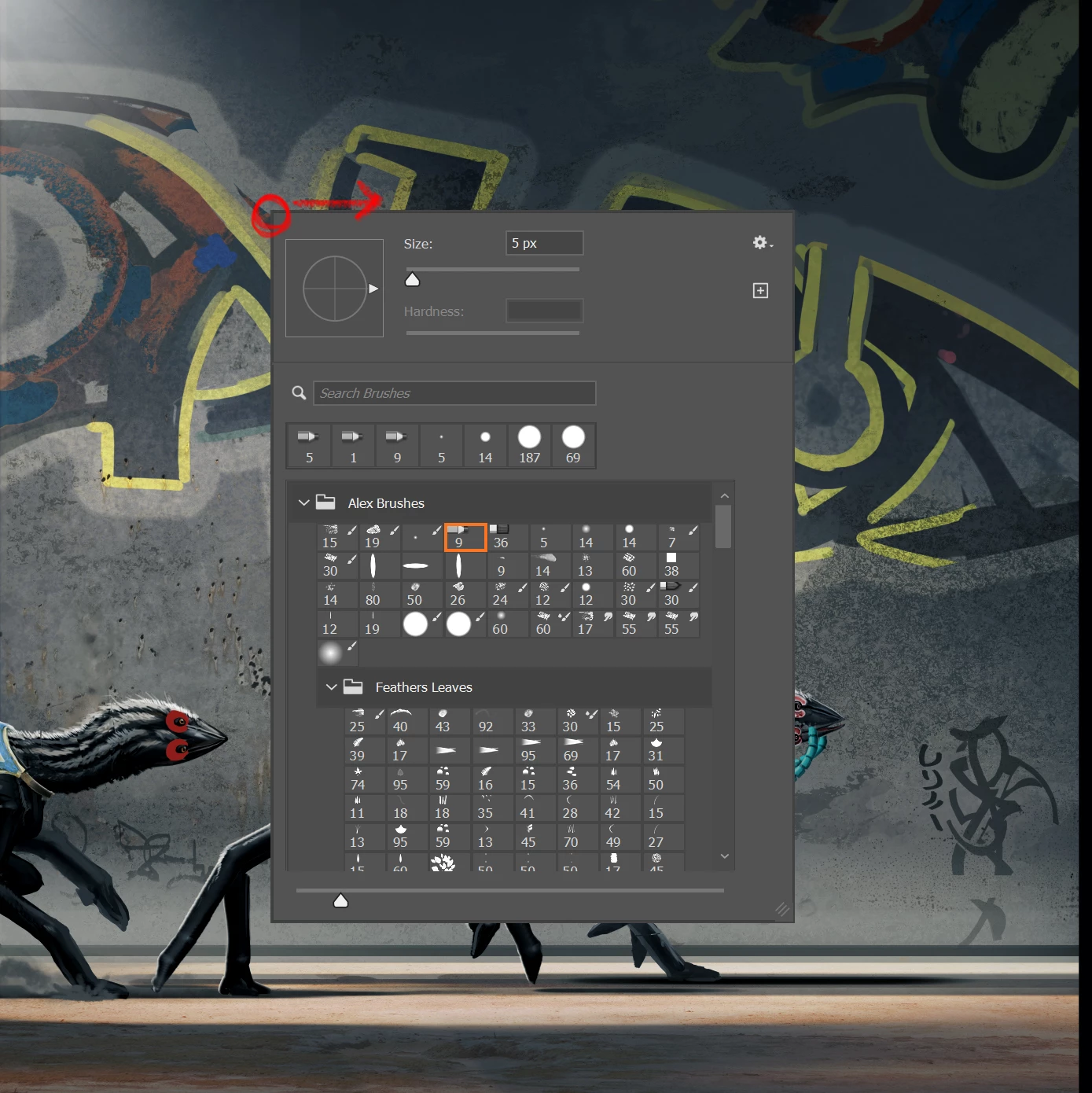
Recently got a cintiq. As I am right handed, when i open the Brush menu using a pen button, it opens rightwards, which is directly under my hand.


Is there any way, or a script, to make the menu pop out to the left?

Correct answer Trevor.Dennis

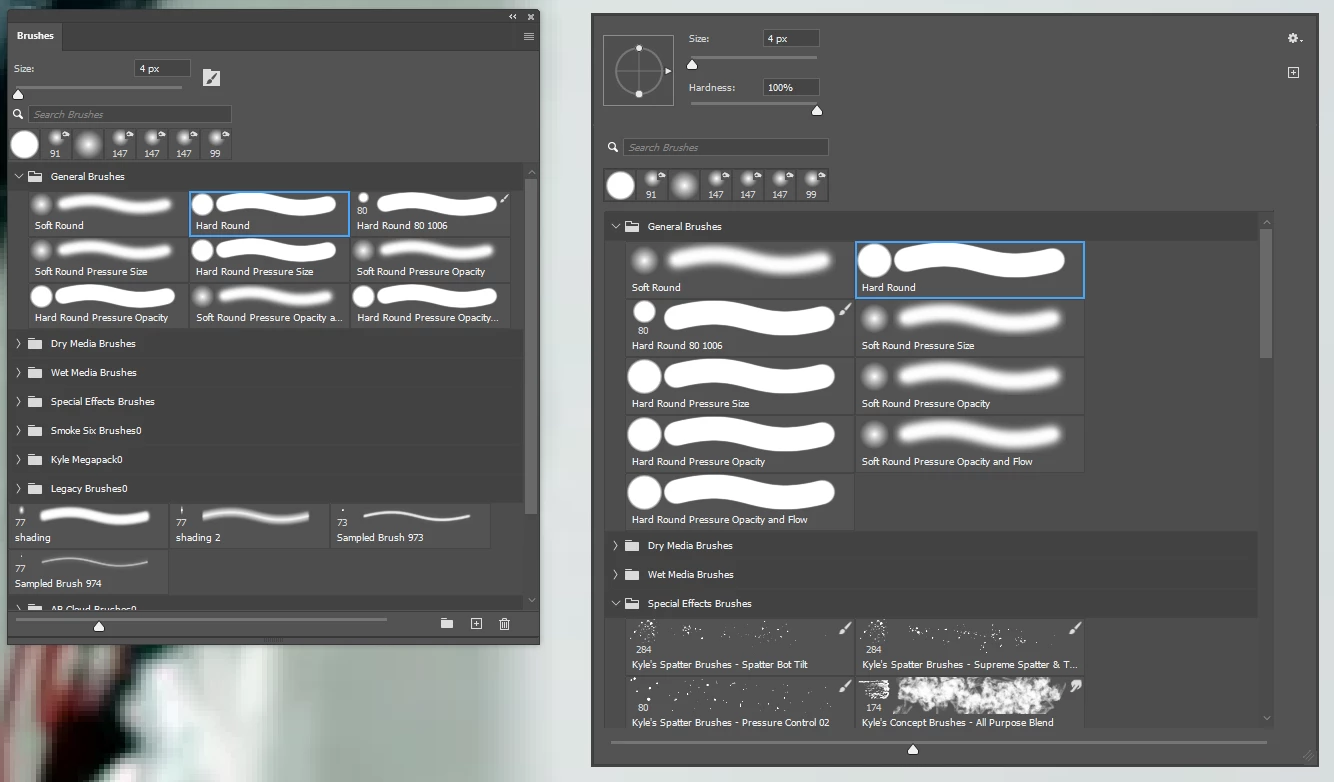
Could you make use of the Brushes panel instead of the right click brush menu?  You could toggle it on and off with F5, or assign a different shortcut that was nearer to hand.  It doesn't have quite as much functionality as the right click menu, but you can adjust hardness with the mouse or pen, and adjust angle with the cursor keys (15° with each click if you hold down Shift).   


2 replies

Trevor.Dennis
Community Expert
Trevor.DennisCommunity ExpertCorrect answer
Community Expert
October 23, 2025

Could you make use of the Brushes panel instead of the right click brush menu?  You could toggle it on and off with F5, or assign a different shortcut that was nearer to hand.  It doesn't have quite as much functionality as the right click menu, but you can adjust hardness with the mouse or pen, and adjust angle with the cursor keys (15° with each click if you hold down Shift).   


creative explorer
Community Expert
Community Expert
October 23, 2025

@Alex_R84 am right-handed too...but it doesn't bother me.... The menu is designed to open away from the cursor, so for a right-handed user drawing on the right side of the screen, it usually opens rightward, directly under the hand. Maybe re-assign the button to a different shortcut?

m