
Inspiring
June 7, 2025
Question

Brush lag with mouse and Wacom

  • June 7, 2025
  • 1 reply
  • 189 views

Hi

I'm having a strange issue that I've only noticed on my laptop, but not my PC. There seems to be some lag when using the brush either with the mouse or my Wacom tablet. I've captured it via a GIF. I've tried resetting everything to Factory Settings, reinstalling Photoshop, turning Smoothing off, and under the brush's settings. My screen's refresh rate is 165Hz, so the mouse is typically fast/smooth. I'm also using an Intel i7 12700H and an RTX 3070.
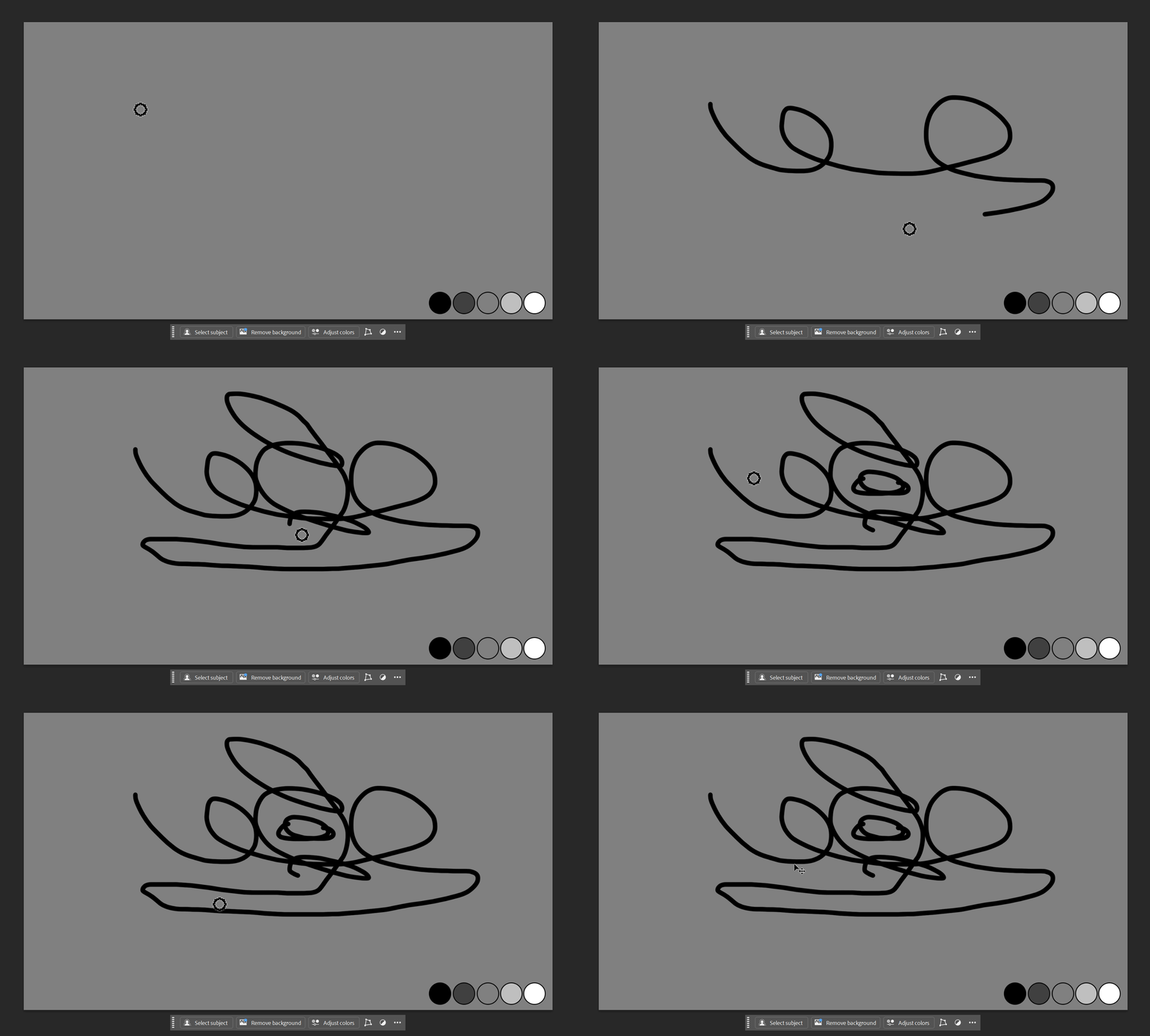


Has anyone encountered this? Or know of a way to sort it?


Thanks

1 reply

Inspiring
June 7, 2025

Okay, it looks to be present on my PC as well, but I never really noticed it. It doesn't appear to be as bad on my PC though, which is odd.

Noel Orridge
Community Manager
Community Manager
June 20, 2025

Hi @DustyShinigami, Thanks for reaching out!


Could you please share your system info? You can find it under Help > System Info > Copy. Just paste it into a text file and attach it here.


In the meantime, here are a few things you can try:

  • Enable Graphics Processor: Go to Edit > Preferences > Performance and make sure it's turned on. If it is, try turning it off and checking, also try switching between Basic, Normal, or Advanced under Advanced Settings.
  • Update GPU Drivers: Make sure your graphics drivers are up to date. Studio Drivers are generally more stable than Game Ready ones if you're using an NVIDIA card.
  • Adjust Performance Settings: Allocate more RAM to Photoshop (around 70–80%) and set Cache Levels to 4 or higher.
  • Brush Tool Smoothing: Try reducing or turning off the Smoothing setting in the top toolbar.
  • Drawing Mode: If you still have issues, try changing the Drawing Mode (under Advanced Settings) to Normal or Basic.


You can also refer to this Helpx article for more information on how to Optimize Photoshop performance.

Let us know how it goes!

Noel
Inspiring
June 20, 2025

Thanks for the reply. I'm not able to try these things at the moment, but once I get the chance, I'll report back. I'll also share the system info for both my PC and laptop.


Thanks