Participant
December 3, 2025
Answered

Brush mode pop up window?

  • December 3, 2025
  • 3 replies
  • 143 views

I love the brush modes, being able to paint in multiply, darken etc without creating a new layer is extremely useful. If this could be launched as a pop up window or incorporated within an existing window (Brush Settings or Contextual task bar for instance) to place it closer to the area you're working on would be a game changer. 

Correct answer Glenn 8675309

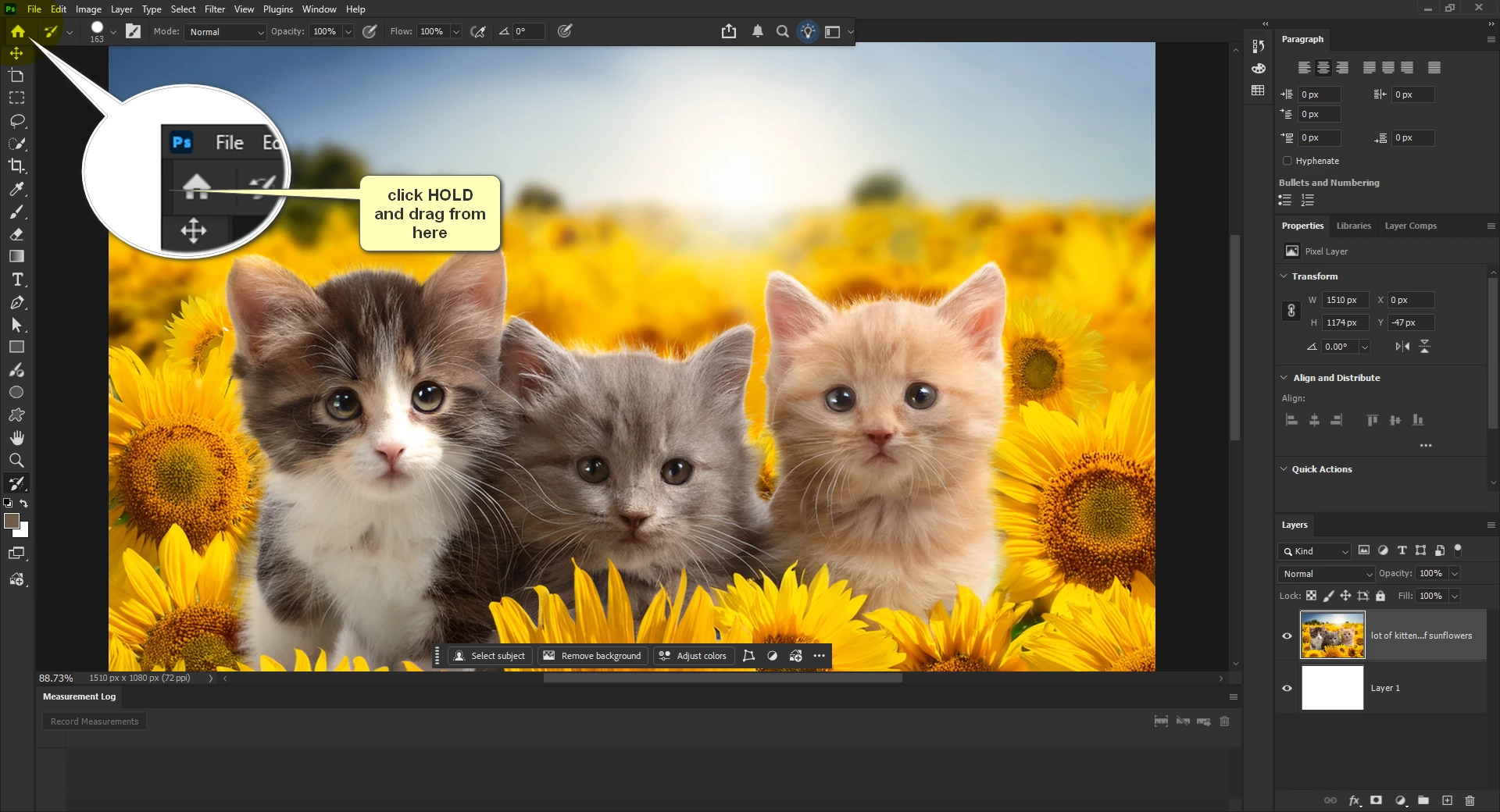
2025-12-03_023620.png


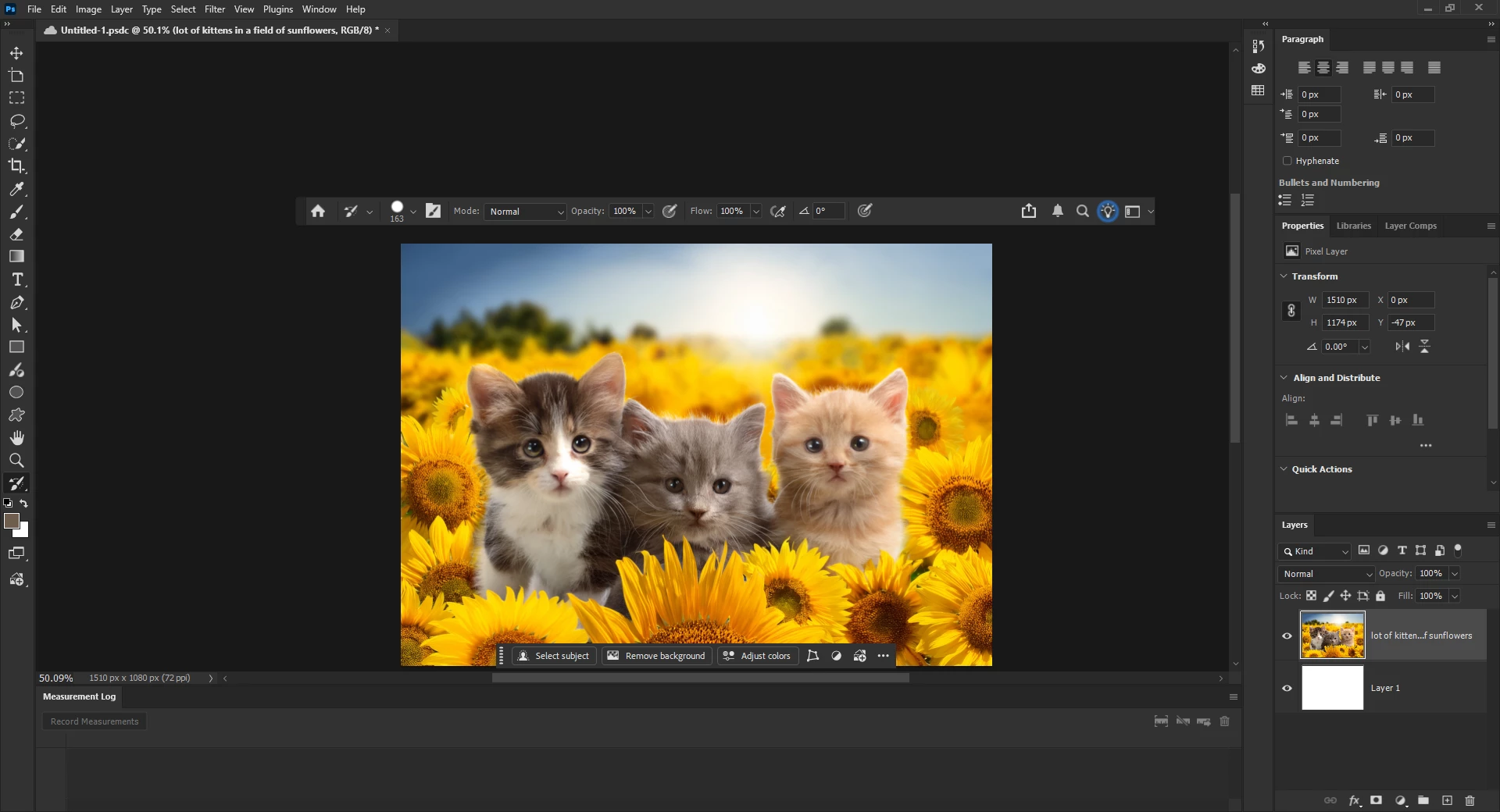
Drag it wherever, even to a second monitor.


2025-12-03_023827.png


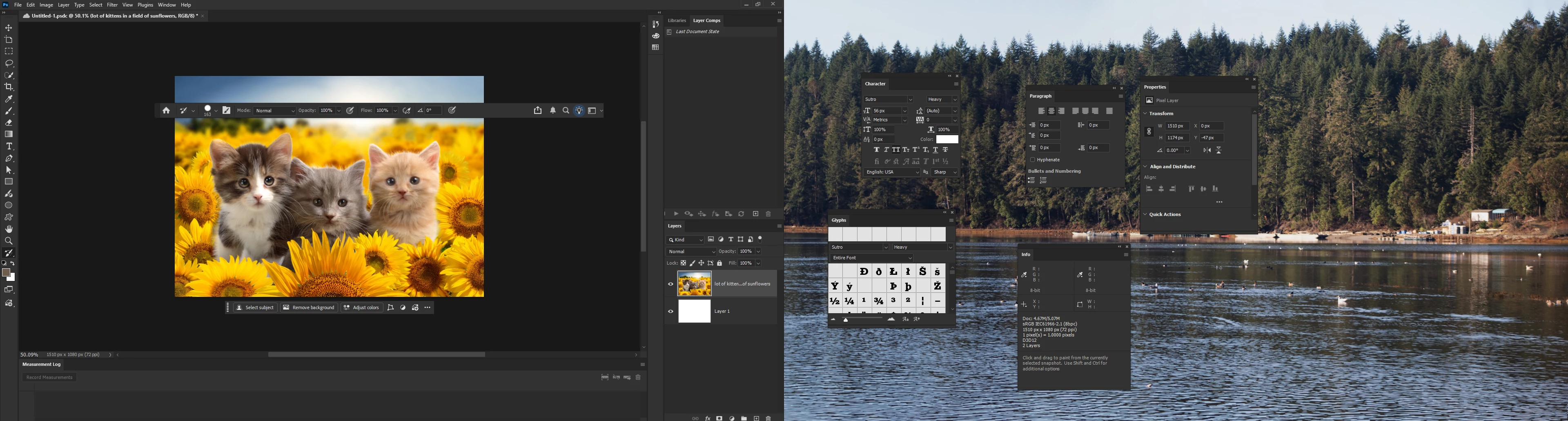
This is a screenshot showing a bunch of floating windows on my second monitor-- mostly just playing with that to see how "clean" I like to keep my work area. 

2025-12-03_024016.png

3 replies

Jeff Arola
Community Expert
Community Expert
December 3, 2025

A couple of perhaps useful shortcuts when a painting tool is selected are right clicking on the document to bring up the Brush Picker and Shift clicking on the document to bring up the Brush Mode list.


brush1.jpg


brush2.jpg

Participant
December 3, 2025

Glenn, you're a wizard.

Thank you so much for taking the time with a really clear reply that's solved the issue for me.

Glenn 8675309
Glenn 8675309Correct answer
Legend
December 3, 2025

2025-12-03_023620.png


Drag it wherever, even to a second monitor.


2025-12-03_023827.png


This is a screenshot showing a bunch of floating windows on my second monitor-- mostly just playing with that to see how "clean" I like to keep my work area. 

2025-12-03_024016.png