Answered
Brush settings
Is there documentation somewhere defining the Brush Settings properties/functions i.e. Transfer, Dual Brush, etc.

Is there documentation somewhere defining the Brush Settings properties/functions i.e. Transfer, Dual Brush, etc.
If you have a spare hour or so, have a play with the brush engine. I must of have spent, quite litterally, hundreds of hours playing with it, and I still learn new things. Thinking way back, I can remember thinking some aspects were not intuitive, so I'll try and help you out with that.
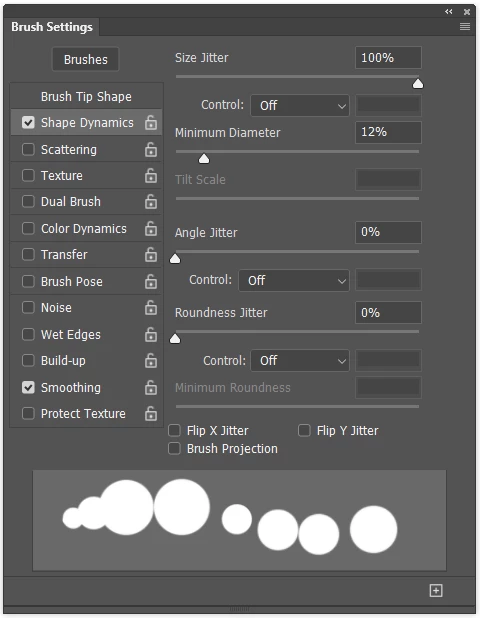
Jitter works all by itself and randomises whater aspect of the preset you are applying jitter to.
Note I have increased spacing to make it easier to see what is happening.
So with Jitter set to 100% each stamp of the brush can be anything from one pixel to the size of the preset.
Note also that you can see a lot of what is going to happen in the preview at the bottom of the panel.
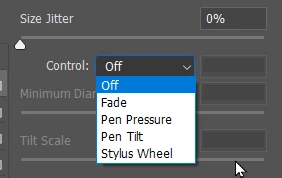
As soon as you apply one of the Control options, the behaviour is no longer random. The most useful options are Fade and Pen Pressure. You need a pen tablet for the latter.
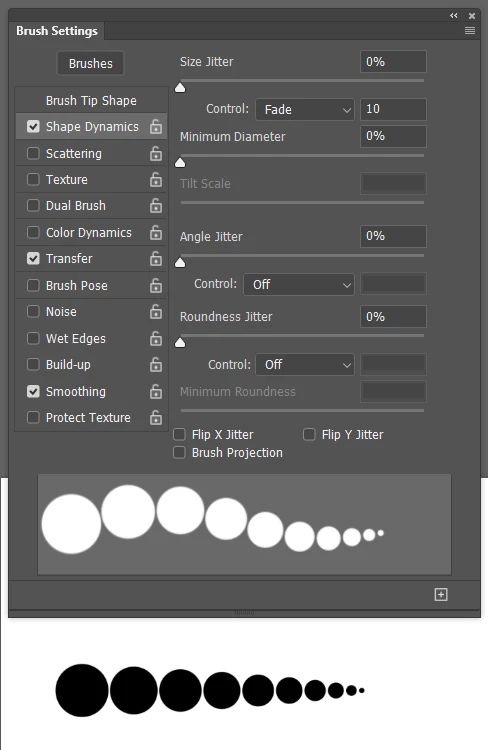
Fade is a favourite of mine. Note that the value applies to each stamp of the brush, so with a value of 10, as per my example. The brush goes from full size to nothing in ten stamps of the brush.
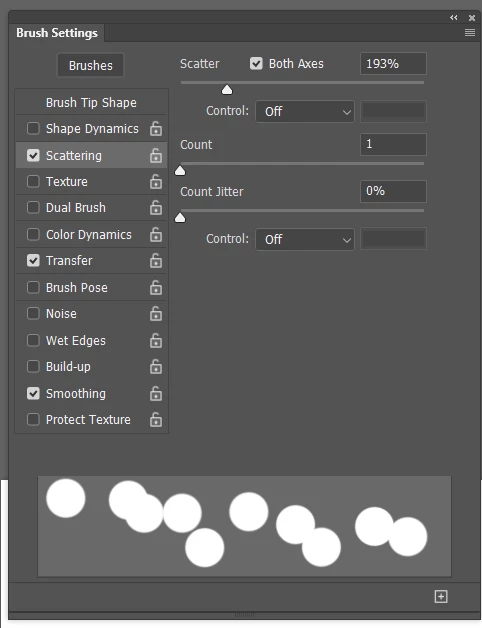
Scatter is obvious, and can be seen in the preview. Count can be super useful, and especially with Spatter presets when you want to increas the density of the brush.
Transfer is about oopacity and pretty obvious.
Build up is another useful one.
If Flow is set to a low value, then density willl continue to be applied without moving the brush. Very much like using a real life airbrush.
This uses a combination of angle jitter, and hue jitter with the original preset sampled from something like this. Set foreground and background colours to nice bright coplours, and you need to check Apply per Tip in Color Dynamics.


The best source of info about brush presets are the Kyle Webster videos on the Adobe Creative Cloud YouTube channel
This is a good one to start with. From memory, the first half is pretty basic.
Already have an account? Login
Enter your E-mail address. We'll send you an e-mail with instructions to reset your password.
 AdChoices