



Brush Settings affecting all brushes instead of individual brush
Hello!
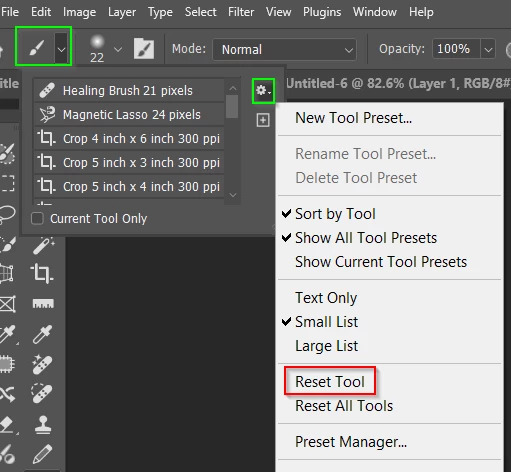
I recently noticed that when I change a setting on a brush preset it affects all my other brushes. For example, I have a pencil brush with a certain texture and transfer behaviour that has a different texture and behaviour than my pencil shader brush. If i change the texture in the pencil brush, it automatically changes this texture in my shader brush even if both settings have been locked. I then have to manually change these settings back to the the way I want it before using the brush.
I am changing the brush in the preset tool bar, not just changing the brush tip. This never used to be an issue for me but now it impedes my workflow since I have to manually change all the settings every time i switch to a new brush.
If anyone has any answers, please let me know. Thank you.

 AdChoices